


How a US Manufacturer Replaced a Legacy PHP Request System with One SharePoint Request Portal
A US manufacturer was handling its business requests through an outdated PHP application, email and separate forms. Each department had its own process, approvals were chased by hand, and managers could not see what was pending. CodeVision Technologies built one SharePoint request portal that brings seven request types into a single dashboard, routes each request through set approval stages, and shows everyone the status.

Faster Request Processing
Reduced approval and handling delays
Less Manual Work
Automated request workflows
Fewer Processing Errors
Improved request accuracy
Faster Decision-Making
Real-time request visibility
Challenges
The client’s request handling had grown department by department. An outdated PHP application handled part of the work, while many requests still moved by email and stand-alone forms. With no single platform, nobody had a full picture of what was pending, approved or stuck.
-
Hard to use.
The old system was difficult to navigate, so staff used it inconsistently.
-
Manual handling.
Approvers collected information, followed up and passed requests on by hand.
-
A different process in every department.
The same request type behaved differently depending on who raised it.
-
Weak attachment support.
Receipts and invoices were hard to attach and went missing.
-
No reporting.
Status, trends and turnaround times were difficult to track.

Solutions
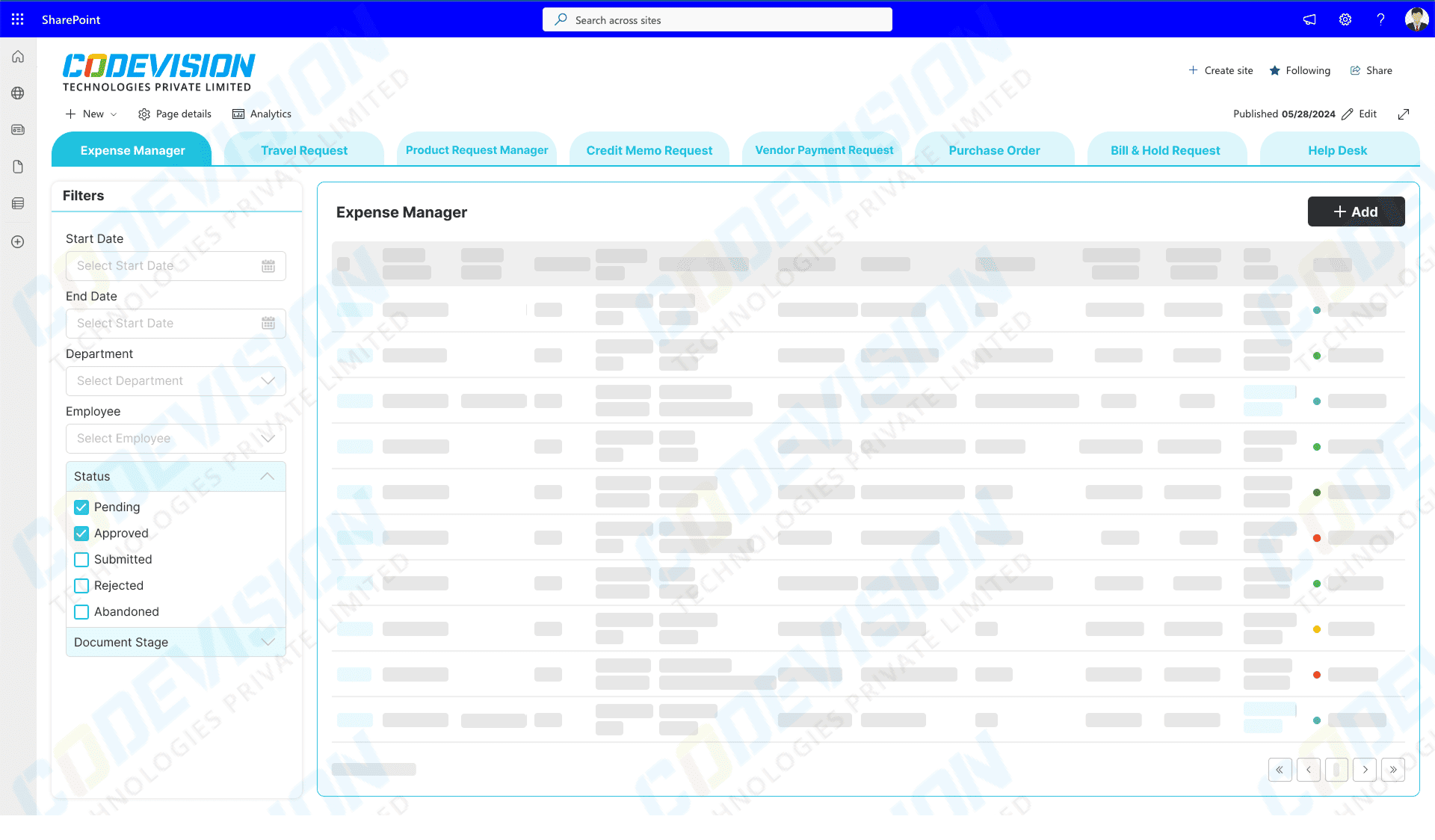
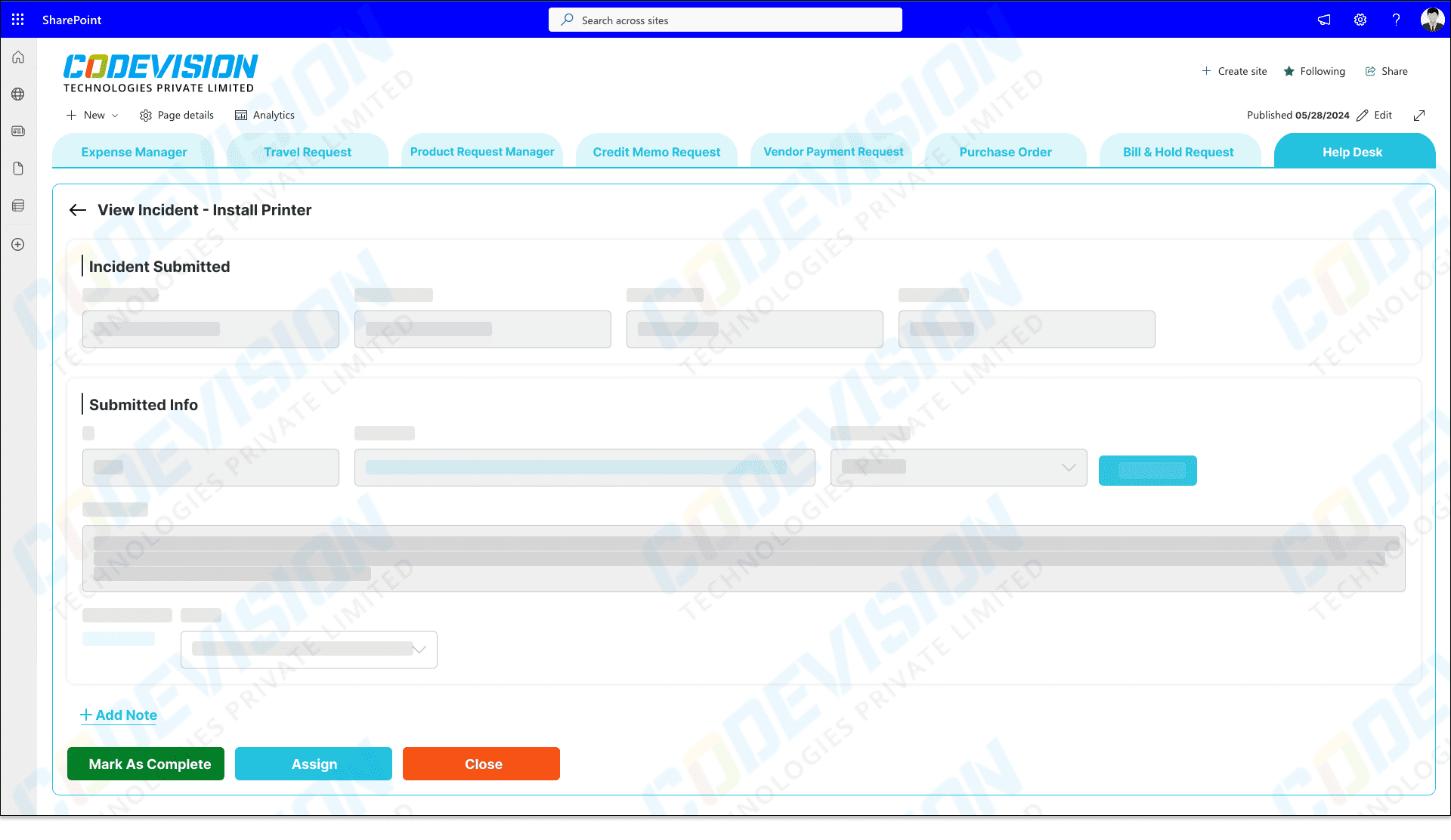
The solution: one SharePoint request portal
CodeVision Technologies developed and implemented a centralized SharePoint management portal. Rather than rebuilding the old app screen by screen, the team brought the request forms for seven business processes into one dashboard with a common way to submit, approve, attach and track.
-
Seven request types in one dashboard:
Expense · Travel · Credit Memo · Payment · Purchase Order · Bill & Hold · Help Desk
-
Automated approval stages:
Microsoft Power Automate moves each request through predefined approval stages automatically, so nobody forwards it by hand or chases the next approver.
-
Attachments and approval history:
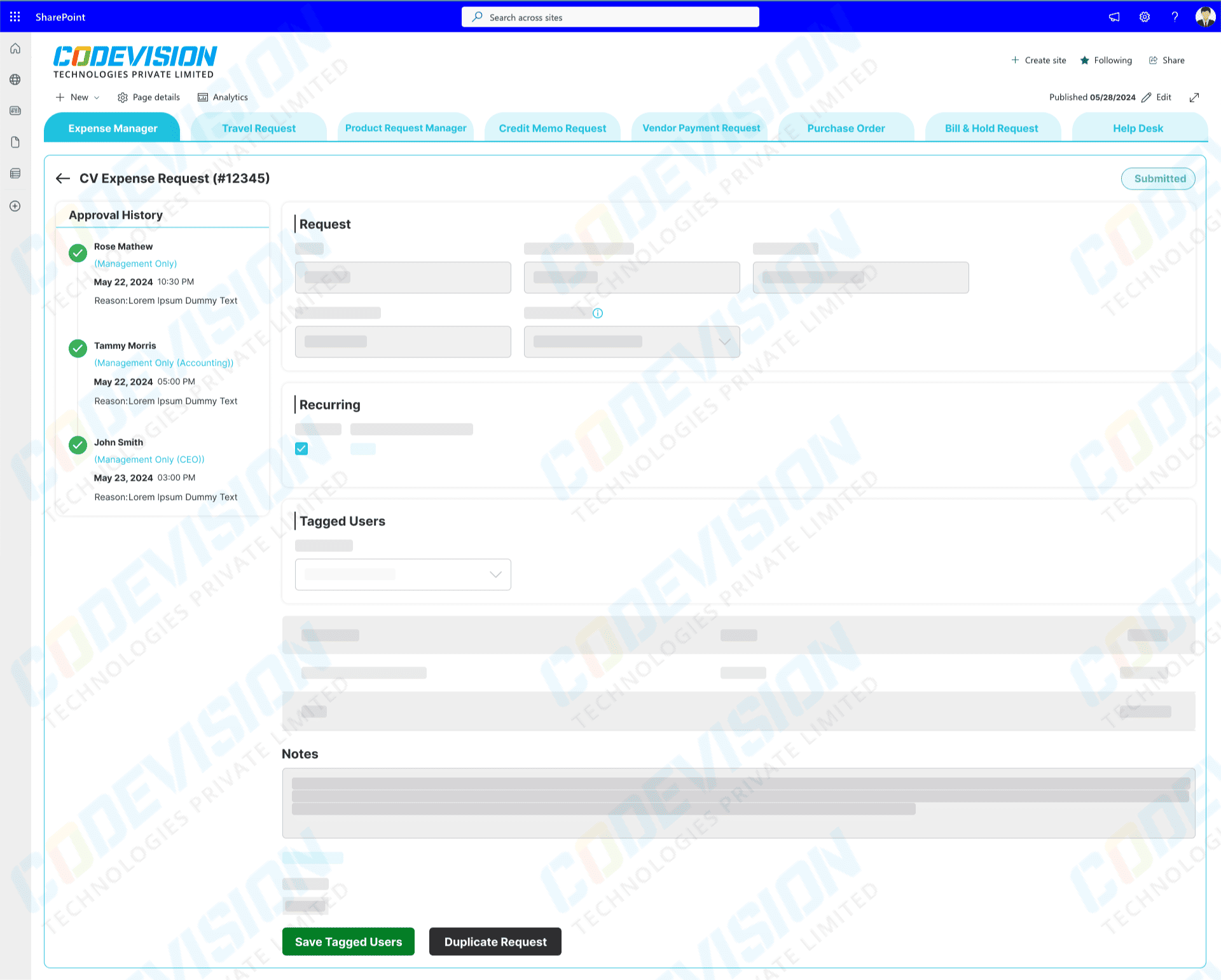
Employees attach supporting files when they submit. Expense requests show the purchase detail together with the approval history, giving finance a record of each decision.
-
Status tracking and reporting:
Requesters and approvers can see the current status of every request. Built-in reporting shows status, trends and turnaround so managers can spot where work is waiting.
Result
1. Reported results: efficiency, productivity, accuracy and agility
The client reported four measurable improvements, comparing one quarter after go-live.
👉Efficiency: 60% faster request processing
Requests no longer wait for someone to forward them. Automated approval stages move each request to the next approver as soon as the previous step is complete.
👉Productivity: 50% less manual work
Staff spend less time collecting information, chasing approvers and answering status questions, because forms, attachments and status live in one portal.
👉Accuracy: 45% fewer processing errors
Requests arrive through structured forms with their supporting documents attached, so fewer are sent back for missing or incorrect information.
👉Agility: 40% faster decision-making
Approvers see the request and its evidence in one place, so decisions are made sooner and approved requests can move on.
Results as reported by the client, comparing one quarter after go-live. They have not been independently audited, and they describe this client rather than forecast results for other organizations.
2. Business impact for finance: spend control, governance and compliance
👉 Spend Control
Expense, travel, purchase order and payment requests are approved through set stages before money is committed.
👉 Governance
Purchasing, payments and customer credits now follow one controlled approval route instead of department-by-department workarounds.
👉 Compliance with approval policies
Because every request follows defined approval stages, the business applies its internal approval policies the same way every time.
👉 Audit Trail
Expense requests keep their purchase detail and approval history together, so finance can show who approved what.
Key Features of Request Management App

Automation
Standardization
Accountability
Visibility
System Consolidation
Employee Experience
Related Case Studies


Consolidating Two Support Systems into One Microsoft 365 Helpdesk for a Cross-Border Payments Company
Paying per agent and relying on outside developers to change a single rule? This payments company replaced both of its help desks with one Microsoft 365 solution and kept customer data inside its own tenant.

Transforming Pharma Inventory and Financial Management via Dynamics 365 Business Central–QuickBooks Integration
Discover the real-world impact of integrating Dynamics 365 Business Central with QuickBooks — better batch tracking, automated processes, accurate reporting, and scalable pharma operations.

Simplifying Document Tracking and Resident Management with Microsoft Power Automate
Discover how a UK care group transformed compliance and resident management with Microsoft Power Automate — cutting manual work and boosting accuracy.
Frequently Asked Questions
CodeVision built a centralized SharePoint request portal for a US-based manufacturer to replace its legacy PHP request system and disconnected email-based processes. The solution brought seven business request types into one platform, with online forms, document attachments, predefined approval workflows, request status tracking, and reporting.
The SharePoint request portal manages seven types of business requests: Expense, Travel, Credit Memo, Payment, Purchase Order, Bill & Hold, and Help Desk requests. Each request type follows a structured submission and approval process, allowing employees to provide the required information and attachments online.
The best starting point is a workflow assessment to understand how your organization currently manages internal requests, approvals, and related business processes. CodeVision can review your request types, approval routes, existing systems, and Microsoft 365 services to determine whether SharePoint is an appropriate solution.
We work closely with your team to understand your end-to-end business processes, provide expert guidance on best practices, and help you avoid common pitfalls. With deep industry experience and a hands-on, consultative approach, we focus on delivering long-term value and building lasting partnerships that support your business growth.
Yes. SharePoint can be combined with Microsoft Power Automate to automate predefined approval stages and route requests through the appropriate workflow. Depending on the business requirements, the solution can support online request submission, approval notifications, status updates, and reporting. In this case study, the centralized portal replaced manual email-based coordination with structured request workflows, helping the manufacturer manage its seven request types more consistently.
