


How Microsoft Power Platform Powers Frontier Transformation for Modern Enterprises

- What Is Frontier Transformation?
- The Real Problem Isn’t “Lack of Technology” — It’s Disconnected Technology
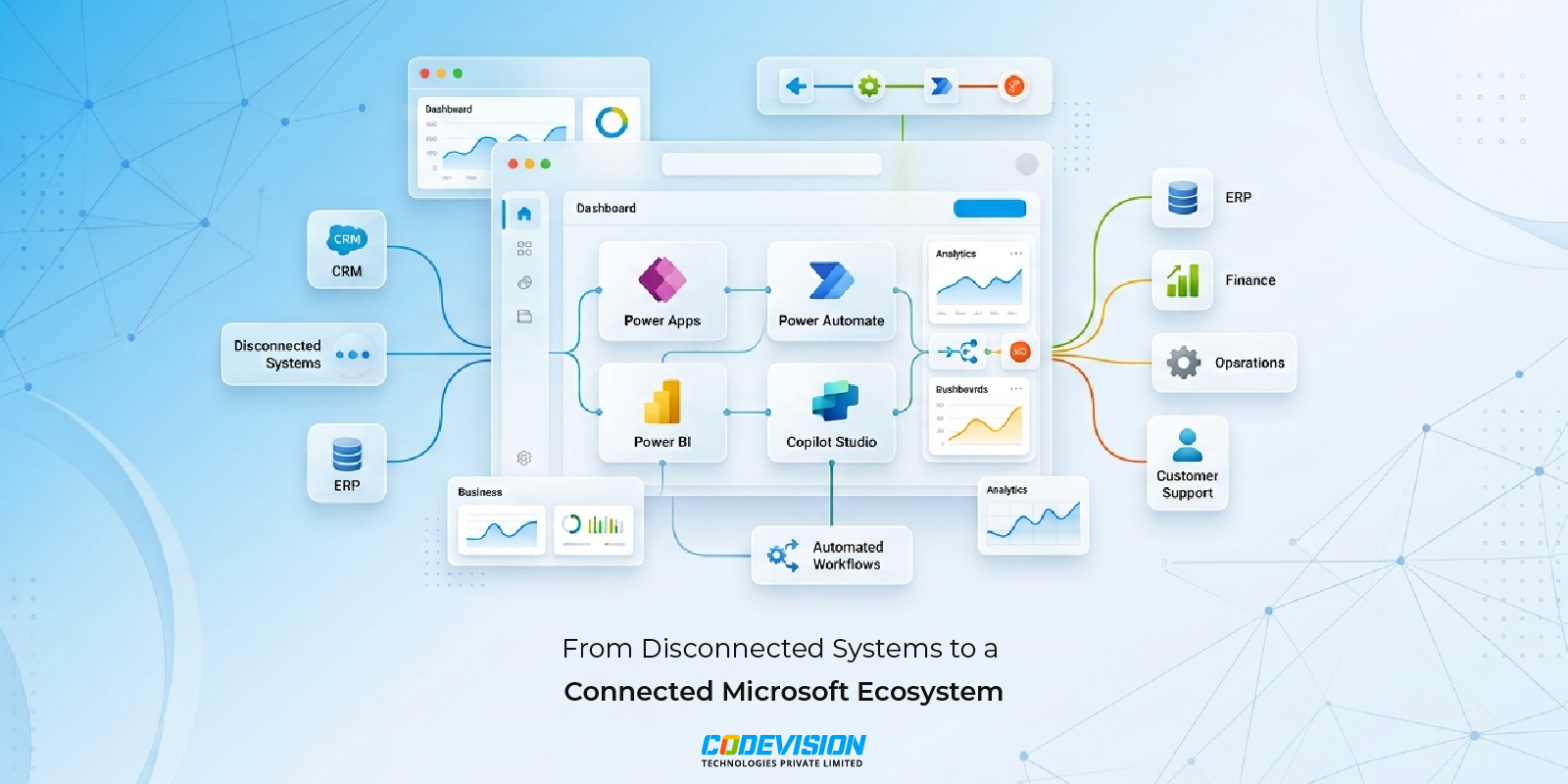
- Disconnected Stack vs. Connected Microsoft Ecosystem
- Why Microsoft Power Platform Is the Foundation for Frontier Transformation
- AI Agents: The Next Evolution of Automation
- Traditional Automation vs. AI Agents
- What does Frontier Transformation look like in the real world?
- Intelligence + Trust: Scaling AI Responsibly
- Where do businesses get stuck, and how do you avoid it?
- Where should you start?
- Final thought
Every CXO has sat through a “digital transformation” pitch that promised the moon and delivered a slightly nicer dashboard. So a little skepticism is fair. But there is a real difference between transformation that adds new tools to an old mess and what Microsoft Power Platform makes possible: Frontier Transformation — the kind that rewires how a business actually runs, from the CRM record a salesperson touches to the ERP entry that triggers a shipment three departments later.
That shift is exactly what Microsoft’s ecosystem — Power Platform, Dynamics 365, and Azure AI — was built to enable, and it is the shift we help clients make every day.
Having implemented Power Platform development across enterprises globally, we have seen where these projects succeed and where they quietly fail. If you are an IT decision-maker or business leader trying to work out whether your systems are helping you scale or holding you back, this one is for you.
What Is Frontier Transformation?
Microsoft describes Frontier Transformation as the evolution of digital transformation, where organizations move beyond isolated automation and embed intelligence across workflows, decisions, and customer experiences.
Rather than treating AI as a standalone tool, Frontier organizations combine human expertise, business data, AI-powered workflows, Copilots, and intelligent agents to create a more adaptive and innovative enterprise.
The goal is not simply efficiency.
The goal is to build a business where intelligence exists across every workflow, enabling employees to make better decisions, accelerate execution, and create better customer outcomes.
This is why many leading enterprises are evolving into what Microsoft refers to as Frontier Firms: organizations that combine human judgment with AI capabilities to scale faster, innovate continuously, and unlock new business value.
The Real Problem Isn’t “Lack of Technology” — It’s Disconnected Technology
Most mid-size and enterprise businesses aren’t short on software. They’re short on integration. A typical org today runs a CRM for sales, an ERP for finance and operations, a separate ticketing tool for support, and a spreadsheet graveyard holding everything the other systems couldn’t handle.
The result? Data lives in silos.
The challenge isn’t collecting more data.
Most organizations already have plenty of it.
The challenge is transforming that information into actionable intelligence.
Without connected systems, leaders struggle to gain a complete view of customer relationships, operational performance, financial health, and workforce productivity.
This is where Enterprise Intelligence becomes a competitive advantage.
Reports take days instead of minutes. Decisions get made on gut feel because the “single source of truth” is actually five sources that disagree with each other.
This is where CRM and ERP integration through the Microsoft ecosystem changes the equation. When Dynamics 365 CRM and ERP modules share a common data model, and Power Platform sits on top connecting the rest, you stop managing systems and start managing outcomes. — pipeline, cash flow, delivery — from one connected view
Disconnected Stack vs. Connected Microsoft Ecosystem
| Area | Disconnected Stack | Connected Microsoft Ecosystem |
|---|---|---|
| Data | Siloed across CRM, ERP, support, and spreadsheets | Shared data model across Dynamics 365 and Power Platform |
| Reporting | Manual, days old, and often contradictory | Live Power BI dashboards with a single source of truth |
| Process | Bounces between email, Excel, and manual follow-ups | Automated Power Automate flows within the Microsoft ecosystem |
| Decisions | Reactive and dependent on gut-feel or outdated information | Proactive, data-driven, and based on near-real-time insights |
Why Microsoft Power Platform Is the Foundation for Frontier Transformation
Microsoft Power Platform is often described as a low-code platform.
In reality, it has become a strategic foundation for enterprise AI, intelligent automation, and business transformation.
Together with Microsoft Copilot, Dynamics 365, Microsoft 365, and Azure AI, Power Platform helps organizations create connected business systems that support innovation, automation, and AI-powered decision-making at scale.
Power Platform — Power Apps, Power Automate, Power BI, and Copilot Studio — is often introduced as a “low-code tool for building small apps.” That undersells it badly.
In practice, we’ve used Power Platform to help clients:
- Automate multi-step approval workflows that used to bounce between email, Excel, and someone’s memory (Power Automate).
- Build custom line-of-business apps in weeks instead of the 6–12 months a traditional dev cycle would take (Power Apps).
- Turn raw operational data into live executive dashboards that update in real time instead of once a month (Power BI).
- Deploy AI-driven virtual agents that handle first-line customer or employee queries, freeing up human teams for higher-value work (Copilot Studio).
None of these are flashy on their own. Together, they’re the connective tissue that makes business process automation actually stick — because the automation lives inside the same ecosystem as your CRM and ERP, not bolted on as a fragile side project.
This is the practical meaning behind Frontier Transformation: not a single big-bang overhaul, but a series of connected, compounding wins that push your business toward the edge of what’s operationally possible — hence “frontier.”
AI Agents: The Next Evolution of Automation
Traditional automation follows predefined rules.
AI Agents introduce intelligence into business processes by understanding context, retrieving information, making recommendations, and initiating actions across connected systems.
Built using Microsoft Copilot Studio, AI Agents extend automation by enabling organizations to bring AI directly into the flow of work.
Traditional Automation vs. AI Agents
| Area | Traditional Automation | AI Agents |
|---|---|---|
| Operation | Follow predefined rules | Understand business context |
| Function | Execute tasks | Recommend actions |
| Workflow | Fixed workflows | Adaptive workflows |
| Focus | Process-focused | Outcome-focused |
| Decision Support | Limited decision support | AI-powered reasoning |
By integrating Copilot and AI Agents directly into Microsoft 365, Dynamics 365, and Power Platform, organizations bring AI into the flow of work rather than forcing employees to switch between disconnected applications.
Common use cases include:
- Customer Service Agents: Resolve routine support requests automatically while escalating complex issues to human teams.
- HR Agents: Answer employee questions, automate requests, and improve self-service experiences.
- Sales Agents: Recommend next-best actions based on CRM insights and customer engagement history.
- Operations Agents: Identify workflow bottlenecks before they impact customers or business performance.
Unlike traditional automation, these Agentic Workflows combine business intelligence, enterprise data, and human oversight to improve productivity while maintaining governance and compliance.
This shift from automation to Human-AI Collaboration is one of the defining characteristics of Frontier Transformation.
Organizations looking to build intelligent business agents can explore our Microsoft Copilot Studio services and AI automation capabilities.
What does Frontier Transformation look like in the real world?
Picture a distribution company running Dynamics 365 for sales and an older ERP for inventory and finance, with no real bridge between them. Sales reps promise delivery dates they cannot confirm, finance reconciles invoices manually at month-end, and leadership hears about a stockout the same day a customer complains.
Now picture the same company after a proper Dynamics 365 implementation and integration engagement. CRM and ERP data flow together in near real time. A Power Automate flow flags low inventory before a sales rep quotes a delivery date. A Power BI dashboard surfaces fulfillment bottlenecks before they become customer escalations. None of this required ripping out existing systems — it required connecting them intelligently.
That is the pattern we see again and again: the biggest transformation wins come not from replacing what you have, but from finally making systems talk to each other. This is exactly how many emerging Frontier Firms are creating competitive advantage by connecting data, people, processes, and AI into a unified operating model.
Intelligence + Trust: Scaling AI Responsibly
Successful AI adoption requires more than technology.
It requires trust.
As organizations expand their use of Copilot, AI Agents, and intelligent automation, governance becomes equally important.
Security, compliance, transparency, and Responsible AI practices must be built into every solution from the beginning.
Microsoft frequently emphasizes the importance of Intelligence + Trust, where AI innovation and business transformation are balanced with governance and security.
Power Platform enables organizations to scale AI securely through:
- Data loss prevention policies
- Role-based access controls
- Environment governance
- Audit logging
- Compliance monitoring
- Responsible AI frameworks
This allows businesses to innovate confidently, protect critical business data, and scale AI securely across the enterprise.
See it in practice: Dynamics 365 + QuickBooks integration for a UK pharma distributor — how we closed the gap between CRM, ERP, and finance for a real client.
Where do businesses get stuck, and how do you avoid it?
Most failed automation initiatives share the same three root causes. The first is automating a broken process instead of fixing it first — speeding up a bad workflow just gets you to a bad outcome faster. The second is no clear data governance: if your CRM and ERP disagree on what a “customer” or “order” means, automation will simply automate the confusion. The third is underestimating change management, because the best-built Power App in the world fails if the team using it was not brought along for the ride.
A capable Microsoft Partner earns their keep by catching these issues before they derail a project — not by selling licenses and walking away. This is where our experience across workflow automation projects matters more than the technology itself.
Where should you start?
Most successful Frontier Transformation journeys do not begin with enterprise-wide transformation programs.
They begin with a specific problem, measurable business outcome, and clear adoption strategy.
One workflow improvement often leads to another, creating a compounding effect where innovation, automation, and intelligence expand across the organization over time.
You do not need a five-year roadmap to begin. Most successful Frontier Transformation journeys start small: one workflow automated, one dashboard built, one integration between CRM and ERP that finally closes a long-standing data gap. From there, momentum builds naturally, and each win funds the confidence for the next.
If you are weighing whether your organisation is ready, our guide comparing Power Automate vs Zapier for enterprise workflows breaks down where low-code automation genuinely scales. And if you want to see the broader portfolio, our full Microsoft 365 solutions range shows what a connected ecosystem can deliver.
Codevision has delivered Microsoft Power Platform, Dynamics 365, Microsoft 365, workflow automation, SharePoint, and AI-powered business solutions across multiple industries, helping organizations modernize operations and achieve measurable business outcomes.
Final thought
Frontier Transformation is not about chasing the newest feature Microsoft ships.
It is about creating a Human-Led, AI-Powered Enterprise where CRM, ERP, analytics, automation, Copilots, and AI Agents work together as a connected intelligence platform.
The most effective first step is almost always a focused assessment of where your systems disagree with each other.
If you’re exploring how Microsoft Power Platform, Dynamics 365, Copilot, and AI Agents can support your business goals, book a free CRM and ERP integration consultation with Codevision.
We’ll help identify the highest-impact and highest-ROI starting point for your Frontier Transformation journey.
Frequently Asked Questions
Frontier Transformation is Microsoft’s approach to helping organizations move beyond isolated automation projects and create intelligence across workflows, decisions, and customer experiences.
Key benefits include:
- AI-powered workflows and automation
- Connected CRM and ERP systems
- Better business intelligence and visibility
- Faster decision-making
Improved customer and employee experiences - Greater innovation and business agility
Organizations often use Microsoft Power Platform, Dynamics 365, and Copilot to support Frontier Transformation initiatives.
A Frontier Firm is an organization that combines human expertise, AI capabilities, intelligent agents, and connected business systems to improve productivity and innovation.
Frontier Firms typically focus on:
- Human-AI collaboration
- Data-driven decision-making
- Enterprise intelligence
- Operational efficiency
- Continuous process improvement
- Scalable growth through technology
By connecting people, processes, data, and AI, Frontier Firms can respond faster to market changes and customer expectations.
AI Agents are intelligent software assistants that can understand context, retrieve information, recommend actions, and initiate tasks across connected business systems.
Organizations use AI Agents to:
Automate customer support requests
- Assist employees with routine tasks
- Improve CRM and sales processes
- Monitor operational workflows
- Surface business insights in real time
- Support enterprise-wide productivity
Built using Microsoft Copilot Studio, AI Agents help bring AI directly into the flow of work.
Microsoft Copilot enhances Power Platform by allowing users to interact with applications, workflows, and data using natural language.
Together, Power Platform and Copilot help organizations:
- Build applications faster
- Automate repetitive processes
- Analyze data more efficiently
- Improve employee productivity
- Create AI-powered experiences
- Accelerate digital transformation initiatives
This enables businesses to bring AI into everyday work rather than introducing separate standalone tools.
Traditional automation tools focus on automating individual tasks or workflows.
Microsoft Power Platform provides a broader business transformation platform that includes:
- Application development with Power Apps
- Workflow automation with Power Automate
- Business intelligence through Power BI
- AI Agents via Copilot Studio
- CRM and ERP integration
- Low-code innovation across departments
This allows organizations to automate processes while also improving visibility, decision-making, and operational efficiency.
Yes. Microsoft Power Platform can connect Dynamics 365, Microsoft 365, ERP platforms, CRM systems, Azure services, and many third-party applications.
Common integration benefits include:
- Unified customer and operational data
- Automated workflows across departments
- Reduced manual data entry
- Real-time reporting and insights
- Improved customer experiences
- Greater operational visibility
Organizations often start by integrating CRM and ERP systems to create a single source of truth for business operations.
Implementation timelines vary based on business requirements, system complexity, integrations, and organizational readiness.
Typical projects include:
- Workflow automation initiatives
- Power App development
- CRM and ERP integration
- Reporting and analytics solutions
- AI Agent and Copilot deployments
Most successful organizations begin with a focused use case and then expand adoption based on measurable business outcomes.
No. One of the biggest advantages of Power Platform is its ability to extend and integrate with existing business systems.
Organizations commonly use Power Platform to:
- Modernize legacy processes
- Automate manual workflows
- Connect CRM and ERP systems
- Improve reporting and analytics
- Introduce AI-powered capabilities
- Enhance employee productivity
This allows businesses to accelerate transformation without replacing core systems that already support critical operations.

Recent Posts
What Is a Microsoft Frontier Firm? 7 Characteristics of AI-First Organizations
Digital Transformation vs. Frontier Transformation: What’s the Real Difference?
Why Companies Lose Thousands on Unused Office Assets Every Year
Microsoft Teams vs SharePoint Intranet: Why Modern Businesses Need Both
Let's Talk
Social Links


Related Articles
Microsoft Frontier
7 min readWhat Is a Microsoft Frontier Firm? 7 Characteristics of AI-First Organizations
AI adoption is no longer just about using tools—it is about building an AI-first operating model. Learn what a Microsoft Frontier Firm is and the 7 defining characteristics that separate industry leaders from the rest.
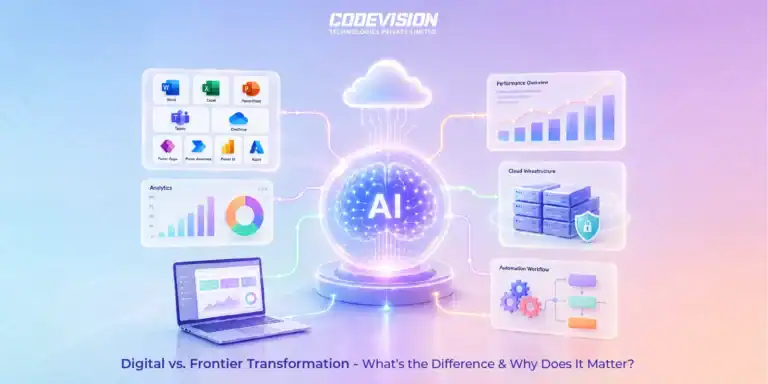
Microsoft Frontier
7 min readDigital Transformation vs. Frontier Transformation: What’s the Real Difference?
Digital transformation digitized business processes. Frontier Transformation goes further by combining AI, automation, intelligent agents, and connected systems to create smarter, AI-powered enterprises.

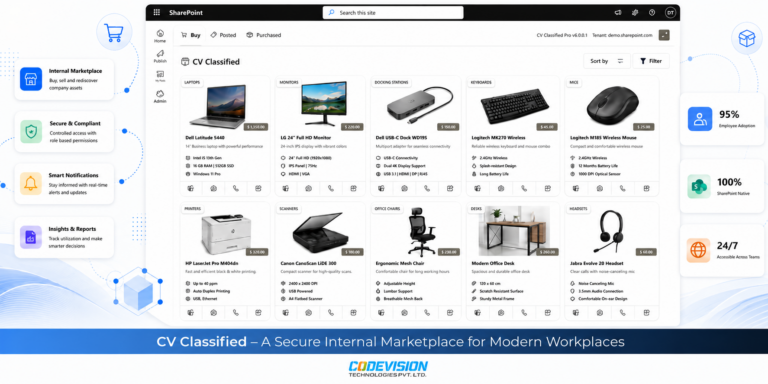
Microsoft 365
8 min readWhy Companies Lose Thousands on Unused Office Assets Every Year
Unused office assets often lead to duplicate purchases and unnecessary costs. Learn how CV Classified helps organizations reuse existing assets through a secure SharePoint-powered internal marketplace.