


Microsoft Teams vs SharePoint Intranet: Why Modern Businesses Need Both
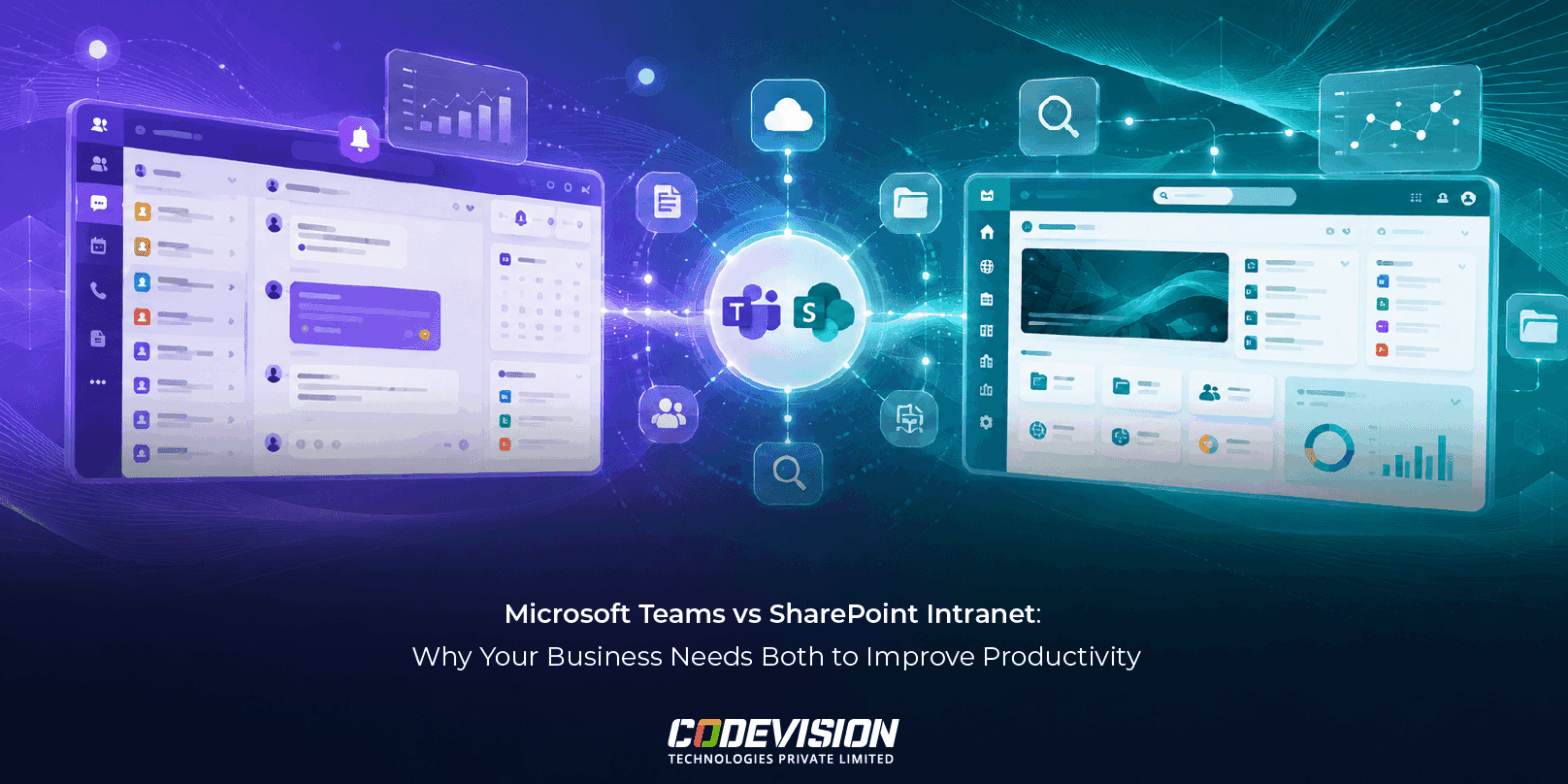

- SharePoint Intranet vs. Microsoft Teams
- The core difference: push vs.pull communication
- The problems with using only one tool
- How winning organization Integrate both tools
- Integration patterns from real organizations
- What the data shows
- Making the integration work: key principles
- Common mistakes to avoid
- Conclusion: the path forward
Your intranet is nothing like the portals of 10 years ago. Neither is how you should think about Microsoft Teams.
Here’s a stark reality: The average knowledge worker spends 2.1 hours per day searching for information they need to do their job. That’s over 10 hours per week. In a 100-person organization, that’s 500 hours of lost productivity weekly—equivalent to 12 full-time employees doing nothing but searching for documents.
Many organizations think the answer is simple: use Microsoft Teams. After all, you’re probably already paying for it. But here’s what they don’t realize: Teams and an intranet solve fundamentally different problems. Using Teams alone is like trying to use your kitchen sink to store long-term food—it works for the moment, but it’s not designed for that job.
The question isn’t “Teams or intranet?” It’s “How do we make both work together?”
SharePoint Intranet vs. Microsoft Teams
| Feature | Intranet | Teams |
|---|---|---|
| Best For | Organization-wide communication, knowledge discovery | Team collaboration, real-time chat |
| Information Discovery | Powerful search, hierarchical structure, browse-able | Channel-based conversations; messages can get buried |
| Information Permanence | Long-term repository designed for future reference | Focused on active conversations; older information is harder to find |
| Audience Reach | Organization-wide; accessible to everyone | Team-specific; limited to channel members |
| Mobile Experience | Optimized for browsing and information discovery | Optimized for chat, meetings, and file sharing |
| Governance | Centralized content management with compliance controls | Decentralized collaboration; more flexible but harder to govern |
| Use Case | “Where is the employee handbook?” | “How are we approaching this project?” |
The core difference: push vs.pull communication
Think of it this way: Teams is push communication. Information flows forward. You post something, it enters the conversation stream, and everyone in that channel sees it—for now. But in a few days, it gets buried under hundreds of other messages. Finding that policy announcement from three weeks ago? Good luck. According to research, important information in Teams becomes irretrievable within 72 hours due to message volume.
An intranet is pull communication. Information waits for people to look for it. You publish something, and it sits on the intranet. When someone needs it six months from now, they search, find it, and there it is. Unchanged. Permanent. Discoverable.
Real-world example: Safety Protocol in Manufacturing
A manufacturing plant publishes a new safety protocol.
- In Teams: Post it in the Safety channel. Everyone sees it. Great engagement. But in two weeks, it’s buried under 500 other messages about schedules, equipment issues, and off-topic chat. A new supervisor who started last month? They have no idea this protocol exists. Result: Safety risk increases.
- On Intranet: Publish it in the “Safety Procedures” section. Link it from the homepage. Pin a link in the Teams Safety channel. In six months, a contractor asks about the protocol. The safety officer searches “equipment maintenance procedure,” finds it instantly, and shares the link. Zero confusion. Zero safety risk.
The problem with using Teams alone? You lose institutional knowledge. Each person becomes a human search engine. “Hey, does anyone remember that policy about expense reports?” Multiply that by 100 employees × 10 times per week, and you’ve lost thousands of hours annually. Organizations using this approach report 43% more time spent searching for information than those with both tools integrated.
When to use Teams (Not Intranet)
Teams excels at real-time collaboration. Use it when:
- You need immediate feedback and conversation
- Active collaboration on a specific project or deliverable
- Time-sensitive decisions requiring quick input
- Team-specific work that doesn’t affect the whole organization
- Informal communication and team building
Examples:
- Marketing team coordinating a campaign launch
- Product team reviewing design feedback in real-time
- Engineering team debugging an issue together
- Sales team sharing client updates and wins
- Department standup meeting notes and quick updates
- The key: If it needs discussion, debate, or iteration, Teams is your tool.
The key: If it needs discussion, debate, or iteration, Teams is your tool.
When to use Intranet (Not Teams)
Intranets excel at permanent, discoverable information. Use it when:
- Organization-wide announcements or policies
- Reference material people need months or years later
- Formal procedures and compliance documentation
- Employee resources (benefits, policies, org directory)
- Knowledge that needs to be findable by people outside your immediate team
Examples:
- CEO announces company strategy or major changes
- HR publishes updated benefits policy
- Finance publishes expense reimbursement procedures
- Compliance updates (GDPR, SOC 2, industry-specific regulations)
- Company directory and organizational structure
- Training materials and onboarding resources
- Safety procedures and emergency protocols
The key: If someone will need to find it later (and you can’t predict when), it belongs on the intranet.
The problems with using only one tool
The “Teams Only” Trap
You buy Microsoft 365. Teams is included. Why add another tool? Here’s why organizations regret this decision:
Information retrieval becomes impossible. After 3 months, your #policies channel has 2,000 messages. Finding the vacation policy? Scroll, scroll, scroll. Or ask HR again. For the 50th time. Research shows 72% of organizations using Teams alone report that important information gets lost.
Inconsistent information spreads. Person A posts the old version of a policy in Teams. Person B posts an updated version. Which is correct? Nobody knows until someone messes up and creates a compliance violation.
Mobile users are left out. Your frontline workers (shift workers, distributed teams) can’t effectively search Teams on their phones. They miss critical updates. A healthcare network we worked with found that shift nurses were missing critical protocol updates because they couldn’t search Teams effectively on mobile.
Onboarding takes forever. New hires spend their first week asking “where is [document]?” Instead of working, they’re digging through channel history. Companies using Teams alone report onboarding taking 6-8 weeks versus 2-3 weeks with proper intranet support.
Compliance becomes a nightmare. Auditors ask “Can you show me all policy updates from Q2?” In Teams, you’re manually scrolling through months of conversation. In an intranet, you pull a report in seconds. One financial services client we know saved 60+ hours per audit by moving to an integrated system.
The “Intranet Only” Problem
Some organizations run everything through their intranet. This fails too:
- Real-time collaboration is painful. Teams exists for a reason. Using an intranet for quick brainstorming is like using email for a phone conversation. Technically possible, extremely inefficient.
- Active work gets fragmented. Your team is collaborating on a project. They need quick feedback, version control, and real-time updates. An intranet can’t do this effectively.
- Culture and connection suffer. Teams enables the “water cooler” moments. Informal communication. Social bonding. An intranet is too formal for this. Studies show that organizations without real-time collaboration tools report 30% lower employee engagement.
- Adoption is terrible. If your only internal tool is the intranet, people find workarounds. They use email, Slack, WhatsApp, anything else. You end up with communication chaos instead of strategy.
How winning organization Integrate both tools
Here’s the integration pattern that actually works:
Real-Time → Documented → Permanent
Day 1: Real-Time Discussion (Teams)
- Team discusses a new workflow process in their Teams channel
- They brainstorm, give feedback, iterate
- Lots of back-and-forth conversation
- This is where Teams shines
Week 2: Team Decision (Teams)
- Team finalizes the process after several iterations
- Pin the final decision in Teams so team members have quick reference
- Reference it in team standup for alignment
Week 4: Formal Documentation (Intranet)
- Process is finalized and approved by management
- Document it formally on the intranet in “Processes” or relevant section
- Include version number, approval date, owner
- Link to it from the Teams channel with note: “Official documentation here: [intranet link]”
Month 6 & Beyond: Permanent Reference (Intranet)
- New team members joining? Point them to intranet version
- Client or vendor asking about the process? Share intranet link
- Auditor wants documentation? Pull from intranet with full history
- Process needs updating? Update on intranet, notify Teams
The Key Link: The Teams channel doesn’t replace the intranet. It complements it. A pinned message in Teams says: “For the official, most up-to-date version of this process, always check: [intranet link]”
This approach ensures:
- Real-time collaboration happens in Teams (where it’s efficient)
- Decisions get documented permanently (where they’re discoverable)
- One source of truth exists (intranet)
- Teams stays focused on conversation, not documentation
Organizations using this pattern report 35% improvement in policy compliance and 52% faster onboarding because information is both collaborative and permanent.
Integration patterns from real organizations
1. Healthcare Network Example (250 employees, 5 locations)
The Challenge:
Multiple hospital locations, different practices, lots of regulatory requirements. New policies constantly roll out (HIPAA updates, clinical procedures, etc.). Staff is distributed—many don’t have a desk. How do you ensure compliance while enabling real-time care coordination?
How They Use Both:
- Intranet: Central hub for all policies, procedures, HIPAA documentation, staff directory across all locations, emergency protocols, clinical guidelines
- Teams: Department-specific teams for shifts (Clinical Team, Admin Team, etc.) for real-time communication about patient care, shift coverage, immediate questions
- Integration: Policy published on intranet → Announced in Teams #General → Linked in department channels → Acknowledged in training
Results They Achieved:
- New policies reach all 250 staff members within 24 hours (previously took 1 week of scattered communication)
- Compliance audit time cut from 40 hours to 8 hours (documentation was centralized and timestamped)
- Shift staff can access critical procedures on phones (improved patient safety, reduced errors)
- Onboarding time reduced from 3 weeks to 1 week (new hires knew where everything was)
- Policy compliance improved from 72% to 94% (staff could easily reference current procedures)
2.Manufacturing Plant Example (180 employees, mostly frontline)
The Challenge:
Shift workers, limited computer access, safety is critical, lots of equipment-specific procedures. Many employees don’t check email regularly. How do you ensure everyone has access to critical safety and operational information?
How They Use Both:
- Intranet: Safety procedures, equipment manuals, maintenance schedules, emergency contacts, plant announcements, shift schedules
- Teams: Shift coordinators use #Safety, #Equipment, #Scheduling channels for daily updates and quick communication. Equipment issues get reported in #Equipment and resolved immediately
- Integration: Safety alerts published on intranet → Pinned in Teams #Safety → Shared in morning shift briefing → Linked in equipment manual
Results They Achieved:
- Safety incidents reduced by 32% (staff could quickly reference procedures on mobile, even on the floor)
- Equipment downtime reduced by 25% (maintenance teams quickly access manuals and can reference step-by-step)
- Shift communication improved (used to rely on bulletin boards and word-of-mouth, now it’s centralized)
- Training time for new equipment reduced by 40% (step-by-step guides available on intranet)
- New equipment adoption faster (teams access specs in intranet before shift)
Financial Services Example (500 employees, multiple departments)
The Challenge:
Regulatory compliance is heavy. Policies change frequently. Multiple departments (trading, operations, compliance, etc.) need different information. Audit trails matter. Mistakes are expensive. How do you ensure everyone has the right version of policies at the right time?
How They Use Both:
- Intranet: Master repository for all policies, regulatory updates, compliance documentation, audit trails with timestamps, org directory, approved procedures
- Teams: Department-specific teams (#Trading, #Operations, #Compliance) for collaboration. #Compliance announces policy changes and drives awareness
- Integration: Policy drafted in Teams → Reviewed and approved by compliance → Published to intranet with timestamp and version control → Announced in #Compliance with “official version here: [link]” message
Results They Achieved:
- Audit time reduced by 60% (documentation was timestamped, version-controlled, and easily accessible)
- Policy violations dropped 45% (employees could easily access latest policies, unclear policies eliminated)
- Onboarding faster (new hires get intranet walkthrough + departmental Teams access)
- Compliance confidence increased (leadership knew policies were being followed and could prove it)
- Regulatory fines avoided (documentation showed compliance and policy awareness)
What the data shows
Organizations we’ve worked with report significant improvements when using both tools properly:
Productivity Metrics:
- Average information search time reduced from 2.1 hours/week to 0.6 hours/week (71% reduction)
- New employee time-to-productivity: 4-6 weeks → 2-3 weeks (50% faster)
- Policy compliance improved from 68% to 92% (24-point improvement)
Operational Metrics:
- Compliance audit time reduced by 60% (40 hours → 8 hours)
- Policy update time reduced by 75% (everyone informed within 24 hours vs. 1 week)
- Support tickets about “where is this document” reduced by 80%
Employee Metrics:
- Employee engagement scores increased by 18-22% (employees feel more informed and connected)
- Internal mobility improved (employees can learn about opportunities across organization)
- Onboarding satisfaction up 35% (new hires feel welcomed and informed)
Making the integration work: key principles
Establish Clear Governance
Define what goes where:
- Teams: Active collaboration, time-sensitive decisions, team-specific work
- Intranet: Policies, procedures, organizational knowledge, permanent reference material
- Make it simple so people understand instinctively.
Link Everything
Never duplicate information. If it exists in one place, link to it from the other. Example: Team publishes a process in Teams. Finalize it. Move to intranet. In Teams, pin a message: “Official version”
Update in One Place Only
Intranet is the source of truth for permanent information. When you update a policy, update it only on the intranet. Teams links point there. No duplicate versions floating around.
Train People on the System
Spend time teaching teams:
- When to use Teams vs. intranet
- How to find information in intranet
- How to publish information
- Why one source of truth matters
Keep Content Fresh
Stale information is worse than no information. Set ownership and review cycles:
- Policies: reviewed annually or when changed
- Procedures: reviewed as they’re used
- Announcements: current (no old info on homepage)
- Directory: updated as staff changes
Measure and Improve
Track:
- Intranet search queries (what are people looking for?)
- Time to find information (are searches getting faster?)
- Adoption rates (who’s using the system?)
- Employee feedback (is it working for them?)
Use this data to improve the system over time.
Common mistakes to avoid
- Picking One Tool and Hoping It’s Enough
You need both. Using Teams alone loses information. Using intranet alone kills collaboration. Choose both. - Not Linking Them Together
If people don’t know the intranet exists, they’ll use Teams only. Make the connection obvious. Pin links. Mention it in email. Include it in onboarding. - Letting Intranet Content Get Stale
Old information is worse than no information. If you publish a policy and never update it, people will distrust the system. Set governance to keep it fresh. - Using Teams as a Documentation System
Teams is for conversation. When it’s finished, move important decisions to the intranet. Don’t expect people to search Teams history for documentation. - Not Training People
You can build the perfect system, but if people don’t know how to use it, it fails. Invest in training. Show people what’s possible. - Centralizing Everything in the Intranet
Teams needs to be Teams. Don’t kill the real-time collaboration aspect. Keep intranet for permanent information. - Ignoring Mobile Users
Shift workers, remote employees, and on-the-go staff need intranet access. If your system doesn’t work on phones, it fails for these critical groups. - Having No Clear Ownership
Without clear ownership, information becomes messy. Define who publishes what, where, and how often.
Conclusion: the path forward
The best organizations have figured out what many are still learning: Teams and intranets aren’t competitors—they’re partners.
Teams powers real-time collaboration. It’s where your teams brainstorm, make quick decisions, and stay connected. It’s essential for how modern work happens.
Intranets provide permanent, discoverable organizational knowledge. It’s where policies live, where new employees find what they need, where compliance auditors look for documentation. It’s the institutional memory that keeps your organization running smoothly.
Together, they transform how organizations communicate. Separately, they’re incomplete.
The organizations that integrate both tools effectively are the ones that:
- Find information 71% faster
- Onboard employees 50% faster
- Maintain 92%+ policy compliance
- Pass audits with flying colors
- Have more engaged, productive employees
If you’re currently using Teams alone, you’re leaving significant value on the table. You’re losing institutional knowledge. You’re spending hours searching for information. Your new employees are struggling. Your audits are painful.
It doesn’t have to be this way.
Ready to make a change?
If you’re on Microsoft 365, you already have SharePoint. You already have Teams. The missing piece is a modern intranet platform that brings them together.
CV Intranet is built specifically for organizations using Microsoft 365. It transforms your SharePoint into an intuitive, beautiful, employee-friendly intranet that integrates seamlessly with Teams.
See how it works:
- Explore CV Intranet — Learn how modern intranet platforms work with your existing tools
- View All Solutions — Discover other ways to transform your digital workplace
- Get Started on Microsoft AppSource — Install CV Intranet directly from AppSource
Frequently Asked Questions
Teams and intranets serve different purposes. Teams is for real-time team collaboration. Intranets are for permanent, discoverable, organization-wide information. Companies that try to use Teams as an intranet end up with lost institutional knowledge and frustrated employees. The best organizations use both. Research shows 72% of organizations using Teams alone report that important information gets lost, while those using both tools integrated properly report 71% reduction in time to find information.
Start with an audit. Identify critical information that needs to be permanent (policies, procedures, org structure). Move that to the intranet. Link from Teams. Train teams on the new approach. Continue using Teams for collaboration and real-time work. Within 30-60 days, people will naturally understand the difference.
Only if it’s easy and valuable. If you publish a beautiful intranet but don’t train people or update it regularly, adoption will fail. But if you follow the integration approach we outlined—linking Teams to intranet, making it the source of truth for policies, keeping it updated—adoption naturally follows. Employees want one place to find information. Give them that, and they’ll use it.
SharePoint is powerful but requires significant configuration and management. Modern intranet platforms are built on SharePoint but add an accessible interface, governance, mobile optimization, and search. Think of it like: SharePoint is the engine, intranet platforms are the car. You could drive an engine, but a car is much better.
Month 1-3: You’ll see process improvement and reduced search time. Month 3-6: You’ll see compliance benefits and improved onboarding metrics. Month 6+: Full ROI becomes clear as accumulated benefits compound. With smart implementation, you should see positive ROI within 6 months.
The principles remain the same. You’d use Google Chat for Teams-like functionality and Google Sites or a third-party intranet for the intranet layer. The integration approach works across all platforms—what matters is separating real-time collaboration from permanent knowledge storage.
If you’re already on Microsoft 365, SharePoint-based intranet solutions range from $500-2,000/month depending on size. Implementation and training add $15,000-40,000 typically. But with the documented productivity improvements and compliance benefits, most organizations see payback within 6 months.

Recent Posts
What Is a Microsoft Frontier Firm? 7 Characteristics of AI-First Organizations
Digital Transformation vs. Frontier Transformation: What’s the Real Difference?
How Microsoft Power Platform Powers Frontier Transformation for Modern Enterprises
Why Companies Lose Thousands on Unused Office Assets Every Year
Let's Talk
Social Links


Related Articles
Microsoft Frontier
7 min readWhat Is a Microsoft Frontier Firm? 7 Characteristics of AI-First Organizations
AI adoption is no longer just about using tools—it is about building an AI-first operating model. Learn what a Microsoft Frontier Firm is and the 7 defining characteristics that separate industry leaders from the rest.
Microsoft Frontier
7 min readDigital Transformation vs. Frontier Transformation: What’s the Real Difference?
Digital transformation digitized business processes. Frontier Transformation goes further by combining AI, automation, intelligent agents, and connected systems to create smarter, AI-powered enterprises.

Power Platform
9 min readHow Microsoft Power Platform Powers Frontier Transformation for Modern Enterprises
Move beyond automation with Microsoft Power Platform. Connect data, processes, and applications to streamline operations and accelerate business growth.