


Consolidating Two Support Systems into One Microsoft 365 Helpdesk for a Cross-Border Payments Company
A tuition payments platform in the Greater Toronto Area moved its entire support operation onto CV Helpdesk solutions inside its own Microsoft 365 tenant. The new setup took on more than 5,000 live tickets and 40+ business rules without a single line of custom code.
Tickets Processed
Handled in live production, not a pilot.
Business Rules
Configured with zero custom code
Support Data In-Tenant
Inside the client's own Microsoft 365 compliance boundary
SLA Compliance
Even during tuition deadlines and refund cycles
Challenges
The company already ran its email, identity, and documents on Microsoft 365, but its support desk lived somewhere else entirely. Tickets were split between Help Scout and a self-hosted open-source help desk, and each tool brought its own problems for a regulated payments business that answers to students, parents, and partner institutions every day.
-
Two disconnected ticketing systems — Agents worked across both systems, so one customer’s history could sit in two places and the same work often got done twice.
-
Per-agent pricing that punished growth – Help Scout’s bill went up with every agent added, which made staffing up for tuition season expensive.
-
Business rules locked in custom code – Payment-specific routing and escalation on the open-source tool only worked because of custom code bolted on top of it.
-
A Microsoft 365 helpdesk aligned with in-house skills — The IT team’s expertise was in Microsoft 365 and SharePoint, not in the technology stack the open-source tool was built on.
-
Dependence on outside developers – Even a small change to a routing or escalation rule meant bringing in external developers to make it.
-
Customer data outside the compliance boundary – Support records sat outside the Microsoft 365 tenant that governed email, identity, and documents, which is a real concern in financial services.
-
Seasonal ticket surges – Tuition deadlines and refund cycles sent volume spiking, and both systems felt the strain.
-
Hard-to-forecast support budgets – With licensing tied to headcount, planning the cost of peak-season support was mostly guesswork.

Solution
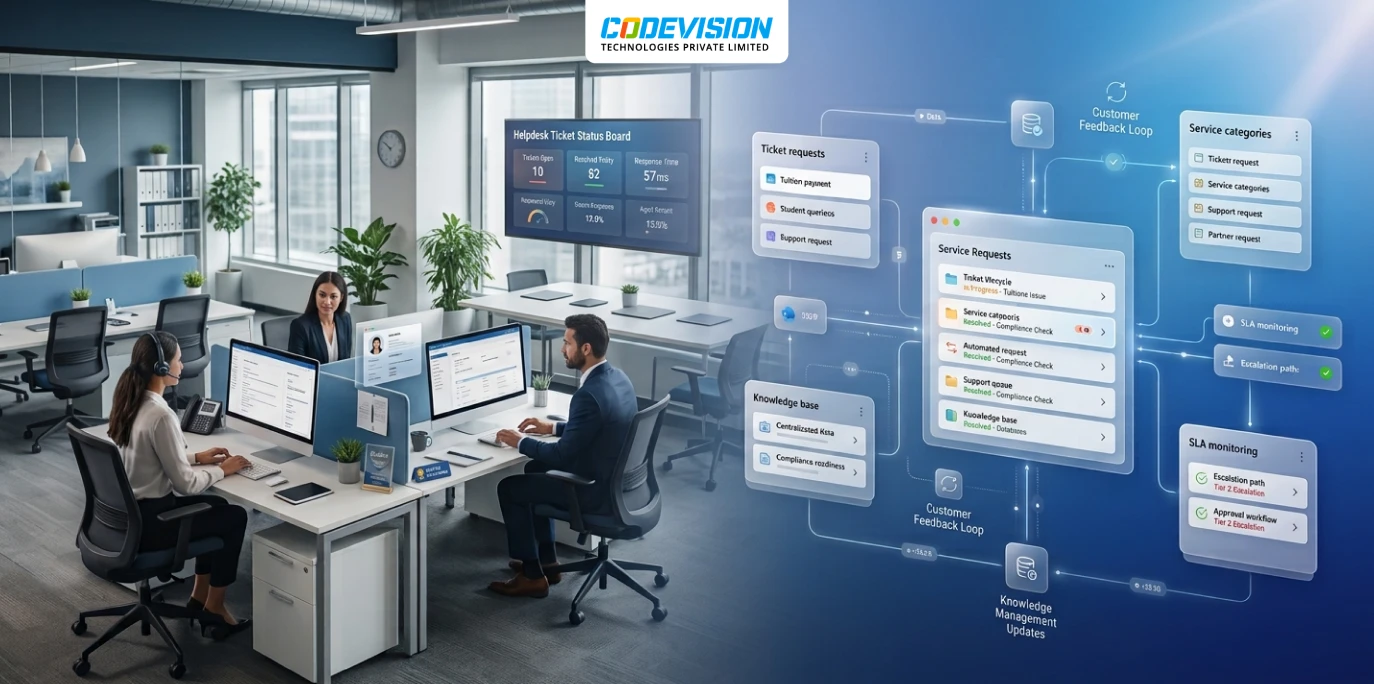
Rather than add yet another external platform, CodeVision replaced both tools with CV Helpdesk, a ticketing system that runs on SharePoint Online inside the client’s own Microsoft 365 tenant. The support team kept the sign-in, permissions, and infrastructure they already used every day. SharePoint lists store the ticket data, Power Automate sends notifications and drives escalations, and SharePoint’s permission model decides who can see what. More than 40 business rules covering payment status questions, refund escalations, and partner institution requests were set up through configuration instead of code. The helpdesk then went straight into production against real ticket volume, with no separate database, Dataverse environment, or outside data store involved.
Results Achieved
Running CV Helpdesk against live production volume gave the company a clear answer on whether a SharePoint-based helpdesk could carry its support operation. It could, and the results were convincing enough that the company rolled the same setup out to more of the business.
-
5,000+ tickets handled in live production, not a trial run
-
40+ business rules running through configuration, with no custom development
-
One support system instead of two, with a single, consistent ticket history
-
Support data kept in-tenant under the same Microsoft 365 governance as email and identity
-
Flat, predictable licensing with no cost jump when agents are added for peak season
-
Three more business units now running on the same helpdesk approach
We were juggling two help desks and paying outside developers just to change a routing rule. Now everything runs inside Microsoft 365, and our own team manages it.
Key features

Department-Based Ticket Routing
No-Code Business Rules Engine
SLA and Escalation Tracking
Ticket Creation from a Shared Inbox
Role-Based Access Control
Automated Notifications with Power Automate
Live Reporting with Excel Export
Custom Forms, Categories, and Branding
Flat, Tenant-Wide Licensing
Related Case Studies


How a US Manufacturer Replaced a Legacy PHP Request System with One SharePoint Request Portal
One SharePoint portal replaced a legacy PHP request system for a US manufacturer, with seven request types, automated approvals and a reported 60% faster processing.

Transforming Pharma Inventory and Financial Management via Dynamics 365 Business Central–QuickBooks Integration
Discover the real-world impact of integrating Dynamics 365 Business Central with QuickBooks — better batch tracking, automated processes, accurate reporting, and scalable pharma operations.

Streamlining Operations with SharePoint-Powered Intranet & Project Management System
A case study on how SharePoint streamlined intranet, timesheets, budgeting, and project management into one platform — cutting manual work and driving efficiency
Frequently Asked Questions
Help Scout and Zendesk are separate platforms with their own logins, their own data storage, and usually a per-agent bill. Our SharePoint helpdesk runs inside your existing Microsoft 365 tenant, so tickets use the same sign-in, security, and permissions your staff already have.
For many, yes. Keeping ticket data in your own tenant puts it under the same access controls and governance as the rest of your Microsoft 365 environment, instead of adding another vendor to audit. Your compliance team should still confirm that your tenant region and data handling meet the rules that apply to your business.
Yes. The helpdesk picks up messages from an existing shared inbox and turns them into tickets, so customers and agents don’t have to switch to a new portal.
Per-agent pricing climbs every time someone joins the team, which hurts businesses that staff up for busy seasons. Tenant-based pricing is one fee for the whole organization, so adding agents during a peak period doesn’t change the bill.
It depends on how many rules and integrations you need. Because rules are configured rather than coded, most teams reach live ticket volume much sooner than they would building a custom system from scratch.
Yes. Microsoft 365 and SharePoint can provide a scalable foundation for centralized ticket management, departmental routing, reporting, and support workflows. The solution featured in this case study processed more than 5,000 support tickets while consolidating the company’s previous helpdesk systems.
