CV Visitor Management System
 Instant Host Alerts
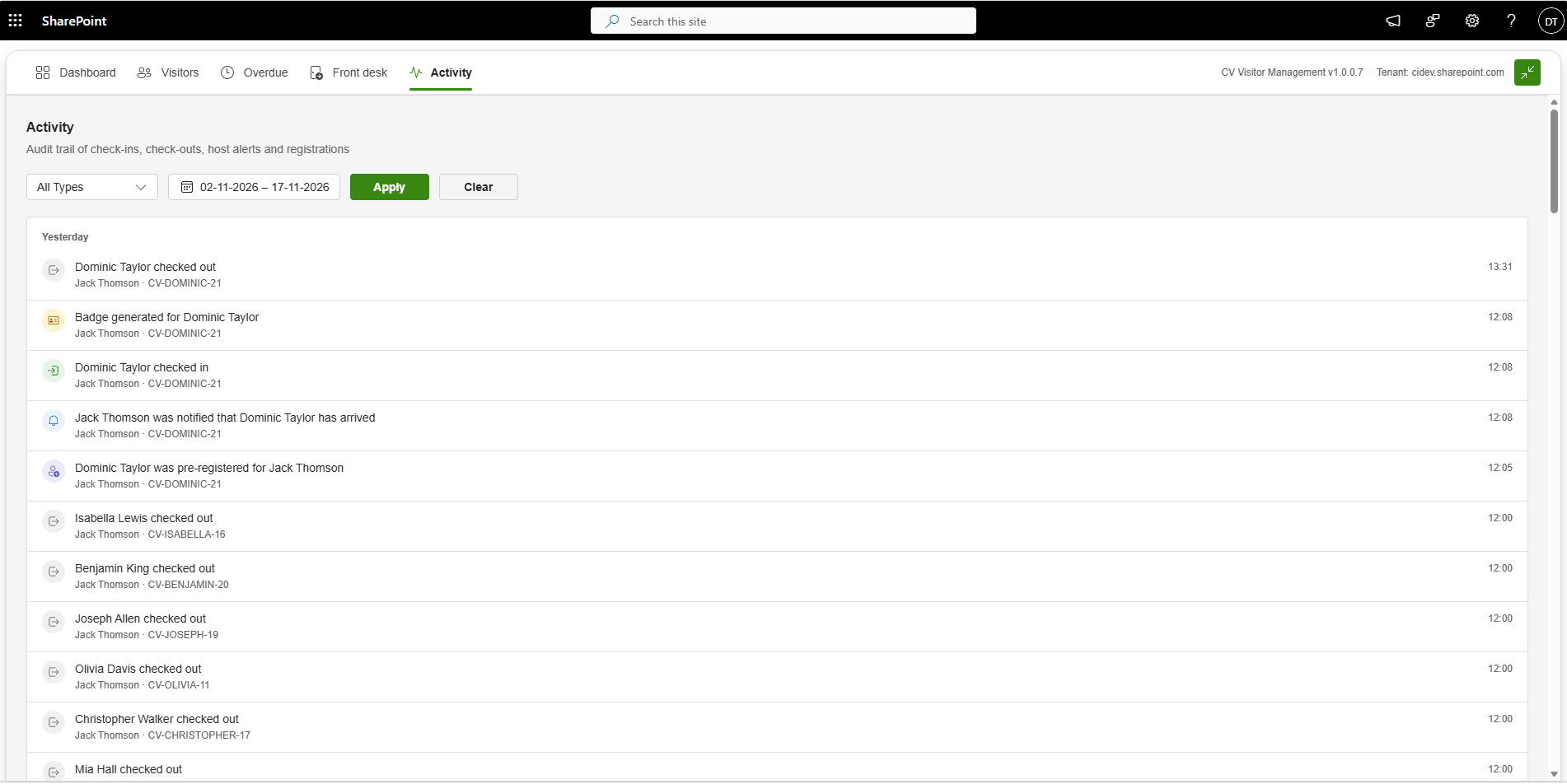
Compliance Audit Trails
One Flat Tenant License
Built for Data Protection

Digital Visitor Management System
Register, track, and check out visitors from one central hub. CV Visitor Management System digitizes your front desk with badge printing, instant host alerts, and full audit trails—built natively for Microsoft 365.



Key features of CV Visitor Management System
Transform your visitor management system process with next-gen Power Apps solution

Easy Visitor Registration
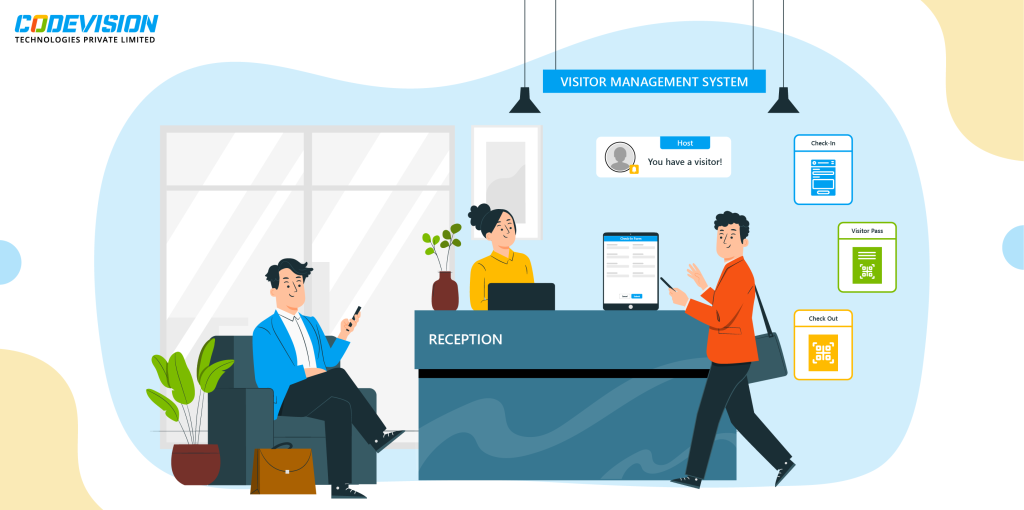
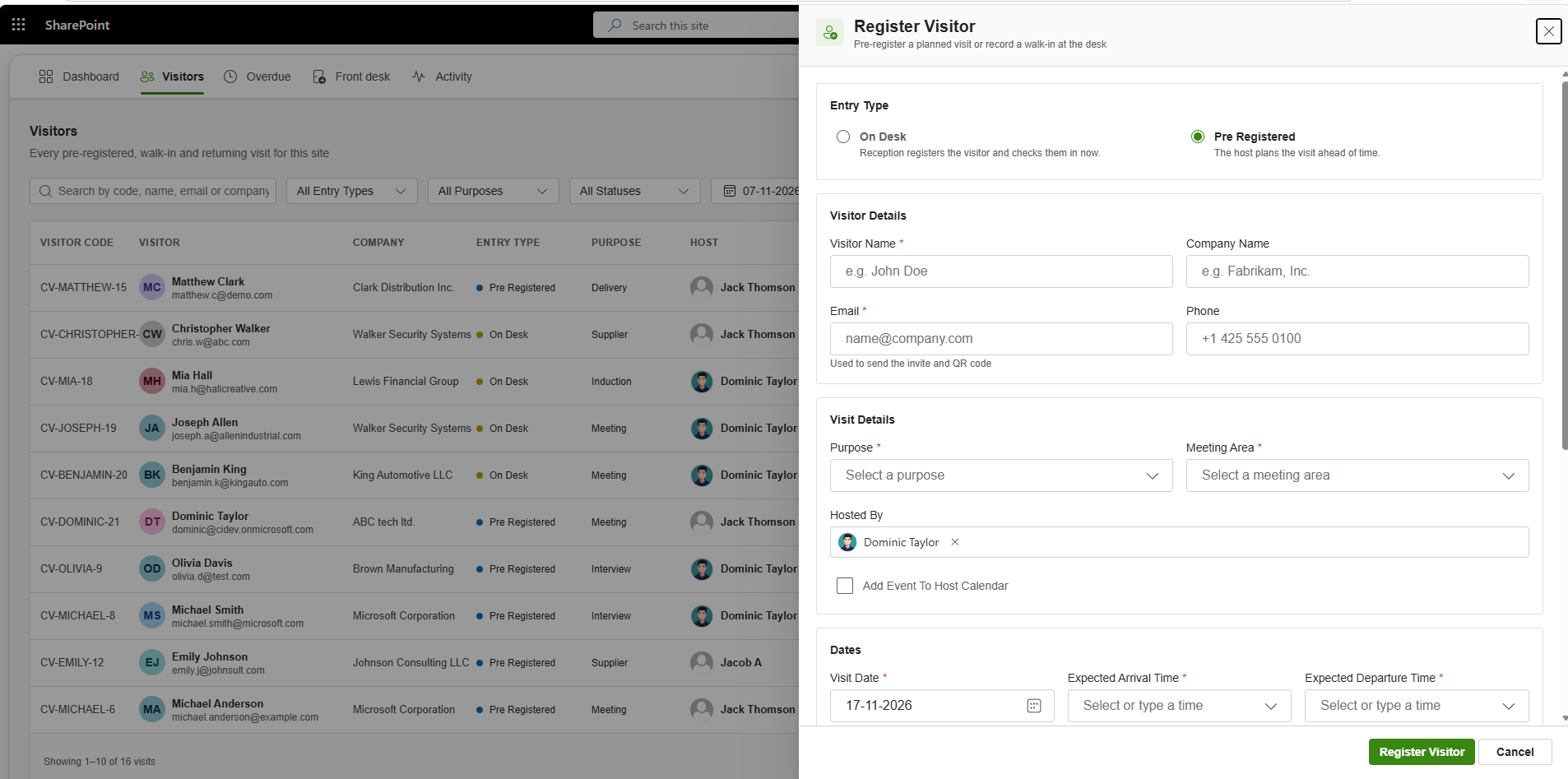
Streamline the visitor check-in process with an intuitive Power Apps interface. Visitors can register their details quickly, reducing wait times and enhancing the overall experience. Information such as name, company, visit purpose, and expected host can be entered seamlessly.

Real-time Visitor Tracking
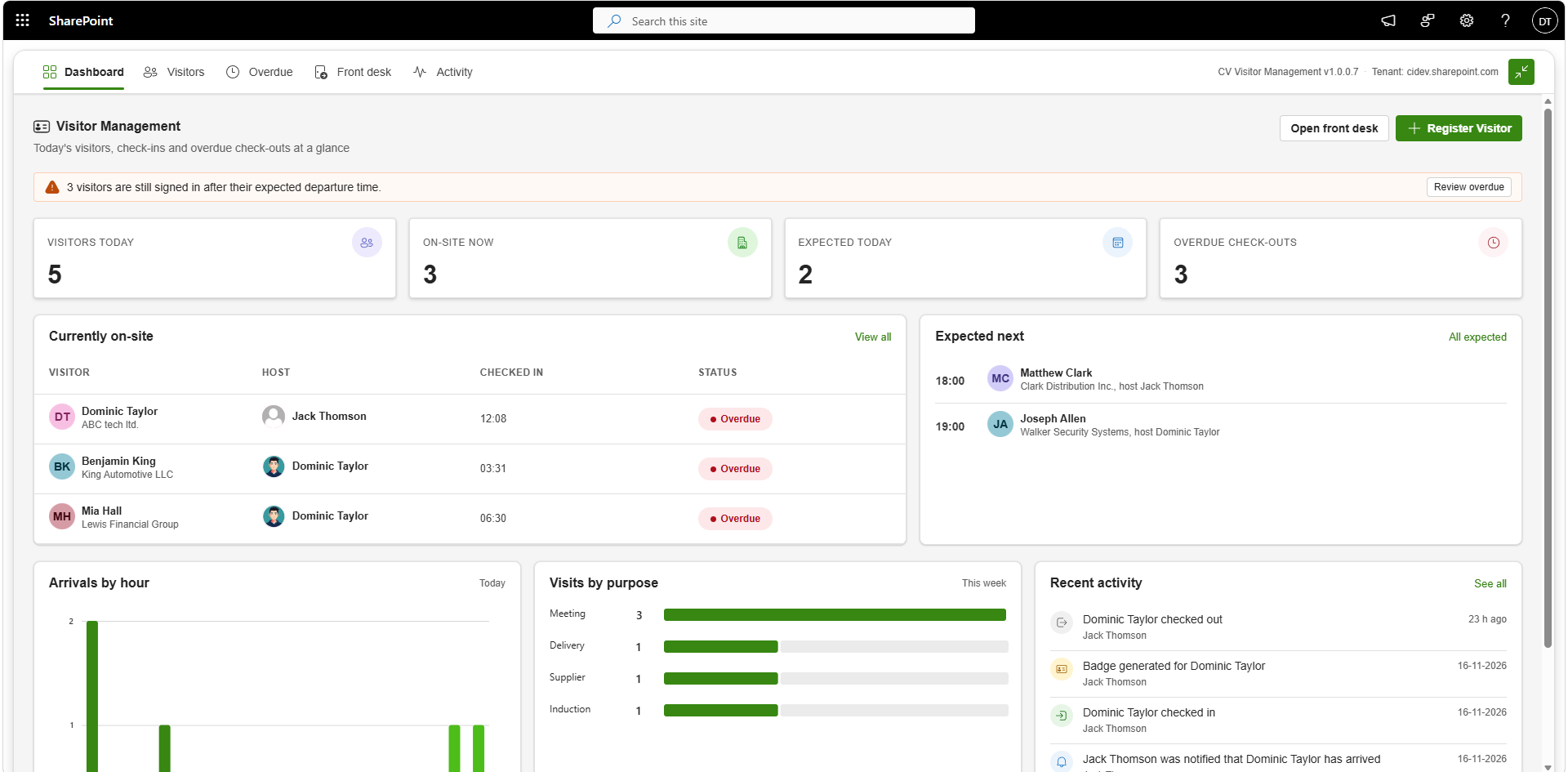
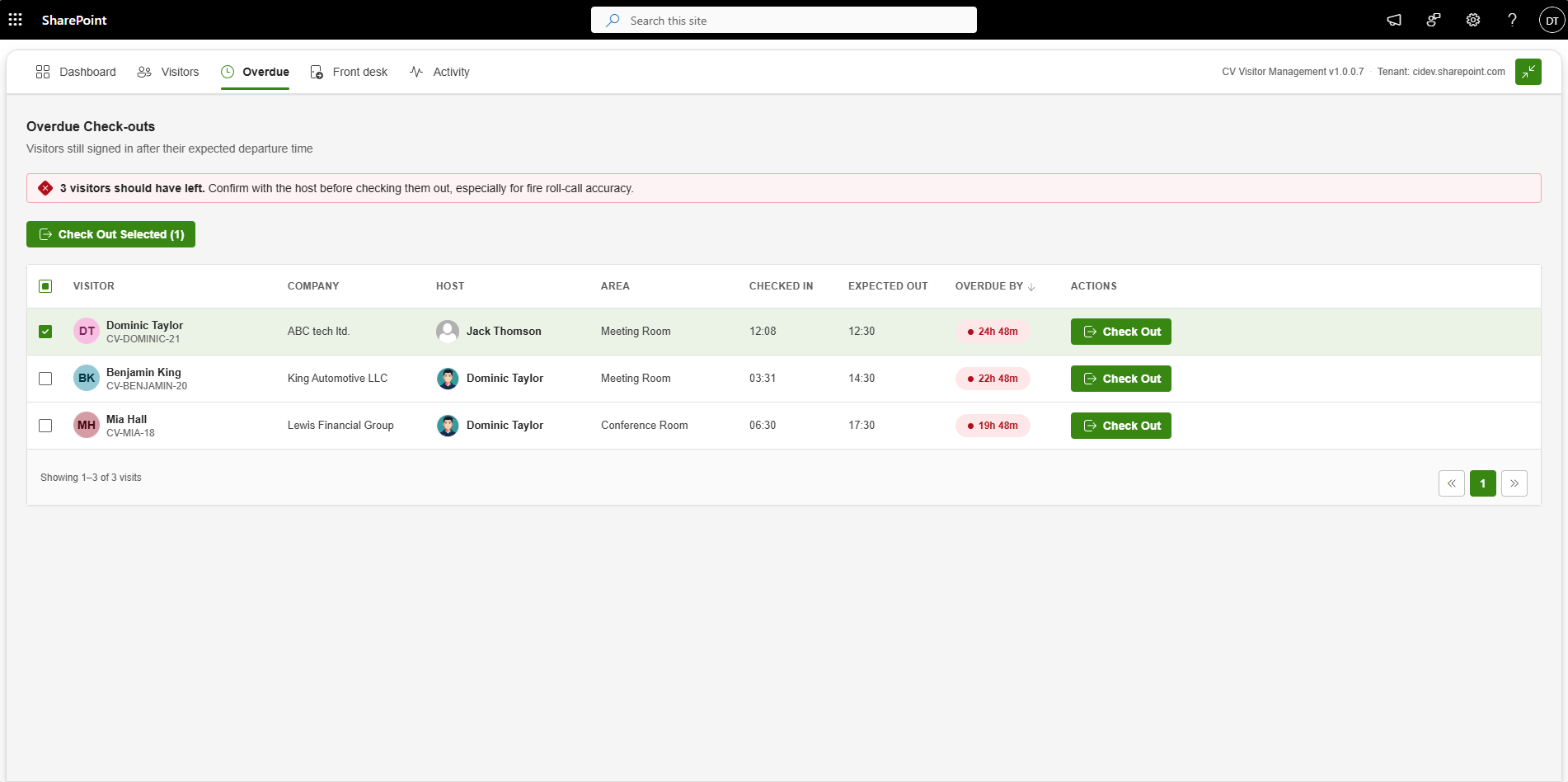
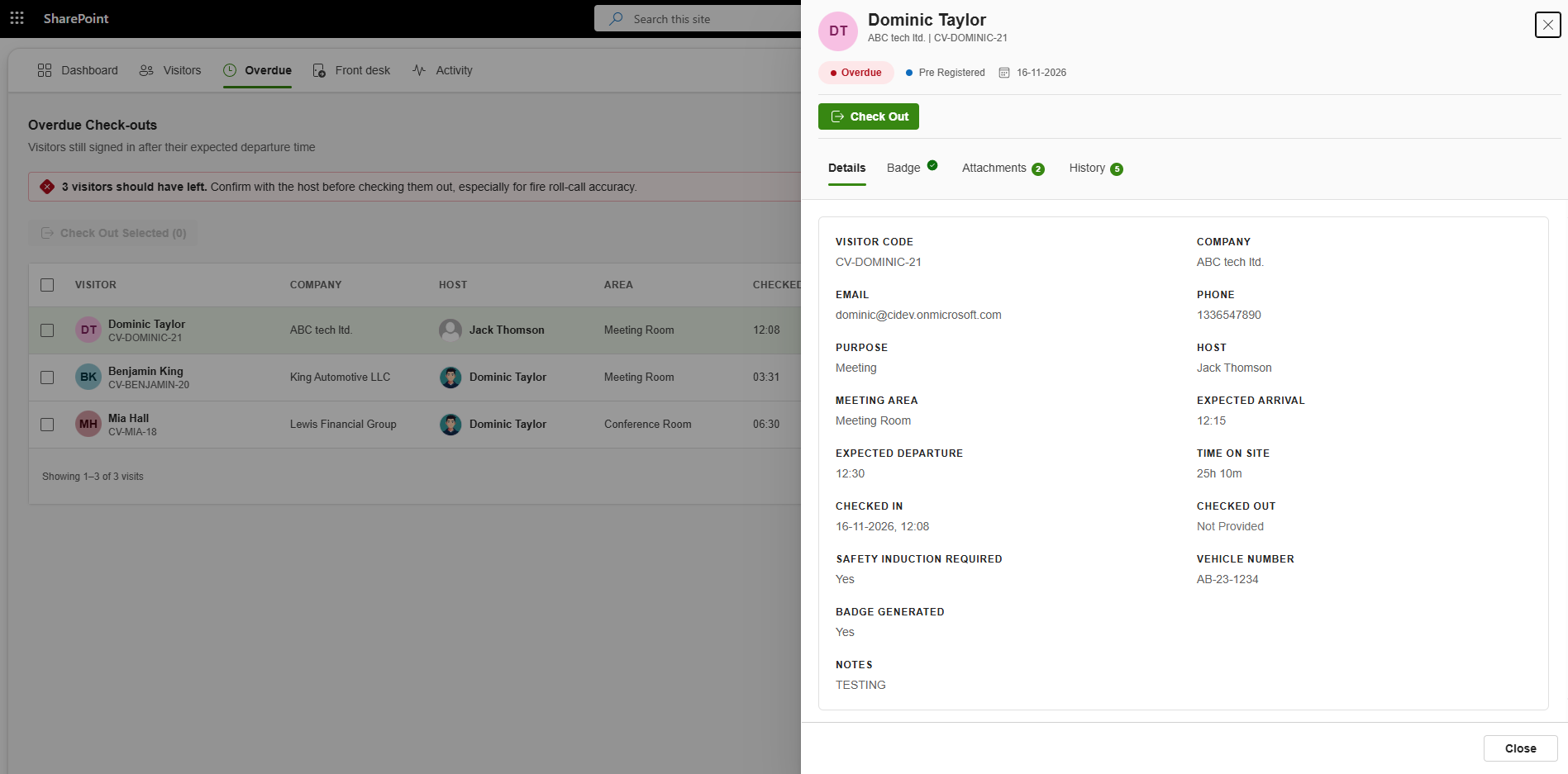
Track the status of visitors in real-time. View a live dashboard with visitor details, including check-in and check-out times. This feature ensures that admins can monitor all incoming and outgoing visitors for enhanced security and operational efficiency.
Host Notifications
Hosts are instantly notified through email when their guests arrive and check-in. CV Visitor Management System ensures that hosts are aware of their visitor’s arrival, improving the workflow and preventing delays.

Integration with Microsoft Power Automate
Seamlessly integrate with Power Automate for workflow automation. Enhance automated notifications for streamlined operations.
SharePoint-based Data Storage
All visitor data is securely stored in SharePoint, ensuring easy access from anywhere, while maintaining compliance with privacy and data protection standards. The solution is highly scalable to accommodate growing businesses.

Generate Visitor Code
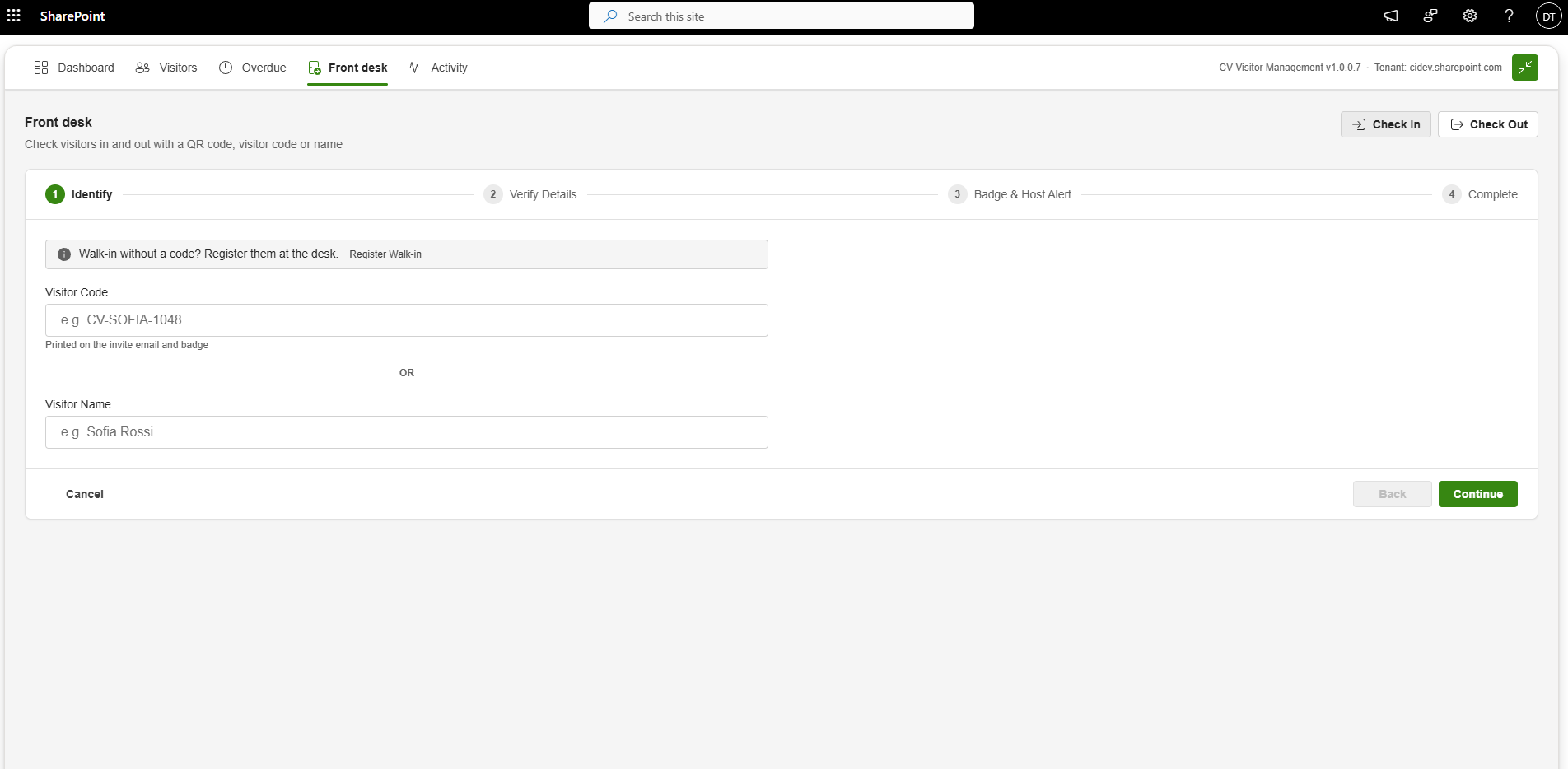
Our app generates unique visitor codes and QR codes for each new visitor. These codes can be scanned for seamless check-in and check-out processes, minimizing manual intervention.

User-Friendly Interface
Our app is designed with an intuitive user interface, making it easy for staff to manage visitors without requiring extensive training. The Power Apps interface is adaptable to meet the unique needs of any organization.

Self Check-In/Check-Out & Badge Printing
Visitors can conveniently check themselves in and out using a self-service kiosk, with an option to print visitor badges instantly for identification.

Pre-Visit Configuration & Badge Ready
Hosts can plan visits in advance by pre-registering visitors, ensuring a seamless check-in experience with pre-printed badges ready upon arrival.

Re-Visit & Follow-Up Meetings
The system allows hosts to configure follow-up meetings with returning visitors, providing quick access to visitor history for streamlined scheduling.

On-Desk Registration
In addition to self-check-in, reception staff can manually register visitors, ensuring flexibility in managing walk-in guests efficiently.

Visitor Tracking & Records Management
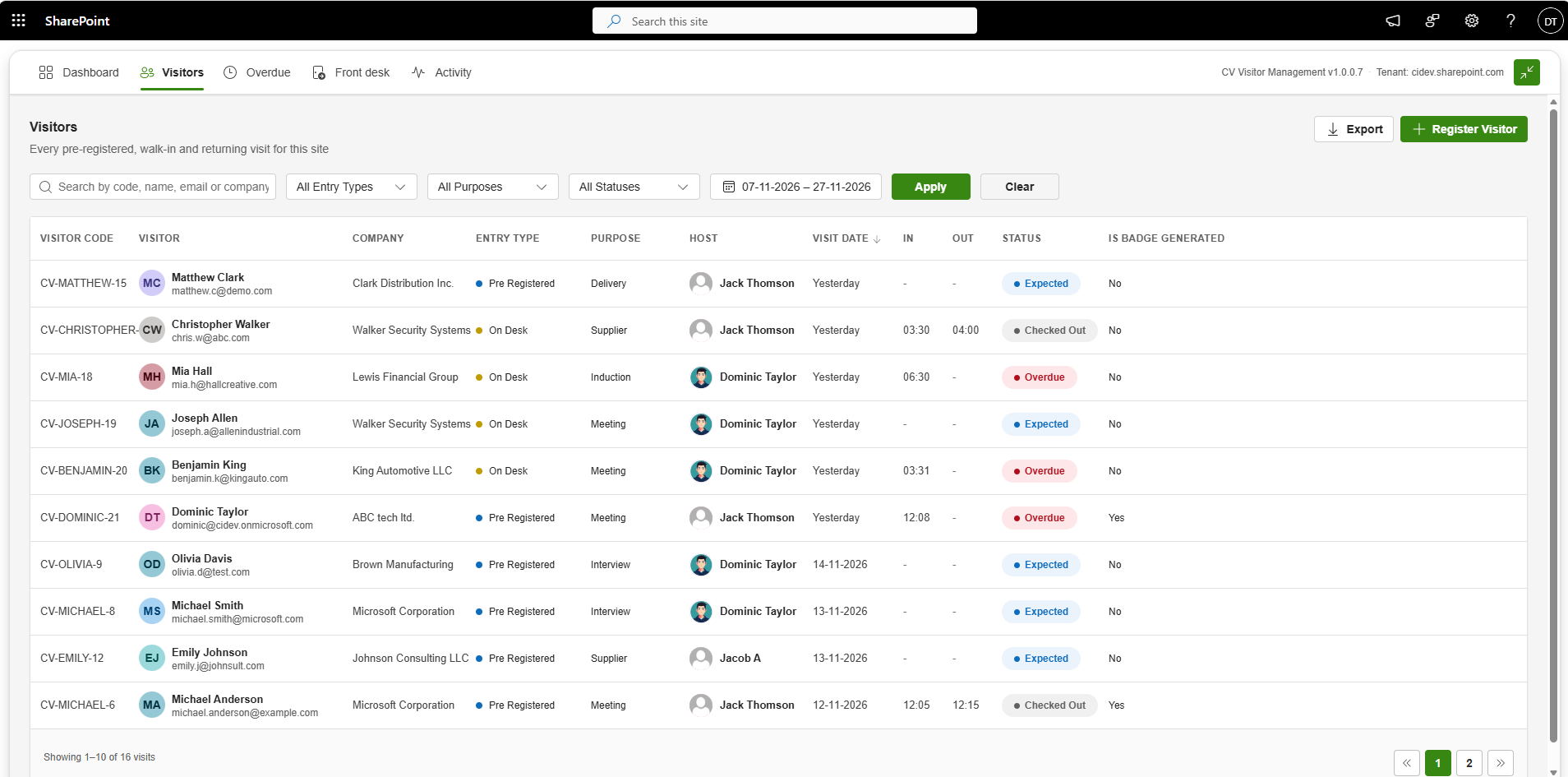
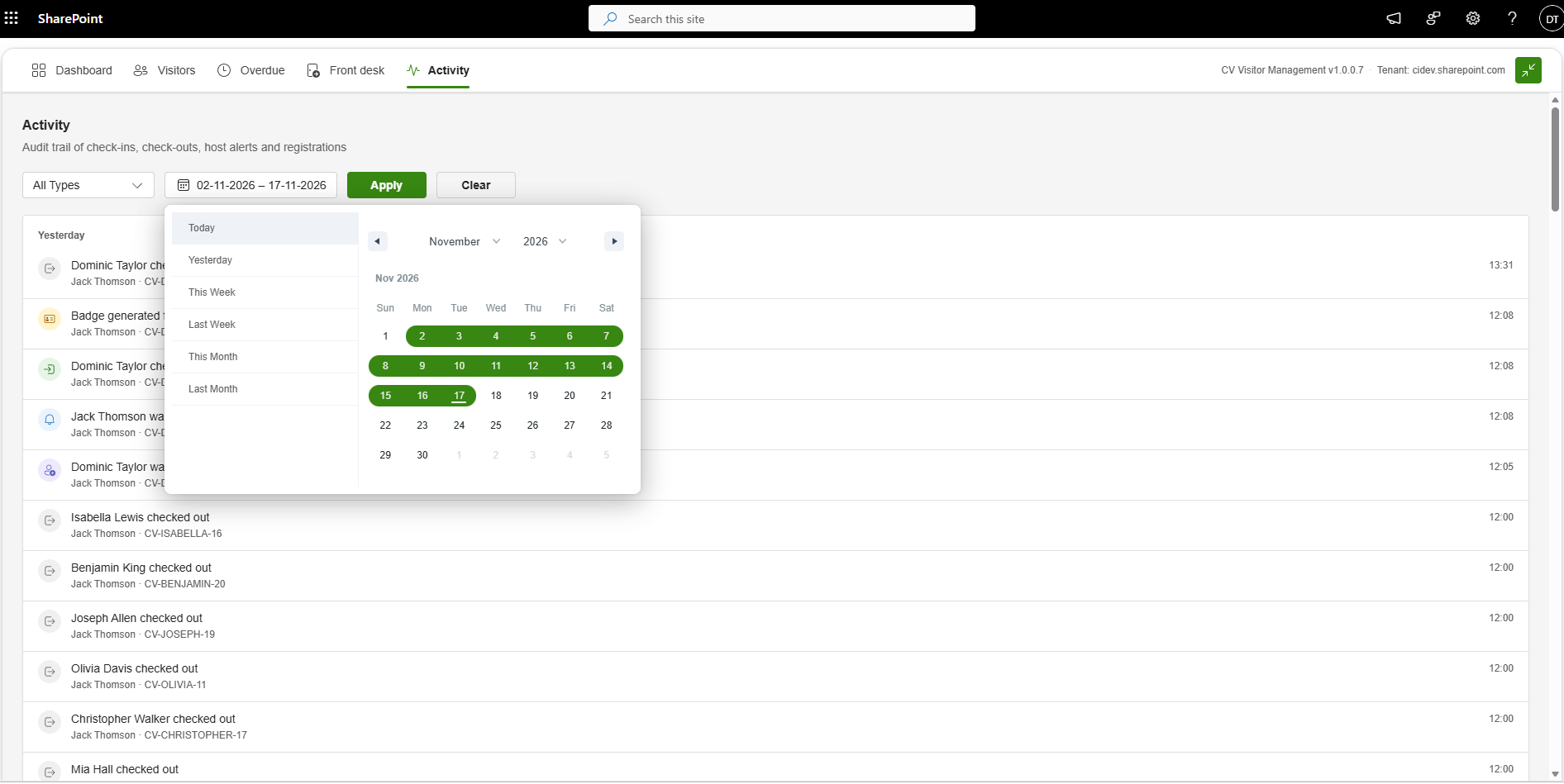
Easily view and track visitor records based on date, host, or visitor details, ensuring complete visibility and security compliance.
Explore CV Visitor Management System With AI
Ask ChatGPT how CV Visitor Management makes check-ins faster and your workplace more secure.
Real Results. Real Impact.
Explore All Case StudiesEmpowering Envases Group: Streamlining Visitor Management Processes with Microsoft Power Apps
Read how we modernized visitor management with a Microsoft PowerApps solution, streamlining check-in/check-out, enhancing security, improving efficiency, and supporting sustainability by eliminating paper-based systems.
70%
Faster Check-In
60%
Less Manual Work
50%
Fewer Record Errors
40%
Faster Record Access
Use Cases: How It Works in the Real World
How CV Visitor Management System Can Help
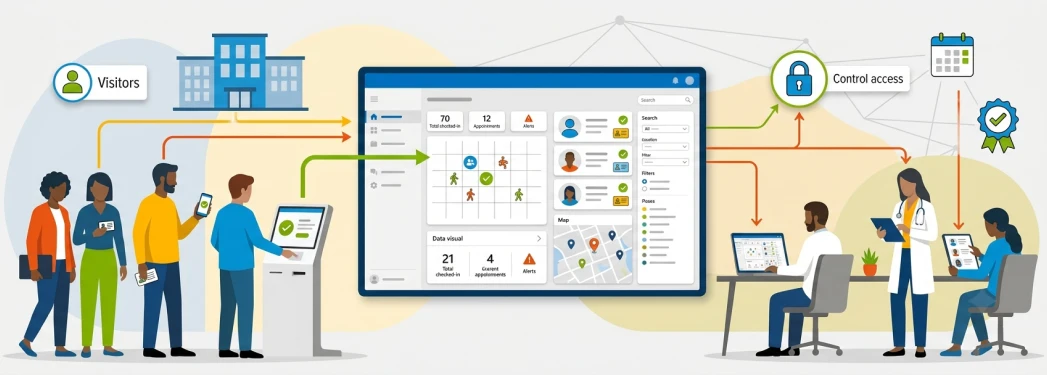
- Streamline patient and visitor check-ins with self-service kiosks or digital forms, reducing wait times.
- Instantly notify healthcare staff when a visitor or patient arrives, ensuring timely coordination and reducing delays.
- Use QR code-based check-in/out for contactless, secure, and efficient access.
- Store visitor data securely in SharePoint for audits, emergency tracking, and compliance.
- View real-time visitor logs and dashboard reports to ensure only authorized personnel are on-site.
- Ensure regulatory compliance with accurate, timestamped visitor records and controlled data access.
Streamlining Visitor Access and Safety in Hospitals
Industry
Healthcare / Hospitals

Challenges
Hospitals handle many visitors, vendors, and temporary staff daily. Without efficient tracking, this can cause security risks, delays, and compliance issues. Paper-based methods are error-prone and lack real-time tracking.
Proposed Solutions
CV Visitor Management System streamlines the entire visitor process, from pre-registration to check-out, enhancing safety, efficiency, and compliance. It provides a seamless experience for patients, visitors, and healthcare staff.
How CV Visitor Management System Can Help:
- Automate supplier check-ins with quality checklists and attach compliance documents like ISO or GMP during sign-in.
- Control visitor access by zones with color-coded badges based on roles such as R&D, Maintenance, or Inspection.
- Track visitors centrally across multiple sites in real-time for consistent compliance.
- Generate real-time evacuation reports to ensure all visitors are accounted for during emergencies.
- Use a live dashboard to monitor visitor activity and access summarized logs for better planning.
- Keep accurate, timestamped visitor records to support audits and maintain compliance with security protocols.
Optimizing Visitor Management System in Logistics Operations
Industry
Warehousing & Logistics
Challenges
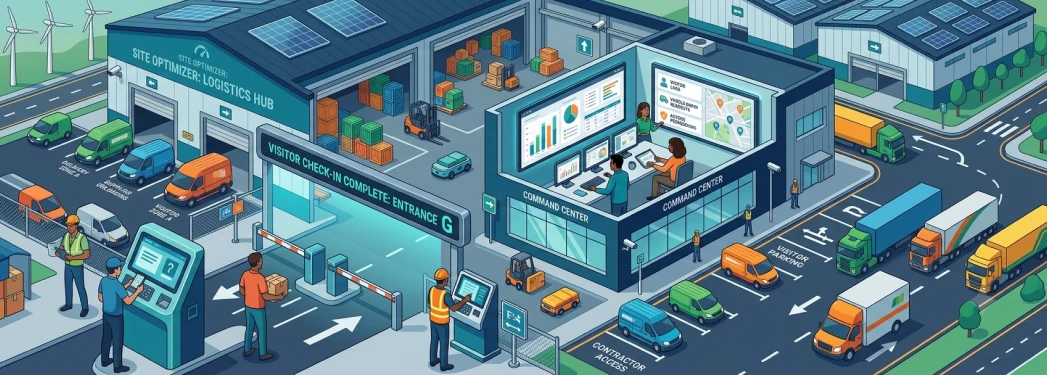
A busy logistics warehouse experiences constant movement of vendors, delivery drivers, and contractors. Without a proper visitor management system, tracking entries and exits becomes disorganized — leading to security lapses, delays in operations, and compliance issues.
Proposed Solutions
CV Visitor Management System makes it easy to manage visitors by going fully digital. It helps people check in quickly, keeps track of how long they stay, follows warehouse safety rules, and lets staff monitor everything in real time — all in a safe and flexible system.
Why Choose CV Visitor Management System
Codevision Technologies delivers a secure, smart visitor management system that simplifies check-ins and strengthens workplace safety.
Microsoft Expertise
Certified Microsoft specialists building secure, scalable Visitor Management Solutions using Microsoft Power Platform and Azure.

Seamless Check-In Experience
Replace manual sign-in sheets with a fast, self-service digital check-in experience for visitors and contractors.

Proven Implementation
Successfully deployed across corporate offices and facilities with minimal impact on front-desk operations.

Compliance & Security
Built-in audit trails, visitor records, and secure data handling to support workplace compliance requirements.
100
Digital, Paperless Visitor Records
95
Improved Compliance & Audit Readiness

90
Faster Visitor Check-In Process

80
Reduction in Front-Desk Administrative Work

Product Gallery
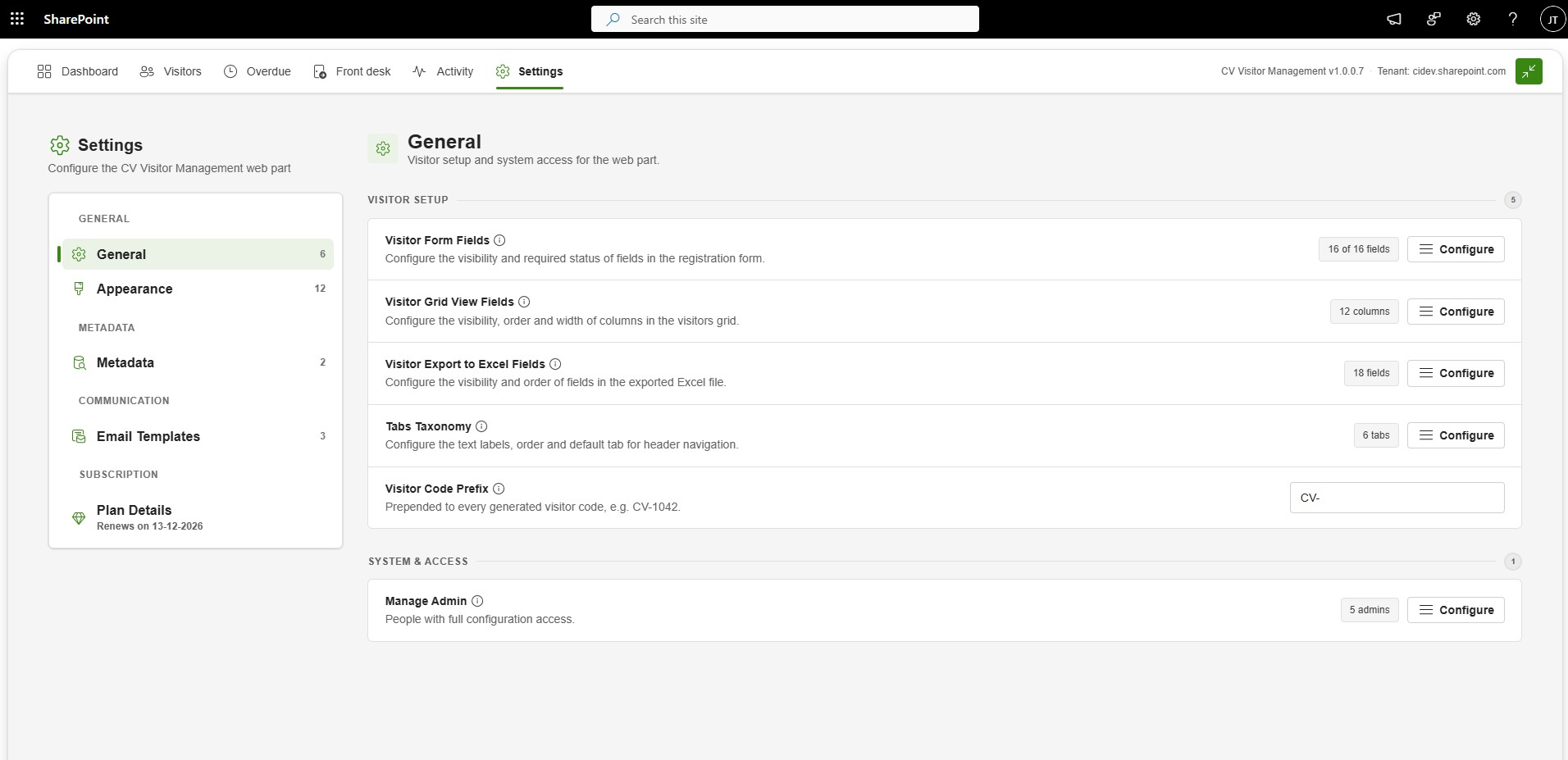
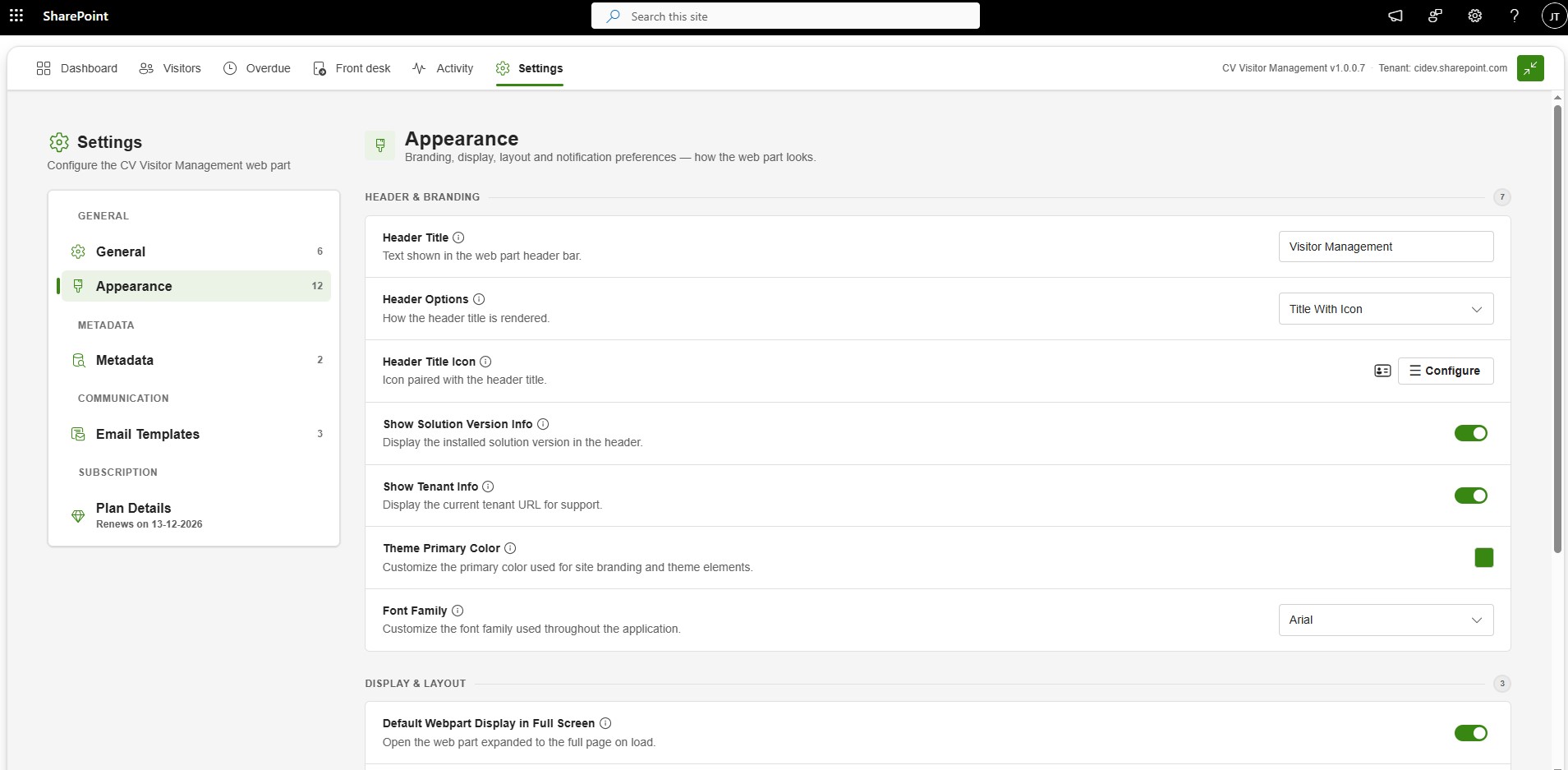
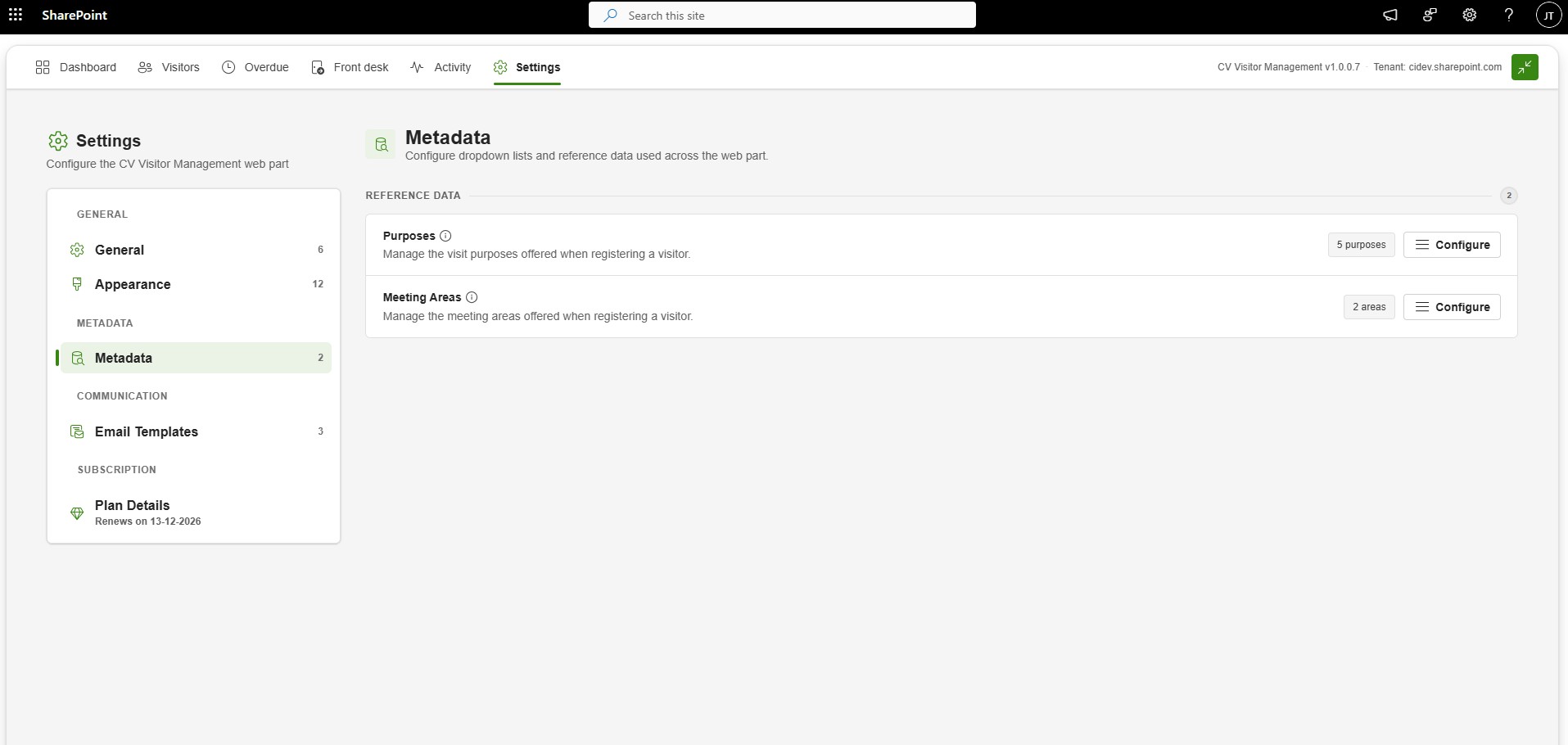
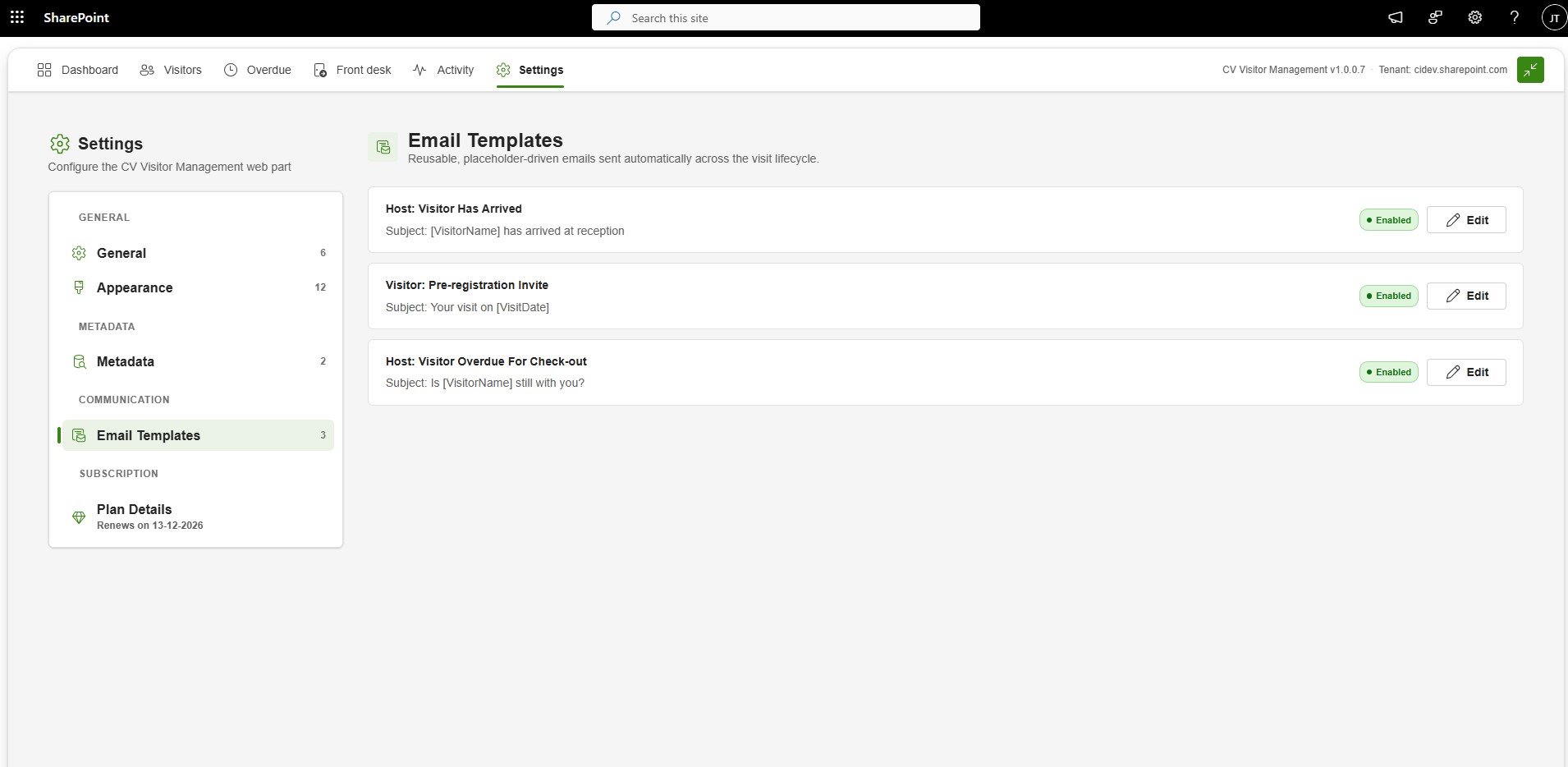
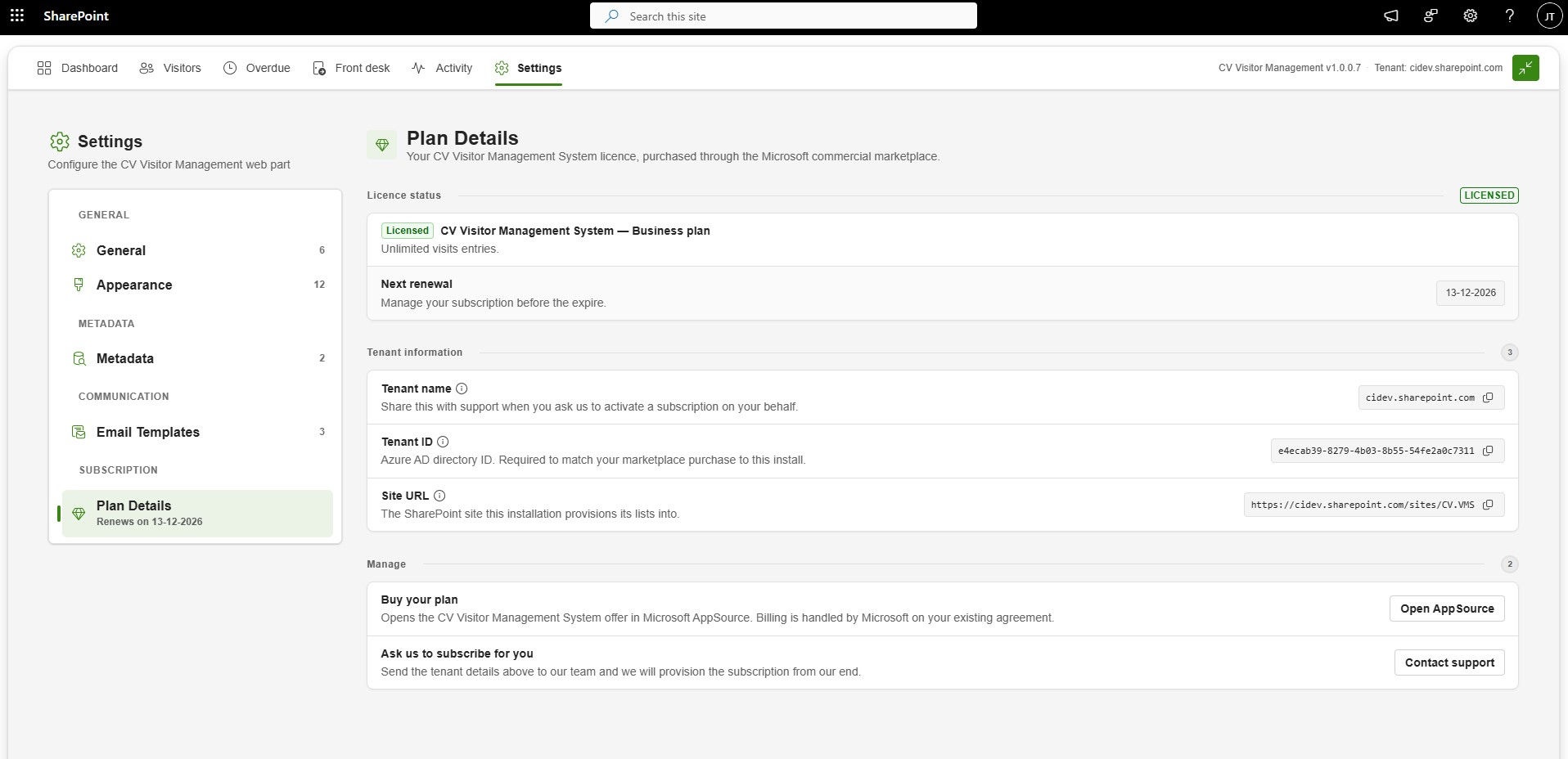

Resources & Documentations
Everything you need to install, configure, and use the product.


Frequently Asked Questions
CV Visitor Management System is a robust visitor management solution built using Microsoft Power Apps, Power Automate, and SharePoint. It streamlines visitor registration, tracking, and reporting, enhancing security and improving workplace efficiency.
The solution stores all visitor data securely in SharePoint lists, providing seamless access and management. It leverages SharePoint’s collaborative environment to automate workflows, manage permissions, and generate reports.
Absolutely! The app is designed to be flexible and customizable. You can tailor the check-in forms, workflows, and visitor code to match your organization’s branding and operational requirements.
Yes, visitor data is stored securely in SharePoint, with robust encryption and role-based access controls. The solution adheres to industry standards for data privacy and compliance.
Yes, the app is highly scalable and designed to handle high visitor volumes efficiently, making it suitable for businesses of all sizes.
To implement CV Visitor Management System, you’ll need:
- A Microsoft Power Apps license.
- A SharePoint environment for data storage.
- Power Automate for workflow automation.
We can provide you full support for deployment, configuration, and customization.
Yes, the app integrates seamlessly with other Microsoft tools, including Power BI for advanced analytics, Teams for notifications, and Outlook for scheduling meetings.
Our application is ideal for organizations across various industries, including corporate offices, healthcare facilities, educational institutions, and government buildings, ensuring efficient visitor management system and enhanced security.
No, the listed price only covers for the product. First-time implementation and installation of the Pro version will have additional costs, which will be shared with you within final proposal.
We regularly update the product to add new features, improve performance, and address any issues. Updates are released frequently and are available to all users of the Pro version.
For assistance with any of our solutions, please contact our support team at support@thecodevision.com. We’re here to help with any questions or issues you may encounter.
Our commitment is to promptly address support inquiries; while immediate resolution is our goal, we kindly ask users to allow up to 24 – 36 hours for a response. Online meetings must be scheduled in advance and may take a few days to arrange.
Trusted by Progressive Companies






Related Products
CV Timesheet Management System
Streamline work with smart Timesheet Management System on SharePoint.
Read More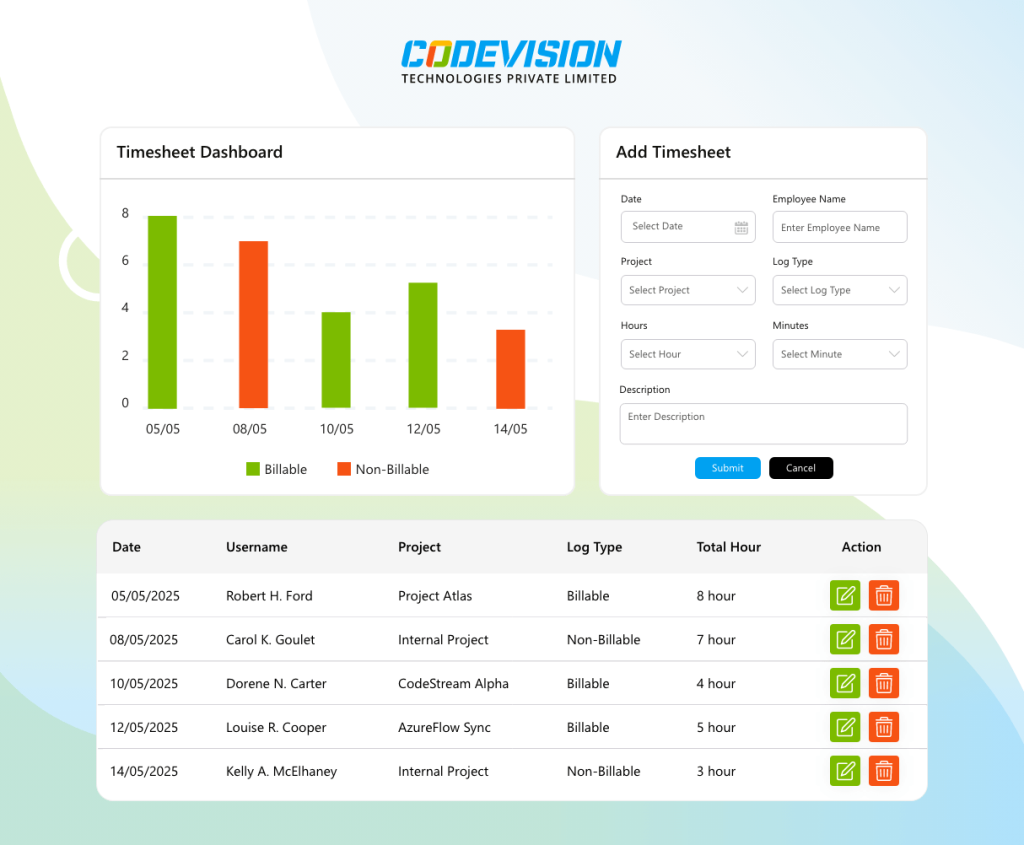
CV Intranet
Connect, engage, and centralize your workplace with SharePoint for smarter, seamless collaboration.
Read More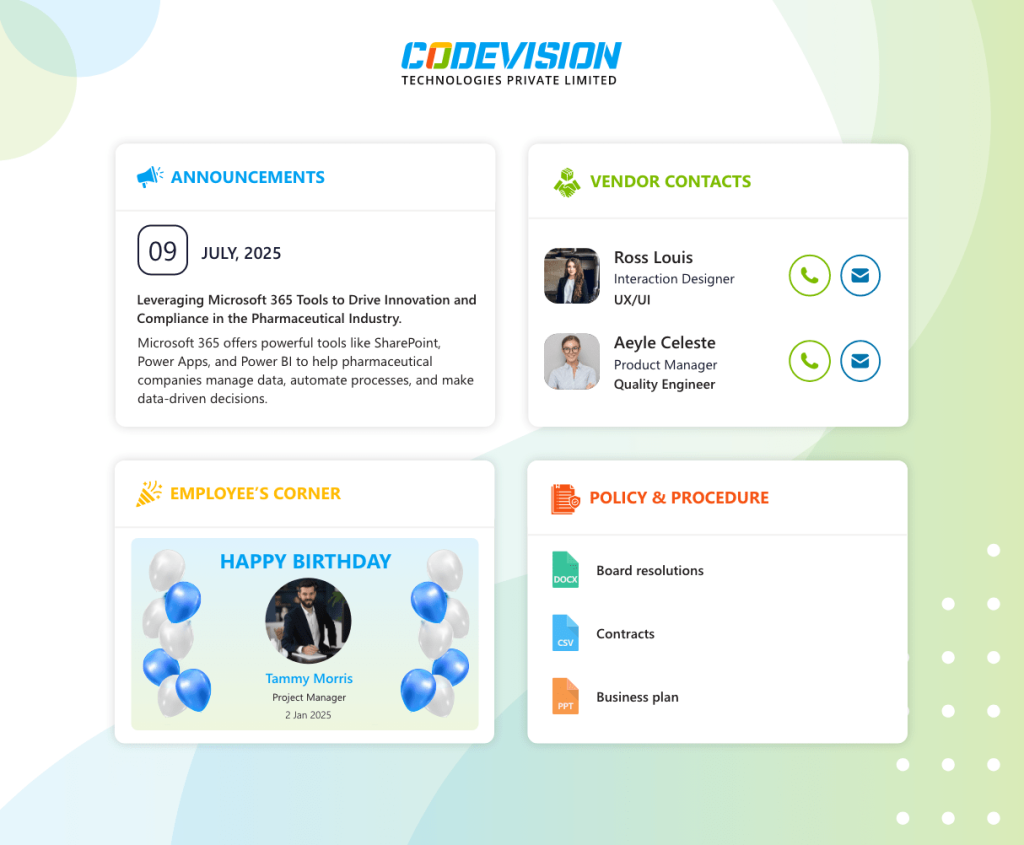
CV Leave Request
Simplify employee leave requests, approvals, and tracking with SharePoint-based leave management system.
Read More