
 +1 (408) 900-9133
 sales@thecodevision.com

CV Classified Pro
A simple, secure way for your employees to manage internal items right within SharePoint.
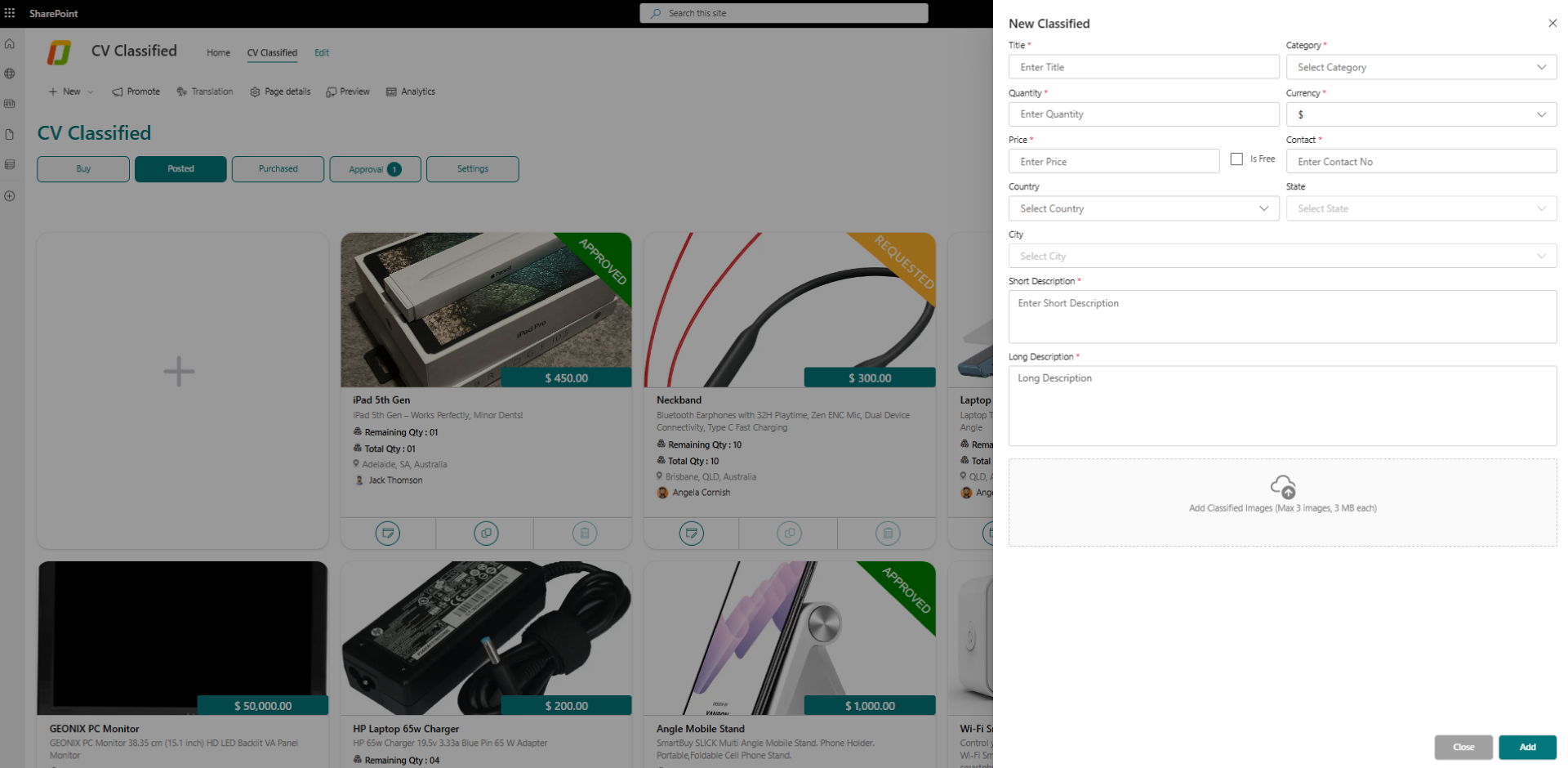
CV Classified Pro creates a dedicated space inside SharePoint where employees can buy, sell, share, or exchange items with confidence. The platform supports everyday workplace needs—whether it’s surplus equipment, office supplies, or specialty items—while keeping everything organized and easy to navigate. Advanced search, clean layouts, and simple posting tools make the experience smooth for all users. It works seamlessly with your company intranet and Microsoft 365, so teams can manage listings without switching platforms.
What Are the Key Advantages of CV Classified Pro?
- Establishes a secure, compliant, and centralized platform for internal transactions.
- Enables quick product listings and effortless discovery through intuitive navigation.
- Encourages employee connection and participation with a well-structured internal marketplace.
- Integrates naturally into the SharePoint environment, reducing the need for additional tools.


Key features of CV Classified Pro
Your SharePoint based solution for effortless buying and selling

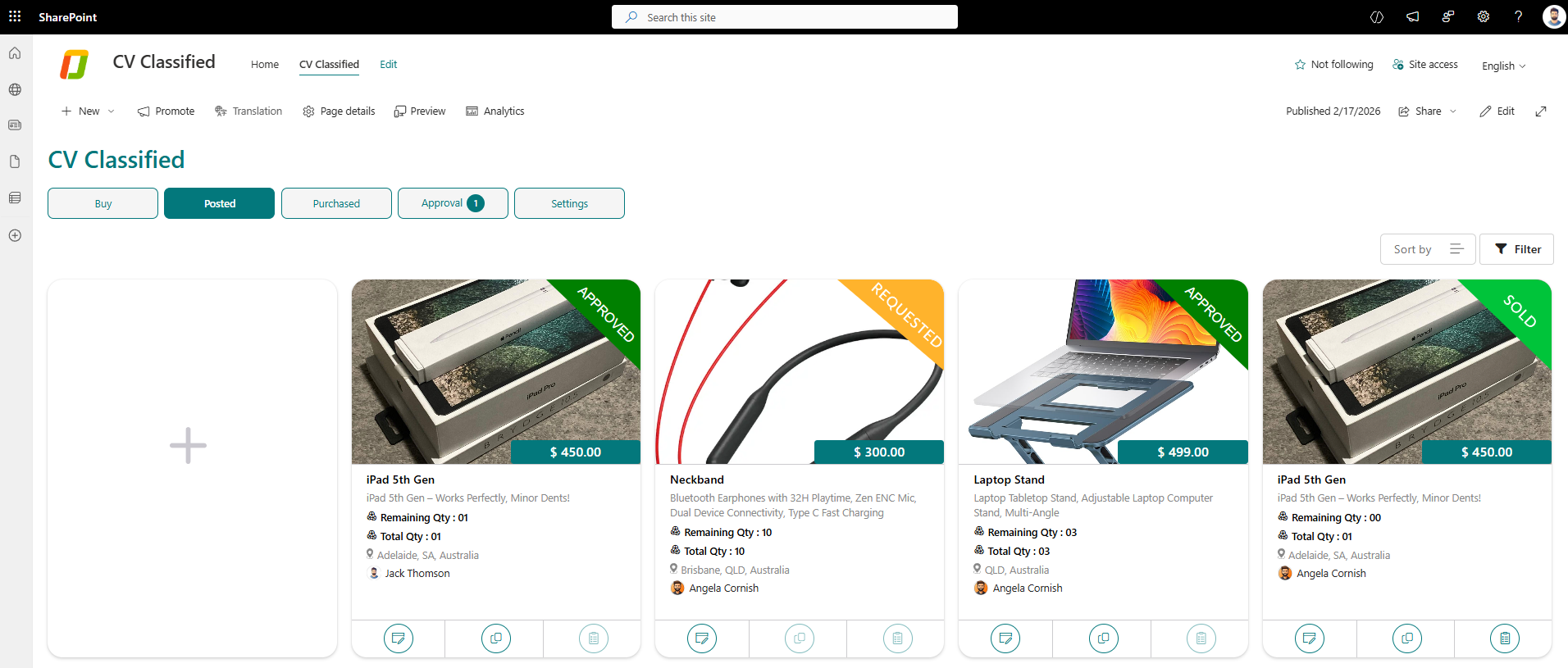
Secure Internal Marketplace

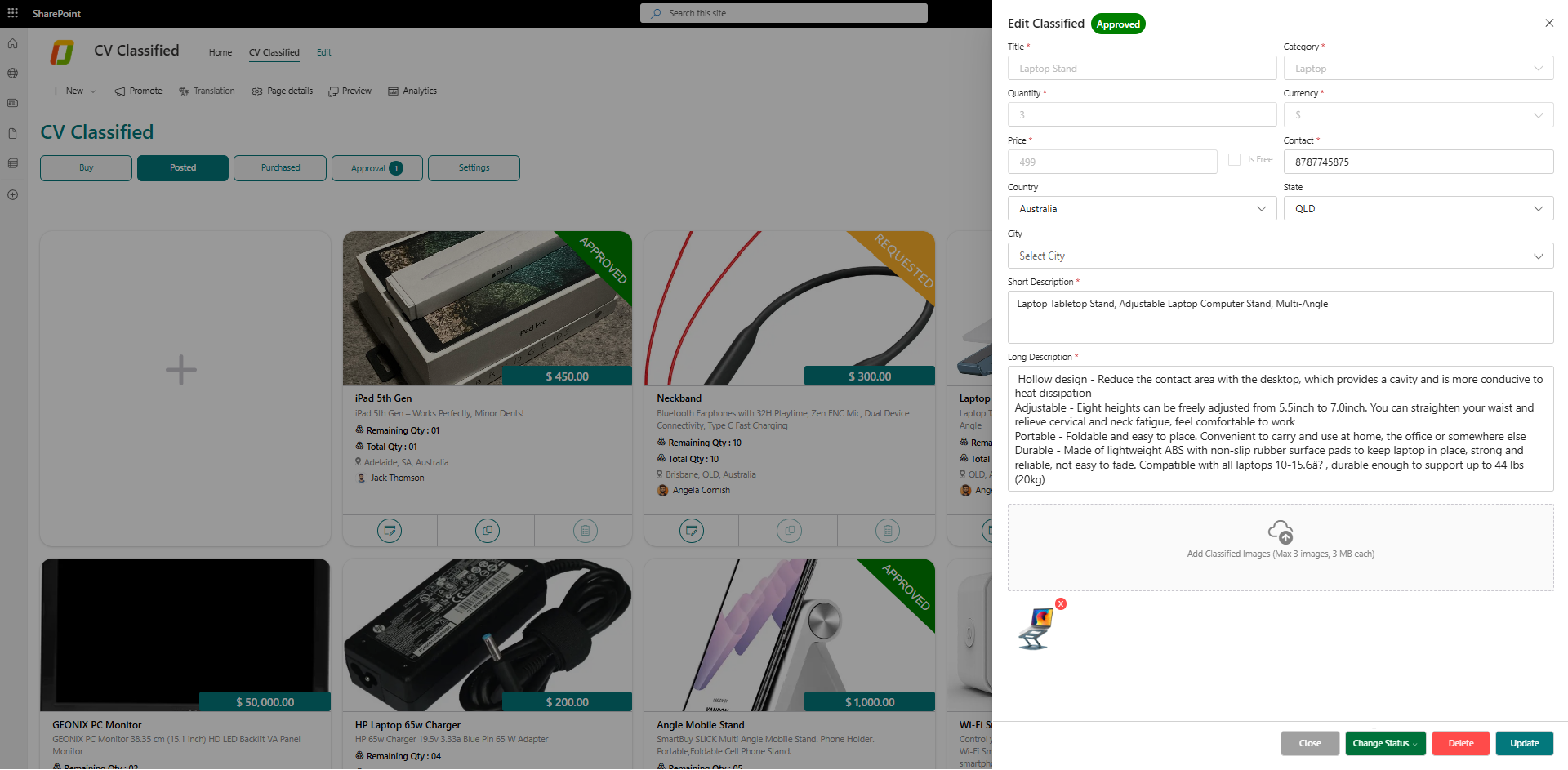
Easy Listing Creation

Get Your First 30 Listings Free

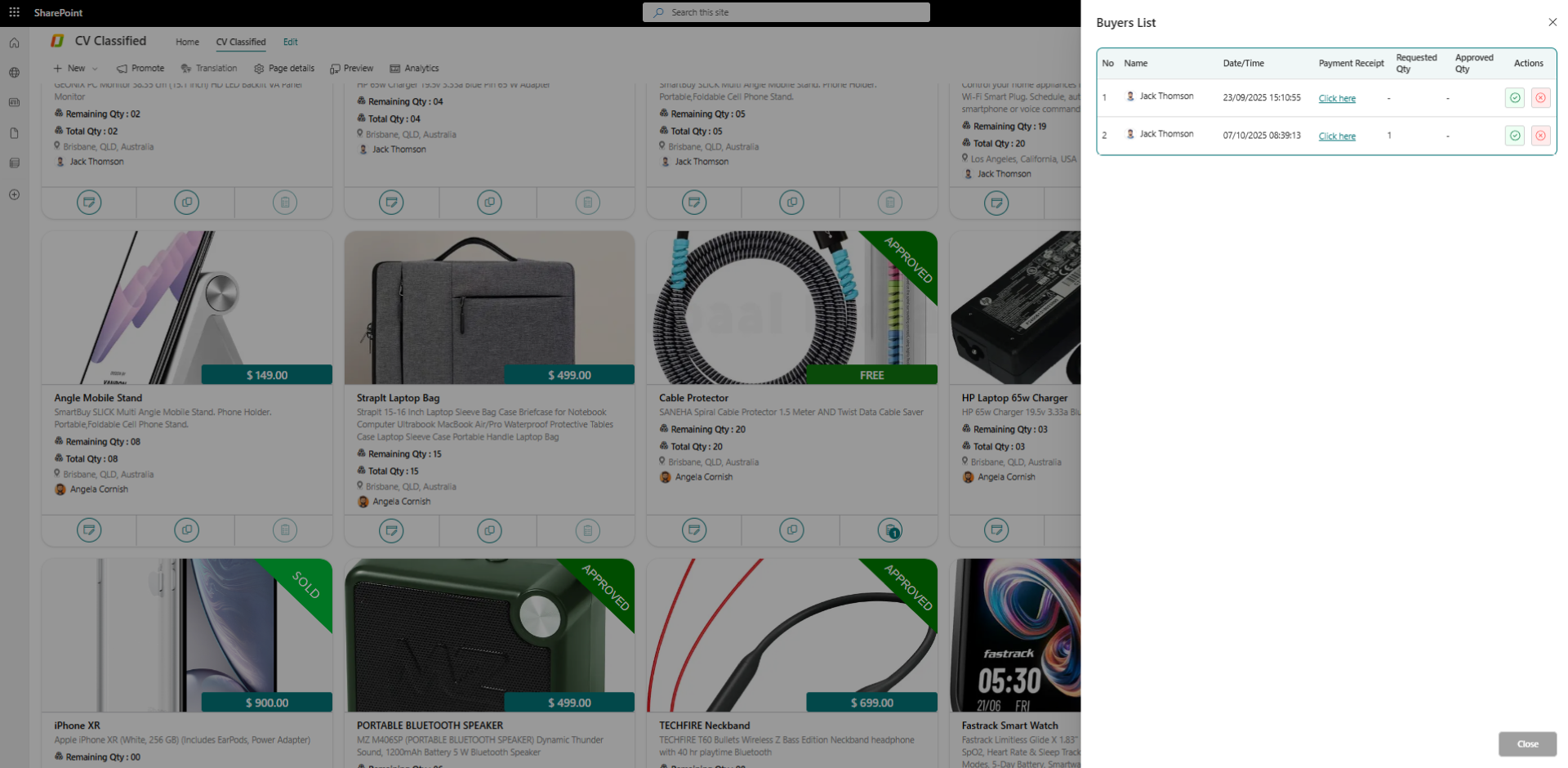
Inventory Management

Advanced Search & Filtering

Organized Categories

Real-Time Notifications

Custom Notification Settings

Fast and Secure Interactions

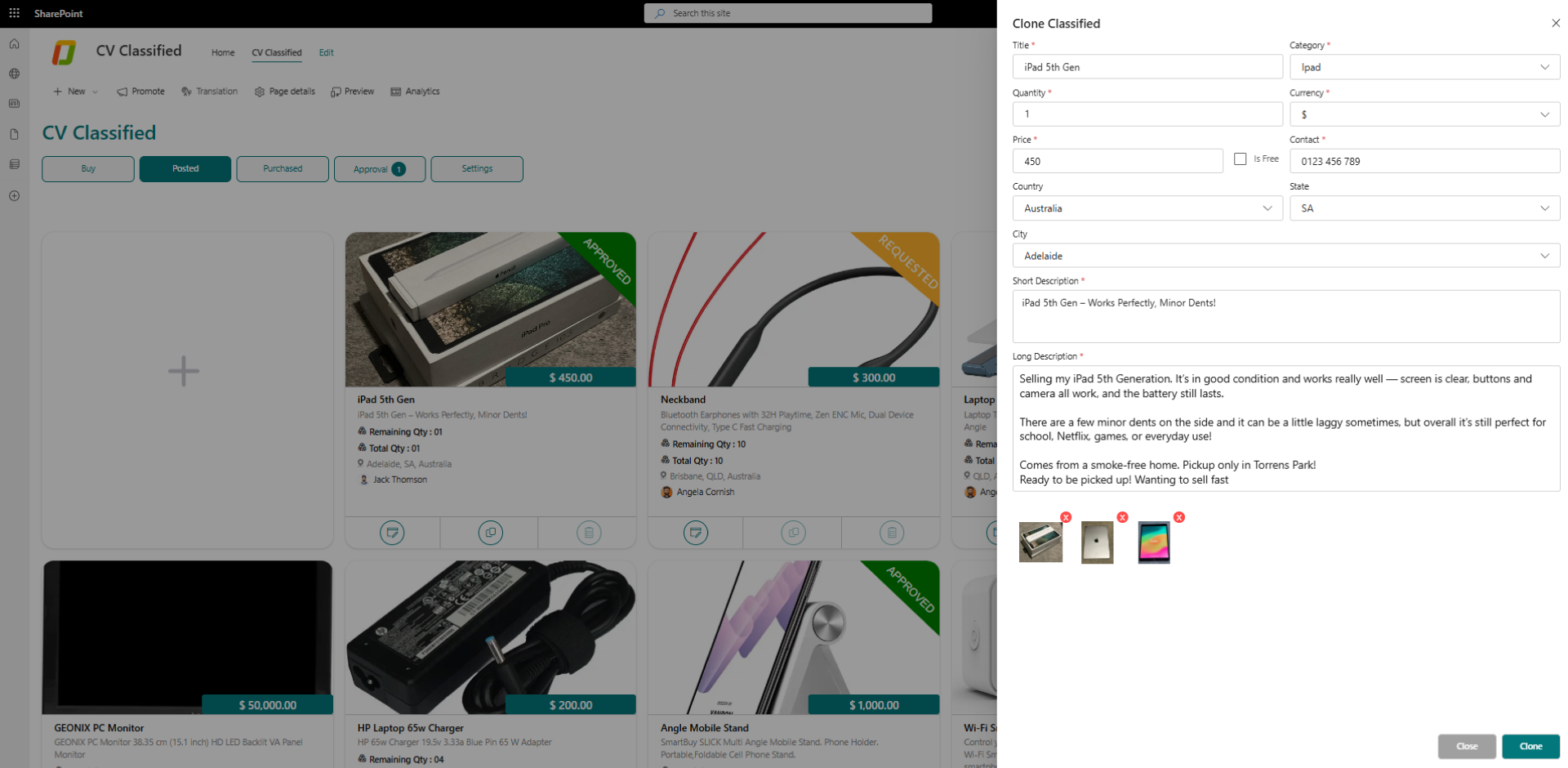
Clone Listings

Custom Email Templates

Auto-Delete Expired Listings

Admin Control & Moderation

Mobile-Friendly Access

Configurable Forms & Fields

Custom Phone & Currency Settings

Theme Customization
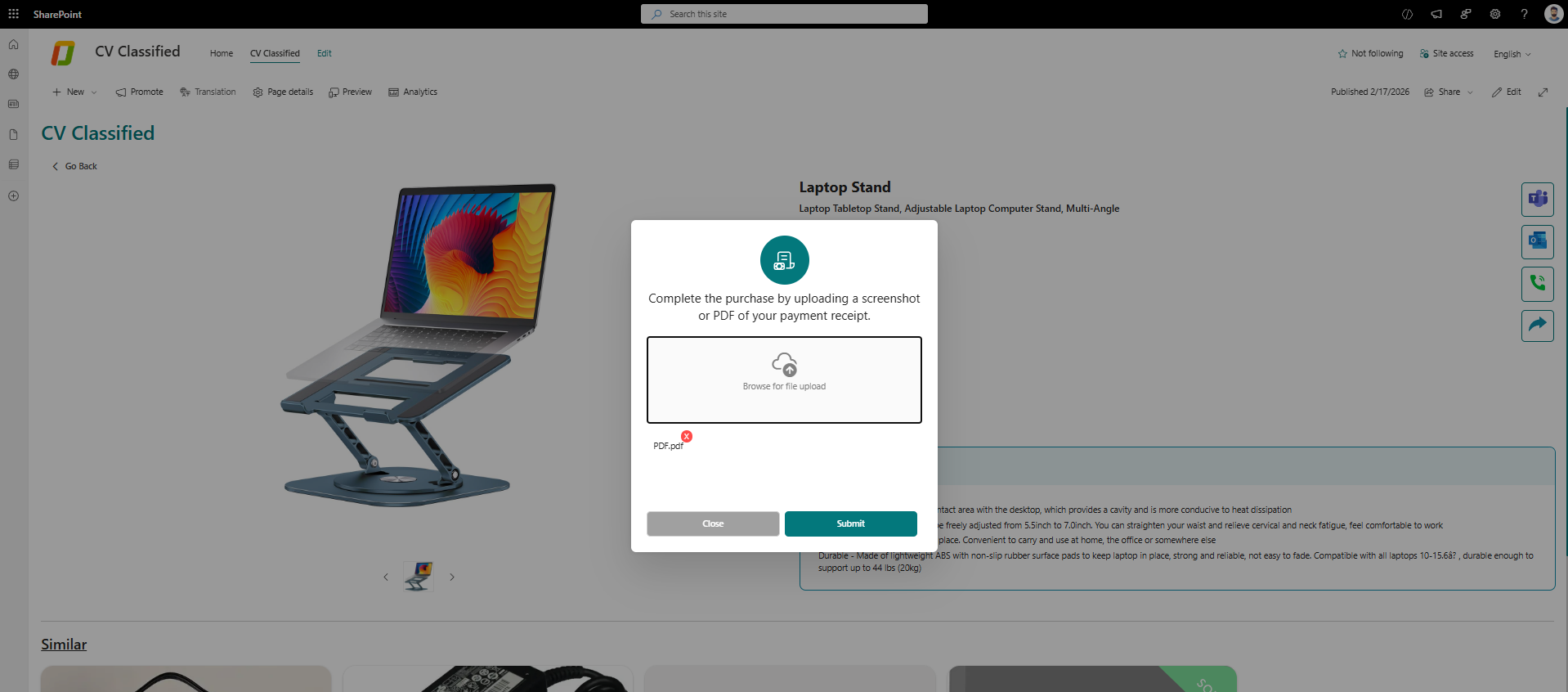
Track Purchased Listings

Reports & Analytics
Why Organizations Choose CV Classified Pro
- A secure, centralized platform for managing all internal transactions within your organization.
- Streamlines internal item management with easy listing, search, and organized categories.
- Encourages employee engagement and interaction through a structured internal marketplace.
- Enhances productivity with intuitive, user-friendly features and mobile access.
- Built on SharePoint for seamless integration with Microsoft 365 and your existing intranet.

86%
Streamlined Product Listings for Quick Access

75%
Improved Resource Selling Across Departments

100%
Minimizes Risk with Secured Transactions

85%
Improved User Experience with Intuitive Interface
Use Cases: How It Works in the Real World
Streamlined Management of Material Quantities in Construction
Industry
Construction & Real Estate Development


Challenges
Builders struggle with tracking material movement across multiple sites, leading to mismanagement, delays, and cost overruns due to lack of visibility and manual processes.

Proposed Solution
Our solution provides a centralized platform to monitor, transfer, and manage material quantities in real time across all construction sites, ensuring optimal resource utilization and reducing unnecessary procurement.
How CV Classified Pro Can Help
- Monitor material stock in real time across all sites.
- Reduce waste and overordering through better visibility and control.
- Speed up material availability, minimizing delays and downtime.
- Quickly place orders for materials and equipment directly from the platform.
- Manage inventory on the go with mobile access.
- Set up low-stock alerts, preventing material shortages.
Efficient Internal Inventory Distribution with First-Come, First-Serve Access
Industry
Corporate IT & Enterprise Services

Challenges
Managing internal inventory distribution in large organizations without a streamlined system causes delays, duplicate requests, and confusion, leading to slowdowns and employee frustration.
Proposed Solution
CV Classified Pro introduces a streamlined, first-come, first-serve (FCFS) system for internal inventory distribution. It allows teams to view, request, and claim available resources in real time—without back-and-forth approvals or manual tracking.
How CV Classified Pro Can Help
- Enable real-time visibility of available inventory across teams.
- Automate FCFS-based allocation, eliminating delays in manual request processing.
- Set up automated restock alerts for low inventory.
- Support mobile-based inventory requests for remote or hybrid teams.
- Monitor equipment allocation and usage across departments.



Product Gallery






DO YOU HAVE QUESTIONS? LOOK HERE
CV Classified Pro is a secure internal marketplace built on Microsoft SharePoint Online that enables employees to buy, sell, exchange, or redistribute items within your organization. Integrated directly into your SharePoint environment and Microsoft 365 ecosystem, it provides a centralized platform for internal transactions without requiring external logins or third-party infrastructure.
CV Classified Pro eliminates inefficiencies caused by fragmented communication channels like emails, spreadsheets, and informal chats when managing internal assets. It creates a centralized, searchable internal marketplace that improves visibility, reduces unnecessary procurement costs, streamlines workflows, and strengthens governance over internal transfers and asset reuse.
Organizations using CV Classified Pro typically realize value through:
- Lower procurement and operational costs via asset reuse
- Reduced cycle times by replacing manual coordination
- Better inventory visibility and control
- Higher employee engagement via a familiar SharePoint interface
- Structured approvals and audit tracking for internal transactions
CV Classified Pro is deployed directly into your SharePoint Online tenant via the Microsoft AppSource installation process. It becomes accessible from within your existing SharePoint intranet — users do not need separate credentials or new infrastructure to use it.
CV Classified Pro integrates natively with Microsoft 365 using:
- Microsoft Entra ID (Azure AD) for authentication
- SharePoint Online for data storage, governance, and security
- Microsoft Teams and Outlook for notifications and collaboration
All data remains within your Microsoft 365 tenant, with no external dependencies.
All application data is stored within your organization’s SharePoint Online tenant. Your organization retains full control over data residency, retention policies, deletion, audit logs, and information governance—ensuring compliance with internal and regulatory controls.
CV Classified Pro inherits Microsoft 365’s enterprise compliance and security certifications, including:
- GDPR – EU data protection and privacy
- ISO/IEC 27001 – Information Security Management
- SOC 1 & SOC 2 – Trust Services Criteria
- Microsoft Cloud Security Framework
The solution does not process or store data outside Microsoft’s certified cloud, allowing organizations to maintain their existing compliance posture.
CV Classified Pro includes built-in controls for governance, including:
- Role-based permissions
- Configurable approval workflows
- Audit logs and real-time notifications
- Microsoft-grade encryption in transit and at rest
These features help with traceability, internal audits, and compliance reporting.
No. CV Classified Pro does not depend on external servers, third-party databases, or non-Microsoft authentication systems. All operations and data processing occur entirely within SharePoint Online, maintaining your organization’s security posture and minimizing risk exposure.
CV Classified Pro delivers value across multiple business functions:
- IT & Intranet Teams – centralized governance and security control
- Procurement & Operations – visibility into reusable internal assets
- HR & Facilities – improved employee engagement and internal collaboration
- Employees – faster access to required resources without external spending
The solution scales across departments, locations, and enterprise business units.
A single CV Classified Pro license can be used across multiple SharePoint site collections within the same Microsoft 365 tenant. This enables enterprise-wide adoption without the need for multiple redundant licenses.
CV Classified Pro automatically scales with Microsoft SharePoint Online. It supports:
- Large user populations
- Multiple departments and site collections
- High volumes of listings and transactions
No additional infrastructure planning or performance tuning is required from IT teams.
Yes. IT administrators can configure:
- Metadata and categories
- Role-based permissions
- Approval workflows and notifications
- Reporting dashboards
Where needed, the solution can be extended using Microsoft Power Platform (Power Automate, Power Apps) to meet advanced business requirements.
Implementation typically includes:
- AppSource deployment
- Initial configuration (categories, permissions, governance)
- Admin and user documentation
Support options include standard and priority support agreements, with typical response times of 24–36 hours, and consultative sessions for advanced configurations.
Yes. CV Classified Pro is well-suited for regulated industries such as finance, healthcare, government, and large enterprises that require strong governance, auditability, and data residency controls—leveraging Microsoft 365’s certified compliance framework.
Explore Our Custom Software Solutions for Every Business
CV Intranet Portal Pro

One centralized platform to connect, collaborate, and empower your workforce
98%
Reduction in Internal Support Queries to HR/IT
95%
Increases Document Retrieval Efficiency
92%
Higher Productivity Across Departments
90%
Simplifies Onboarding & Training Employees
Features
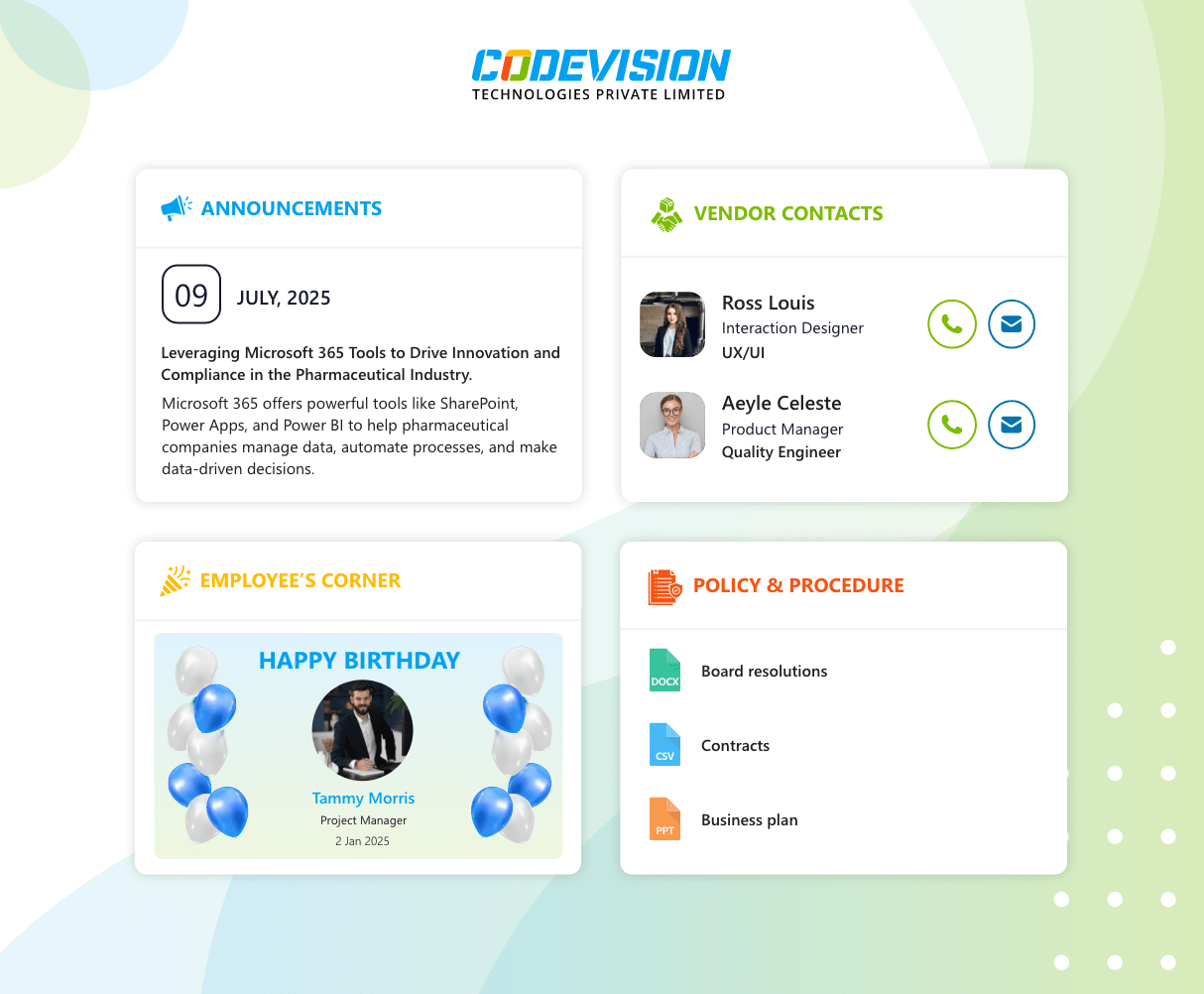
- Centralized Communication Hub
- Document Management and Storage
- Employee Directory
Technology

CV Timesheet Management Pro

Effortless time tracking and project management within SharePoint
88%
Reduces Administrative Overheads
92%
Increases Task and Project Tracking Clarity
90%
Organized Timesheet Entries for Better Reporting
100%
Enhanced Data Security with Role-Based Access
Features
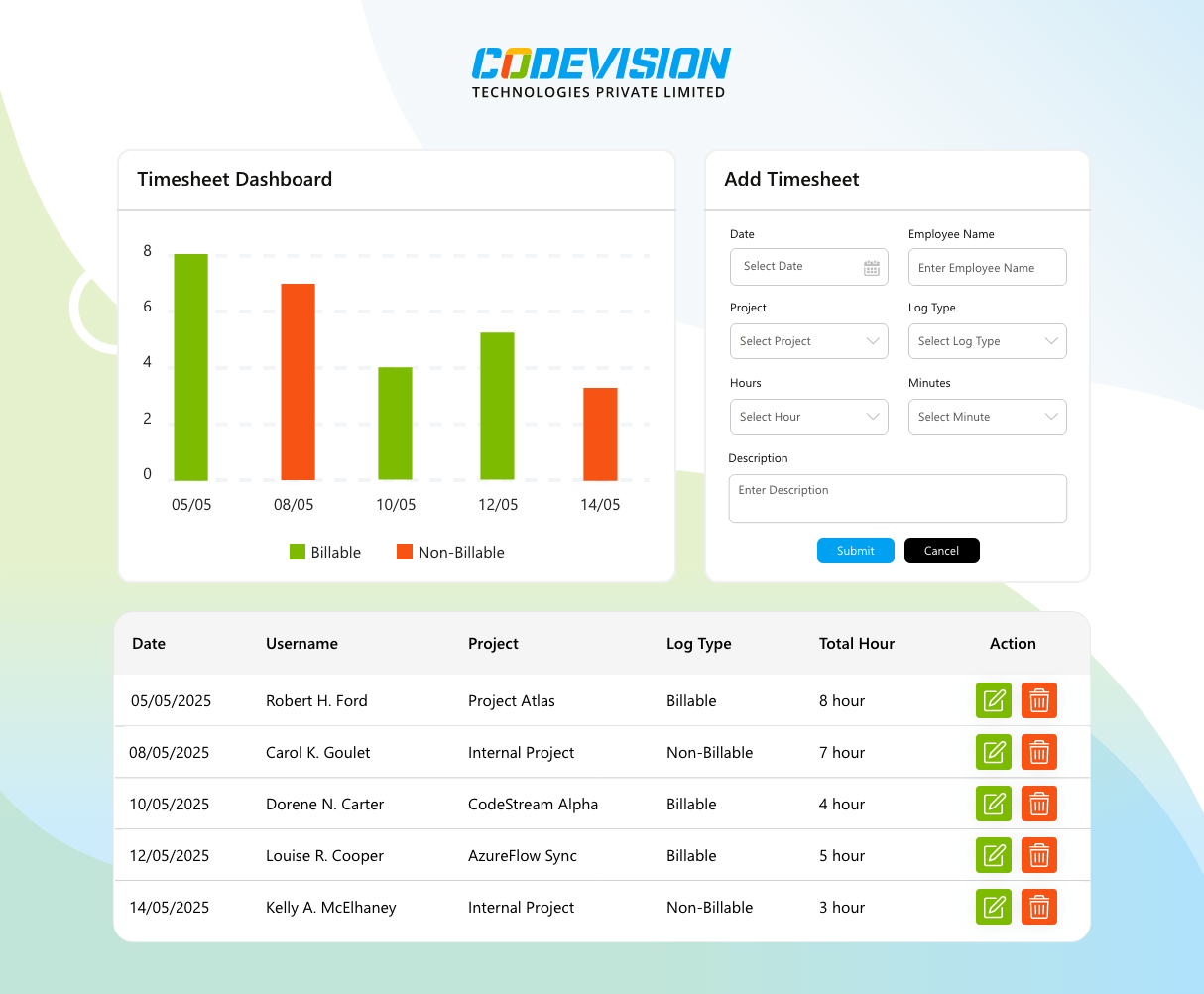
- Project & Task Categories
- Billable & Non-Billable Tracking
- Filtering & Sorting
Technology
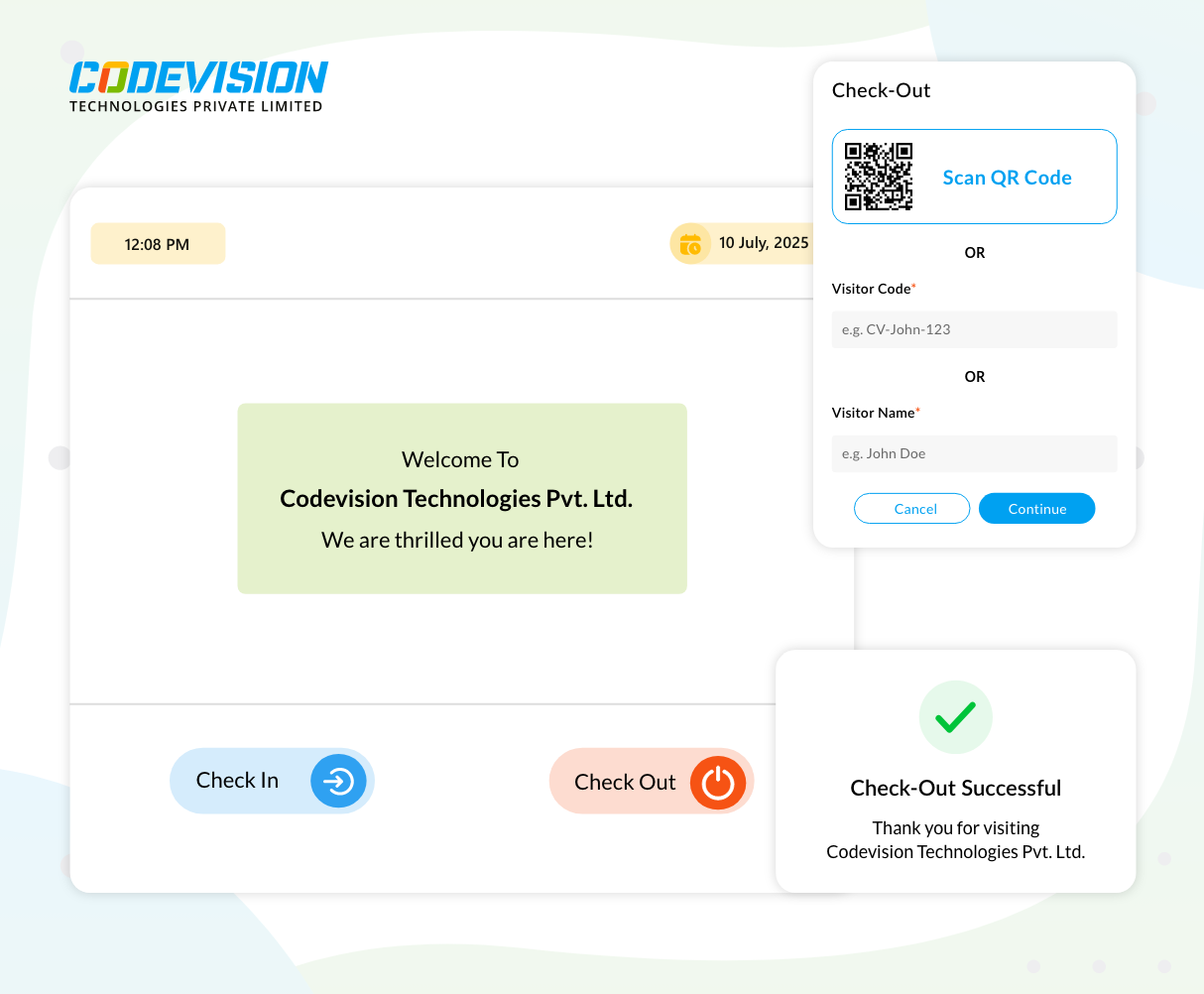
CV Visitor Management Pro

Simplify, secure, and streamline visitor management with Microsoft Power Apps
90%
Quick & Easy Check-In Process
100%
Improved Security and Access Control
100%
Simplified Compliance and Data Management
86%
Better Visitor Experience
Features
- Easy Visitor Registration
- Real-time Visitor Tracking
- Host Notifications
Technology

Trusted by Progressive Companies