CV Helpdesk
 SLA & Escalation Tracking
 Automated Ticket Routing
One Flat Tenant License
GDPR Ready
Automated Ticket Routing
One Flat Tenant License
GDPR Ready

IT Helpdesk & Ticketing System for SharePoint
CV Helpdesk is a Microsoft-native IT ticketing system and best help desk solutions. Log, assign, and resolve support tickets without leaving Microsoft 365. Our Helpdesk for SharePoint brings a full-featured service desk to SharePoint with SLA tracking, automated routing, and total tenant compliance.



Trusted by Progressive Companies






Key features of CV Helpdesk
A Complete SharePoint Ticketing System for Microsoft 365.

Ticket Submission
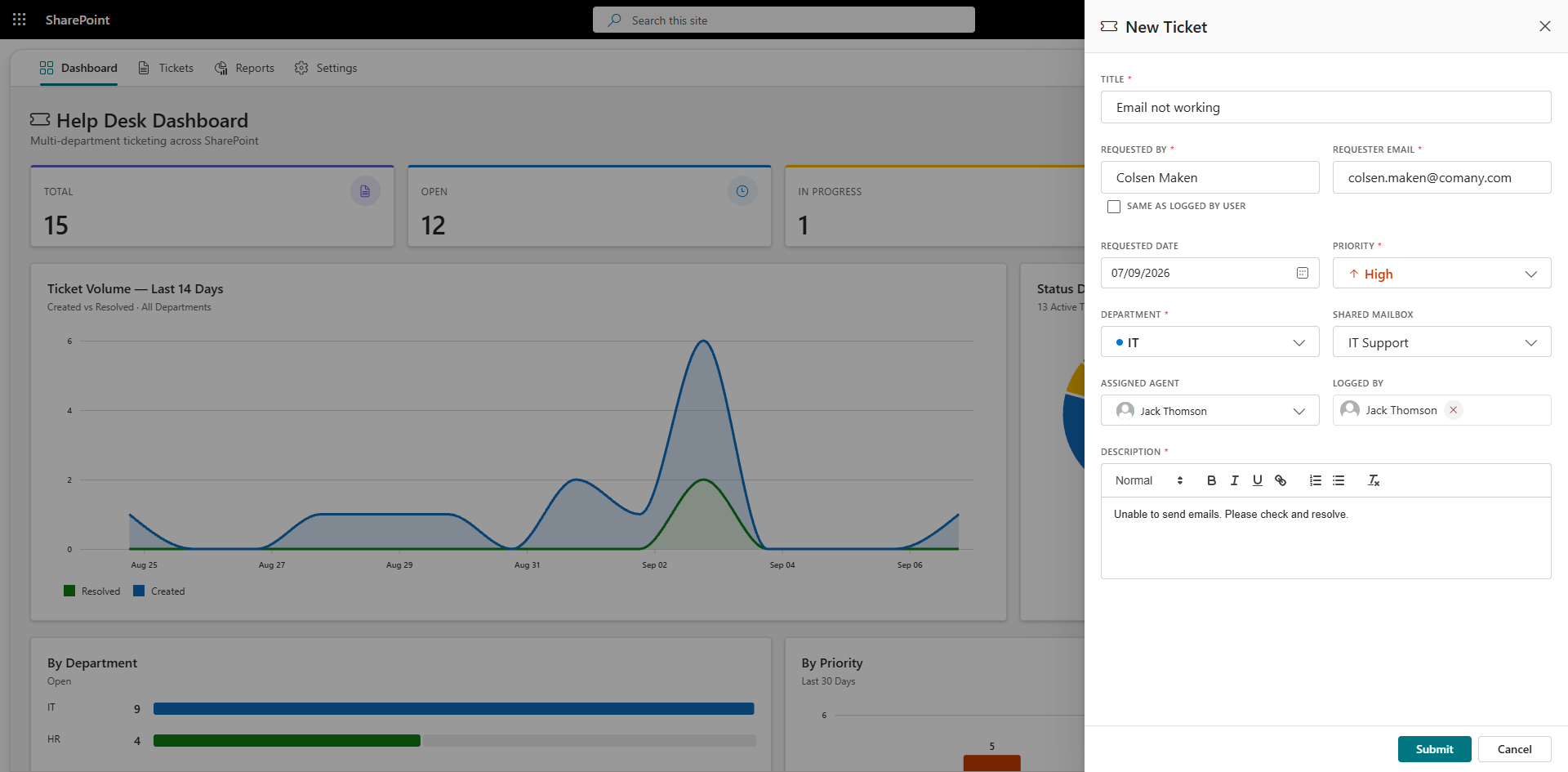
Employees can raise support tickets directly through SharePoint or via a direct or shared email inbox so every request lands in a single ticket management system instead of scattered inboxes.

Department-Wise Agent Assignment
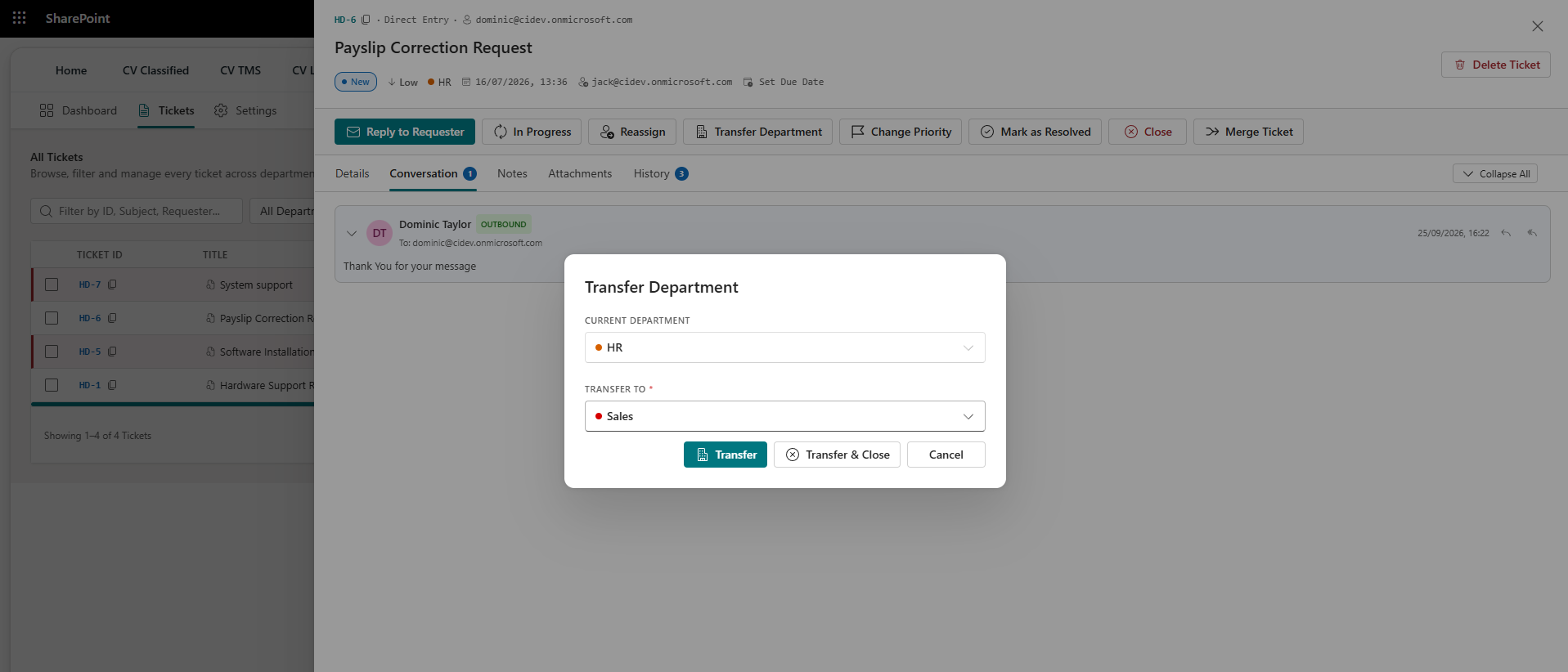
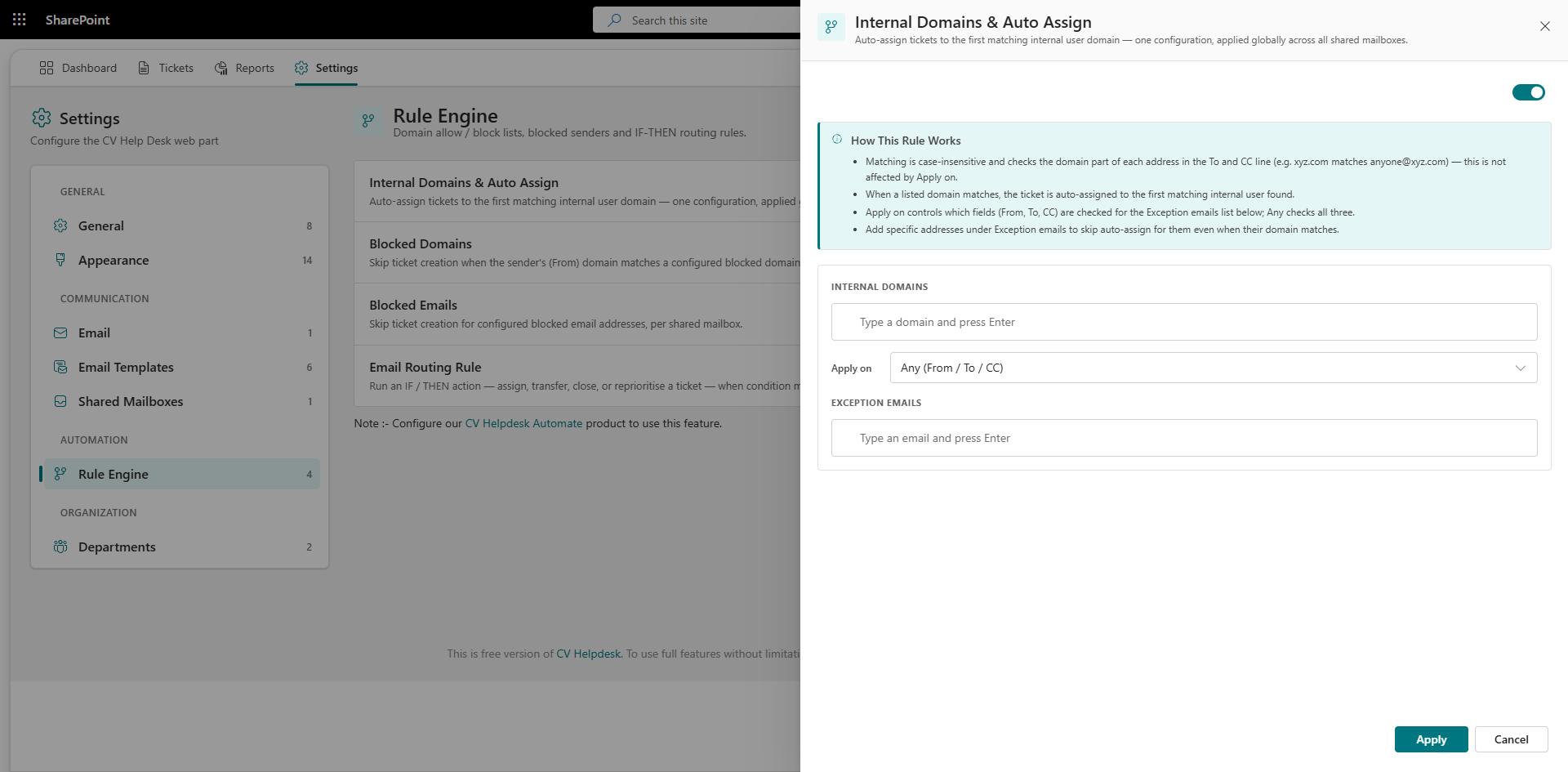
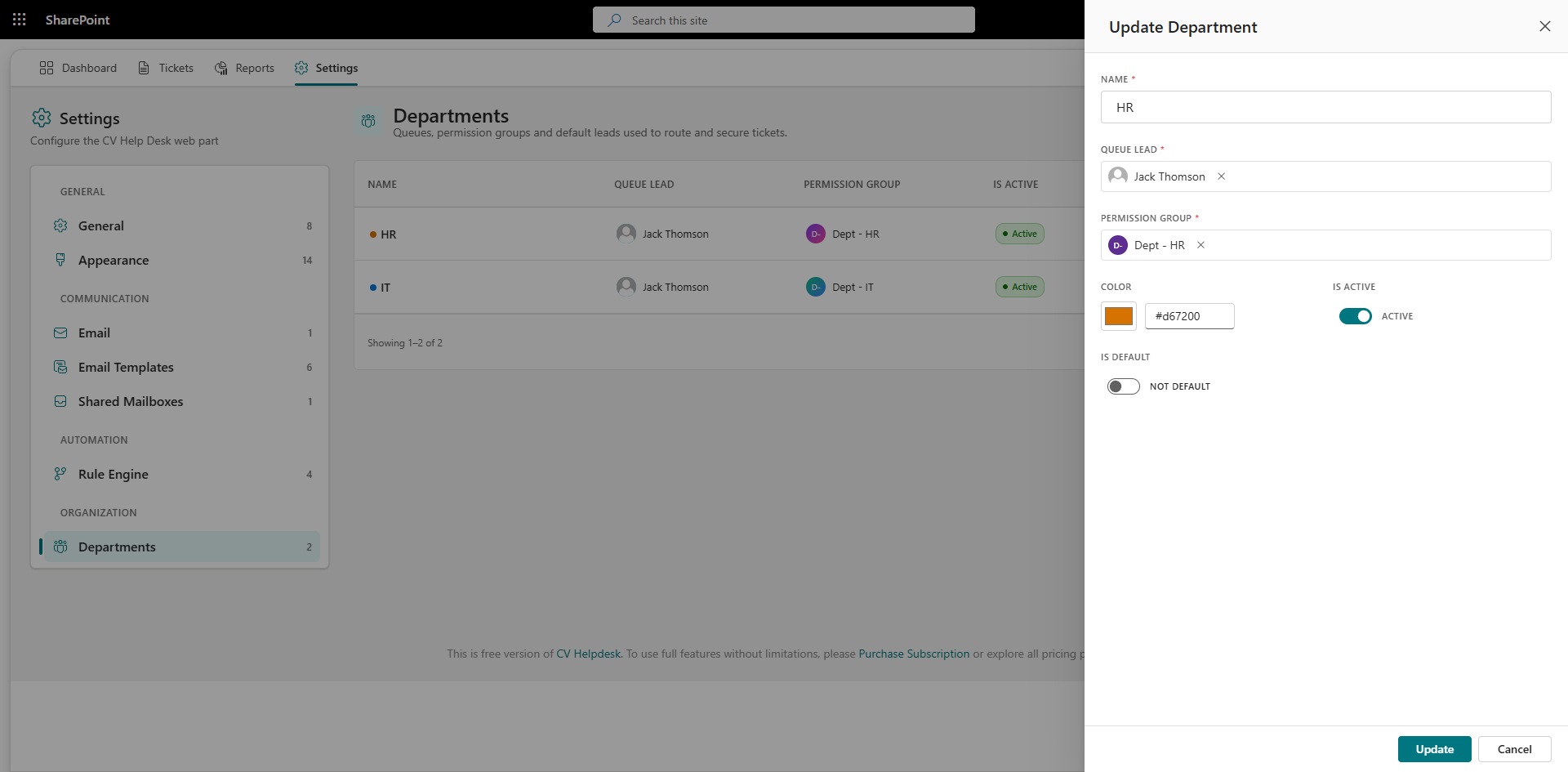
Route tickets to the right team automatically. Assign agents by department and configure approval workflows to match your organization's support structure.

Priority Management
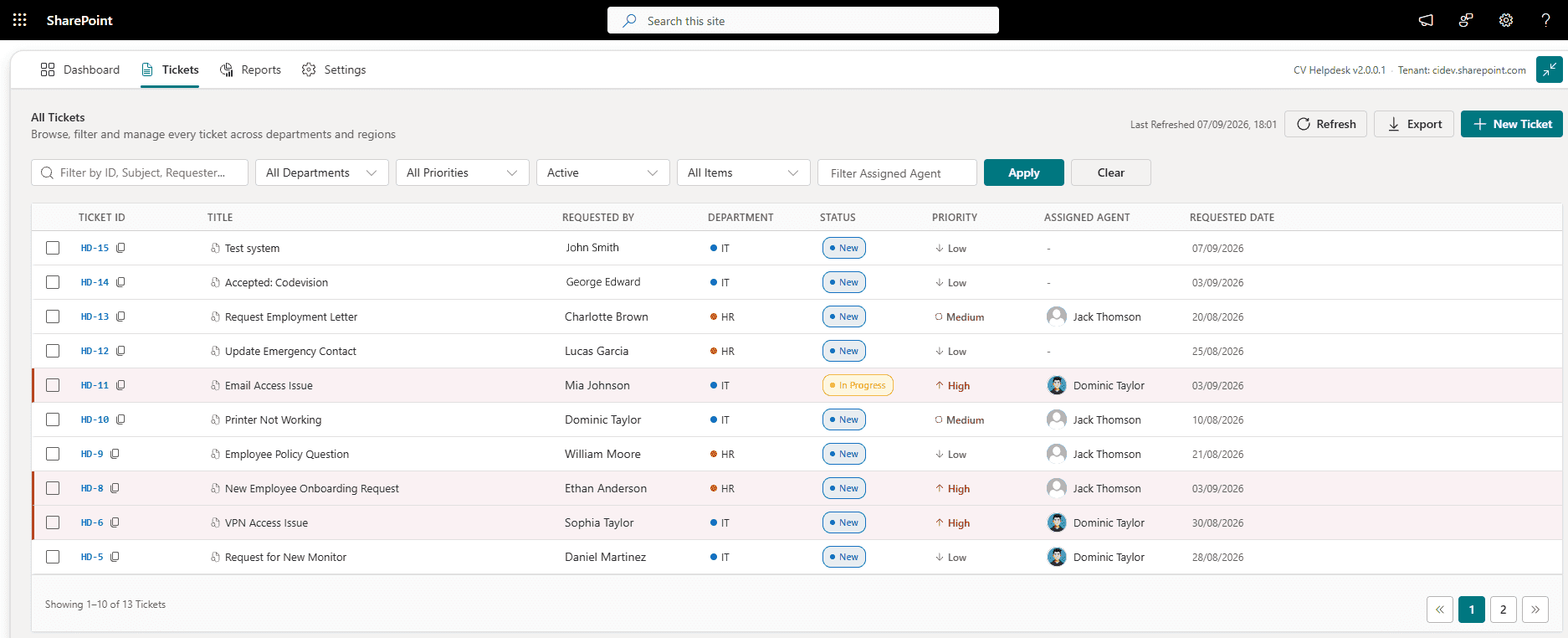
Every ticket is classified by priority Low, Medium, High, or Critical so support teams can see at a glance which issues need attention first and respond in the right order.

Status Tracking
Employees and agents can track the real-time status of every ticket from submission through to resolution, with full visibility at each stage.

Email & In-App Notifications
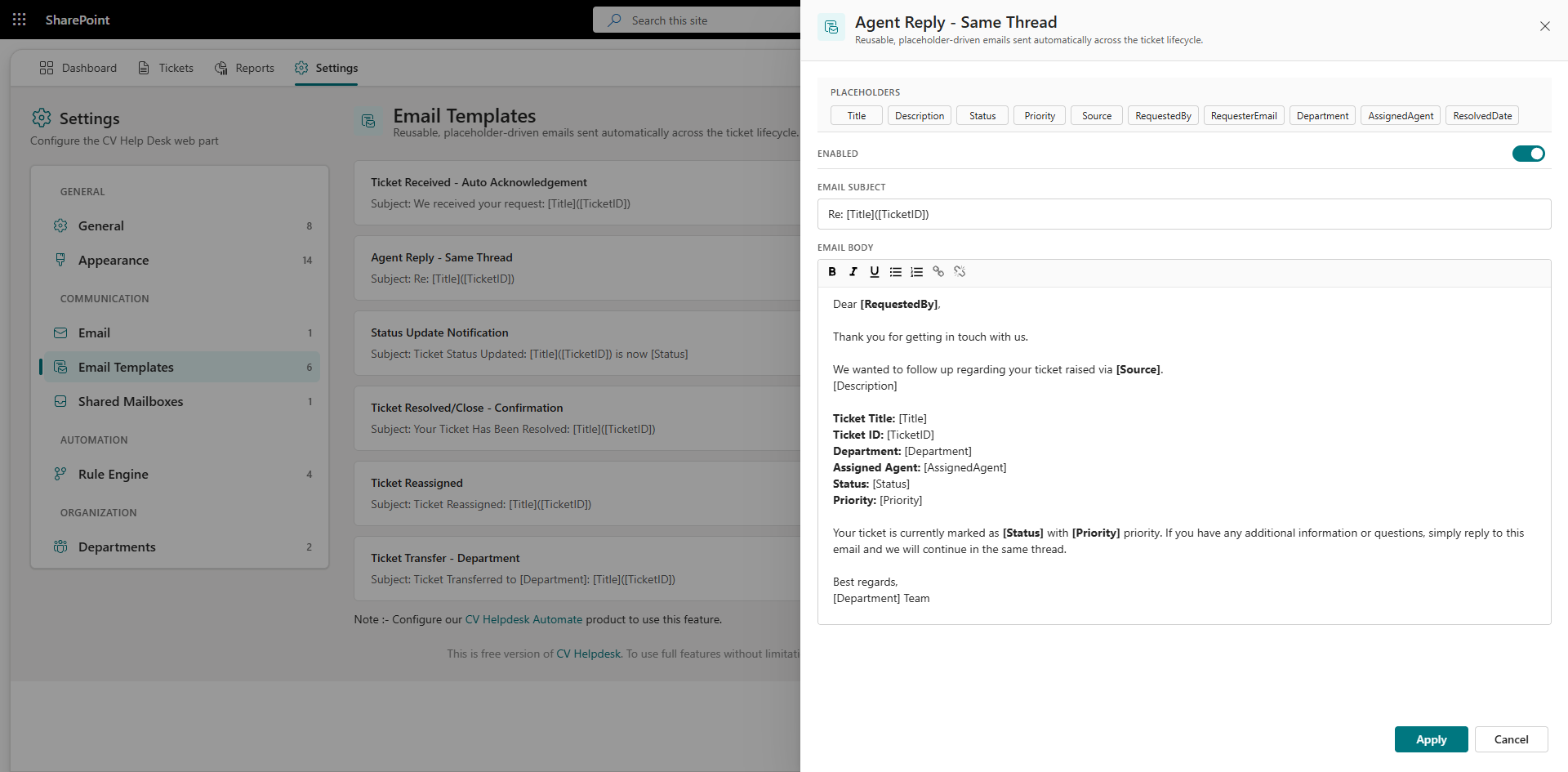
Automated email and in-app alerts powered by Microsoft Power Automate keep employees and agents informed at every stage, from ticket creation and assignment through to updates and resolution.

Attachment Support
Employees can attach screenshots, documents, or any supporting files when submitting tickets, giving agents the context they need to resolve issues faster.

Internal Notes for Agents
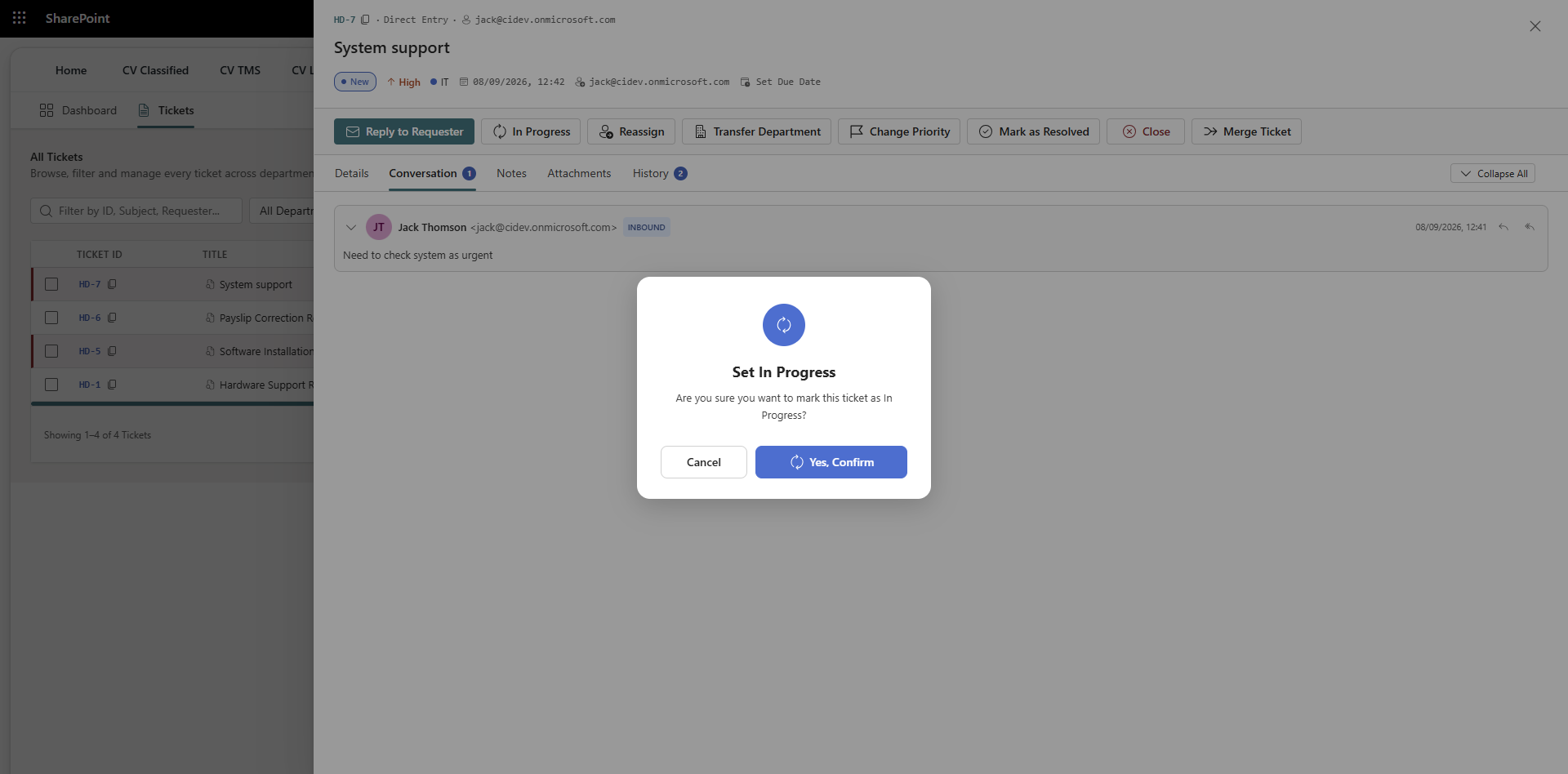
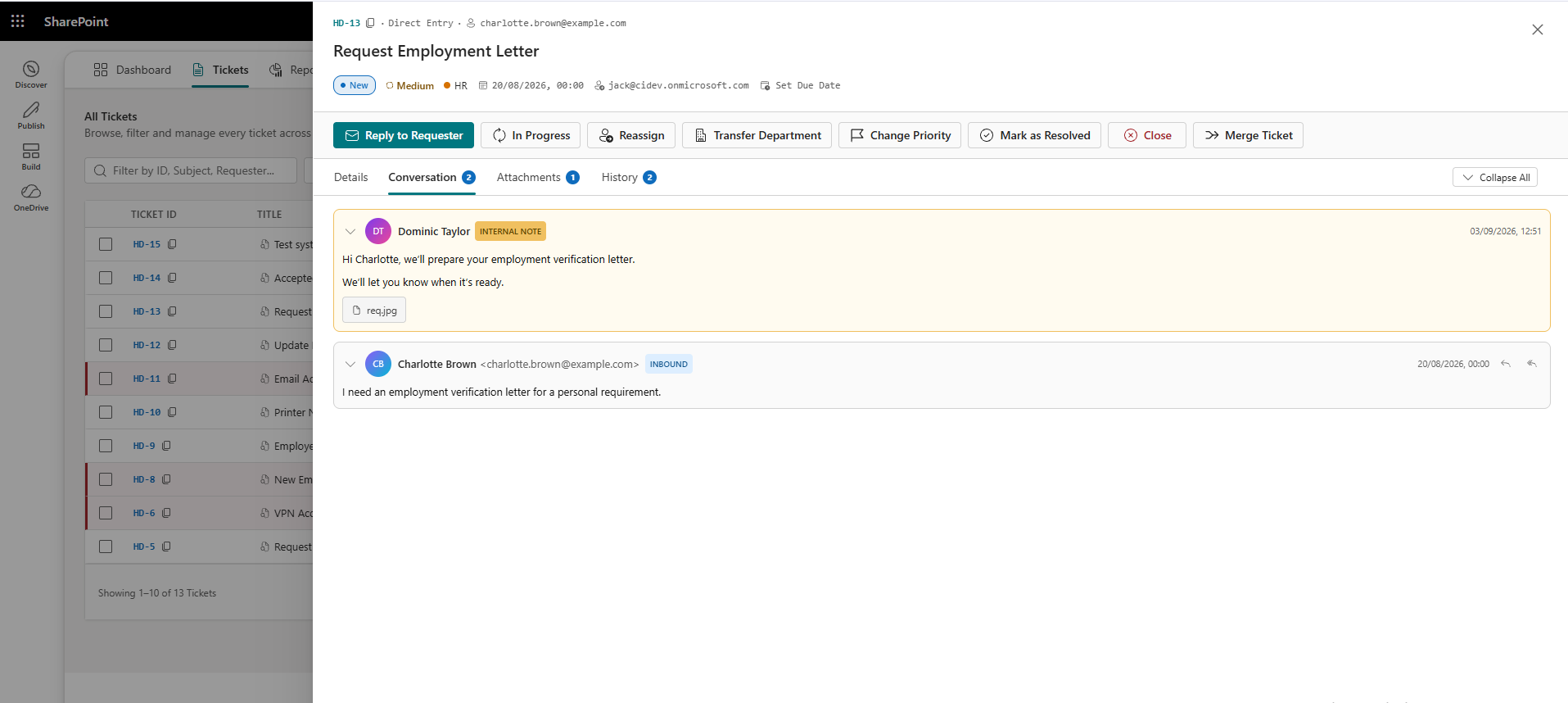
Agents can add internal notes visible only to the support team — enabling collaboration and context-sharing without exposing internal communications to the requester.

Ticket Comments & Conversations
Agents and requesters exchange messages directly within the ticket thread, so nothing gets lost across separate emails or chats.
Role-Based Access Control
Define access permissions for employees, support agents, team leads, and administrators — ensuring the right people can view, act on, and manage tickets.

Dashboard & Reporting
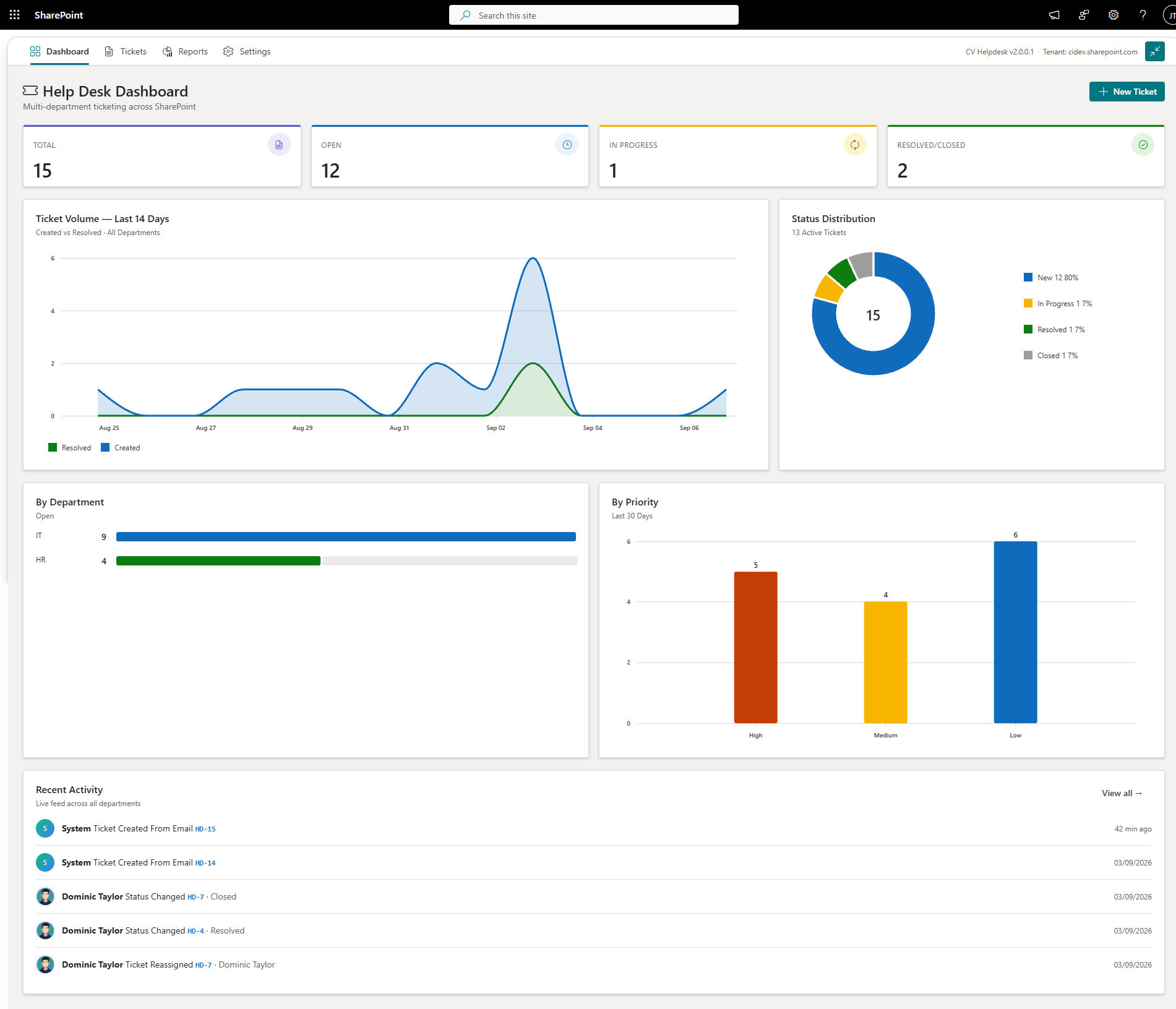
Get a clear view of open tickets, resolution times, agent workloads, and support trends with a built-in dashboard and date-range reporting.

Export Tickets to Excel
Export ticket data to Excel for offline analysis, compliance reporting, or stakeholder reviews with a single click.

Custom Branding & Settings
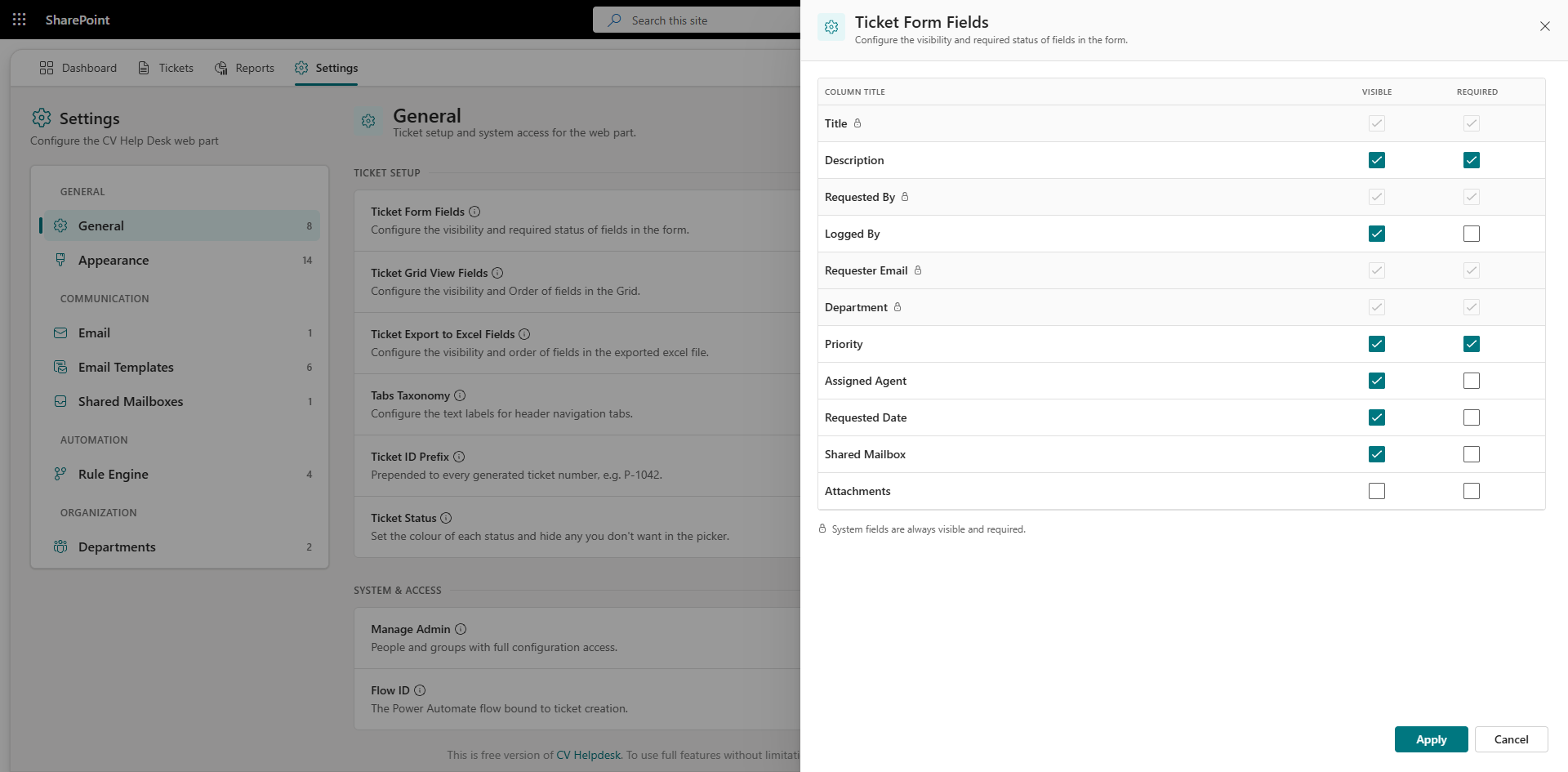
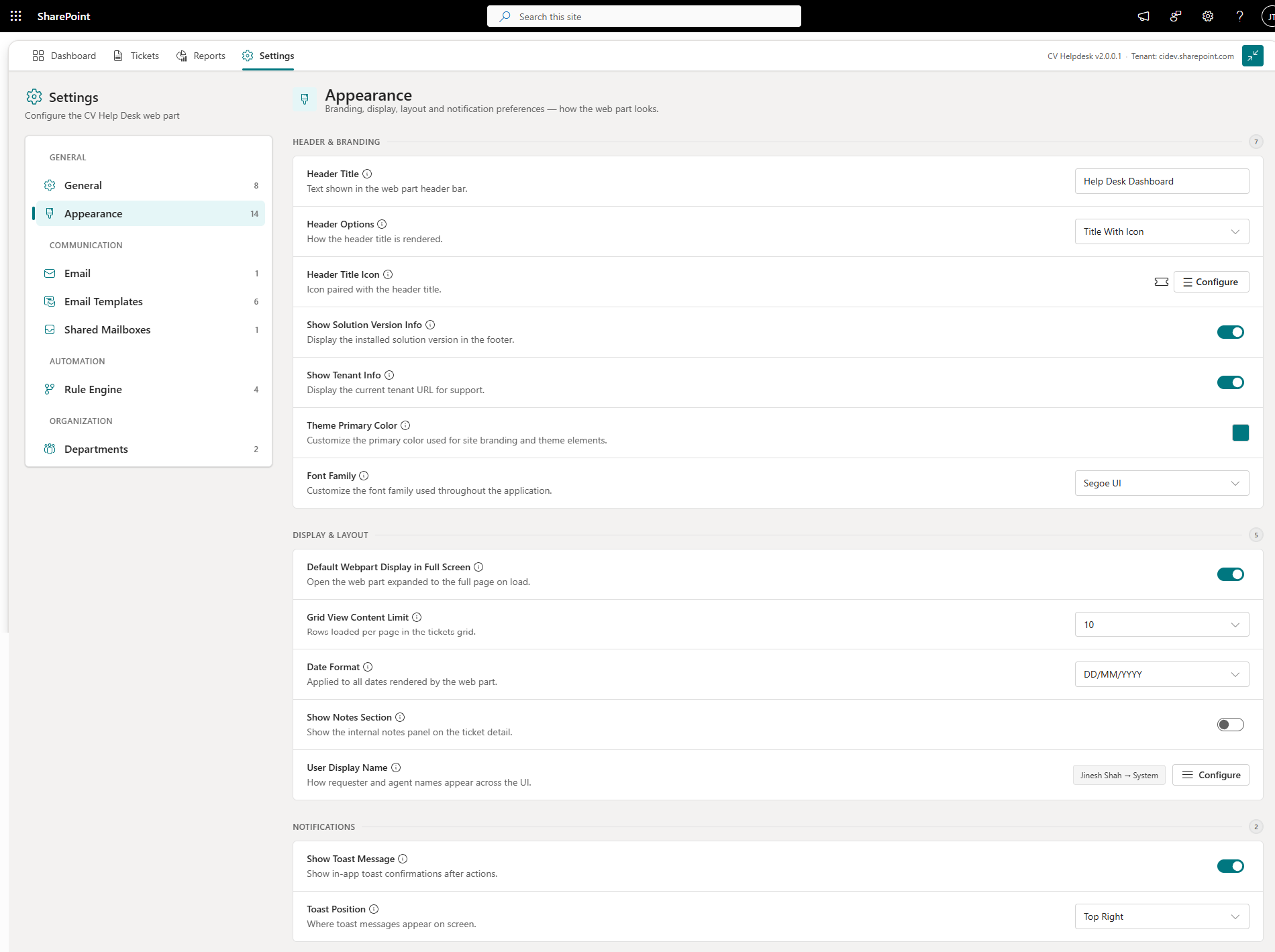
Align CV Helpdesk solutions with your organization's identity. Configure branding, notification rules, ticket categories, and settings without custom development.
Have questions about CV Helpdesk?
Get an instant summary of ticketing, automation and reporting features in ChatGPT.
Real Results. Real Impact.
Explore All Case StudiesConsolidating Two Support Systems into One Microsoft 365 Helpdesk for a Cross-Border Payments Company
Paying per agent and relying on outside developers to change a single rule? This payments company replaced both of its help desks with one Microsoft 365 solution and kept customer data inside its own tenant.
5,000
Tickets Processed
40+
Business Rules
100%
Support Data In-Tenant
95%
SLA Compliance
Use Cases: How It Works in the Real World
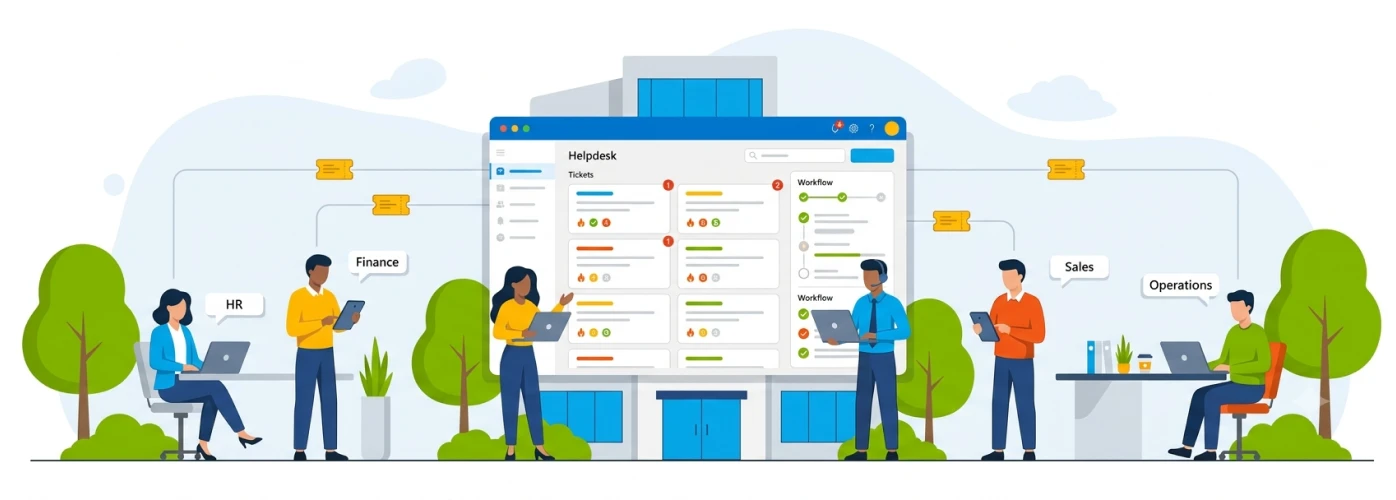
How CV Helpdesk Can Help:
- Log every IT request as a ticket with a unique ID, priority, and assigned agent.
- Route tickets to the right IT sub-team — hardware, software, network, or access.
- Track resolution status in real time, reducing follow-up emails from employees.
- Attach error screenshots or logs directly to tickets for faster diagnosis.
- Export ticket history for IT audits and compliance reporting.
- Use internal notes for team collaboration without exposing them to end users.
Centralized IT Support Ticketing Across a Multi-Department Organization
Industry
Corporate IT & Enterprise Services

Challenges
Large organizations relying on shared email inboxes for IT support face missed requests, duplicate handling, and zero visibility into resolution status — frustrating employees and overloading IT teams.
Proposed Solutions
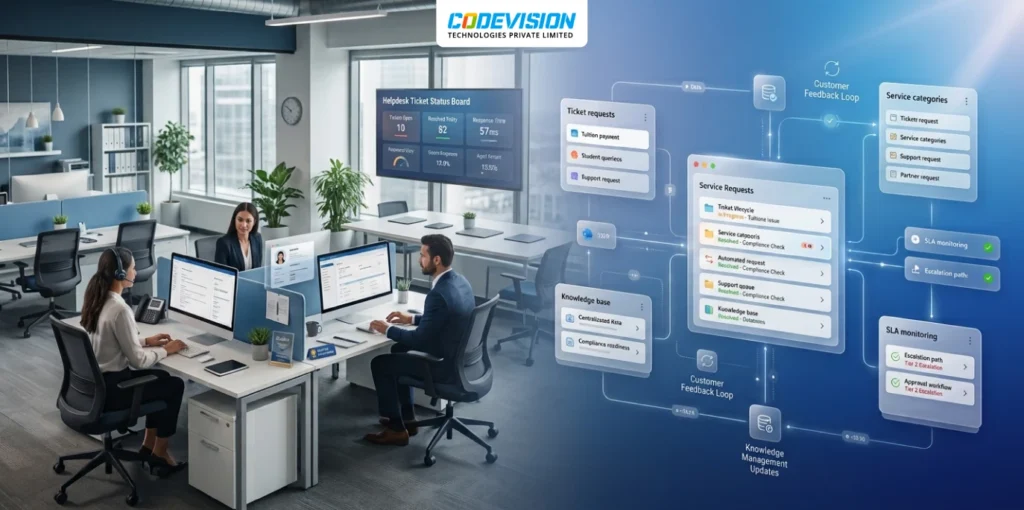
CV Helpdesk replaces unstructured email-based support with a structured ticketing system built into SharePoint. IT teams manage all requests from a single dashboard, with priority-based assignment and automated notifications at every stage.
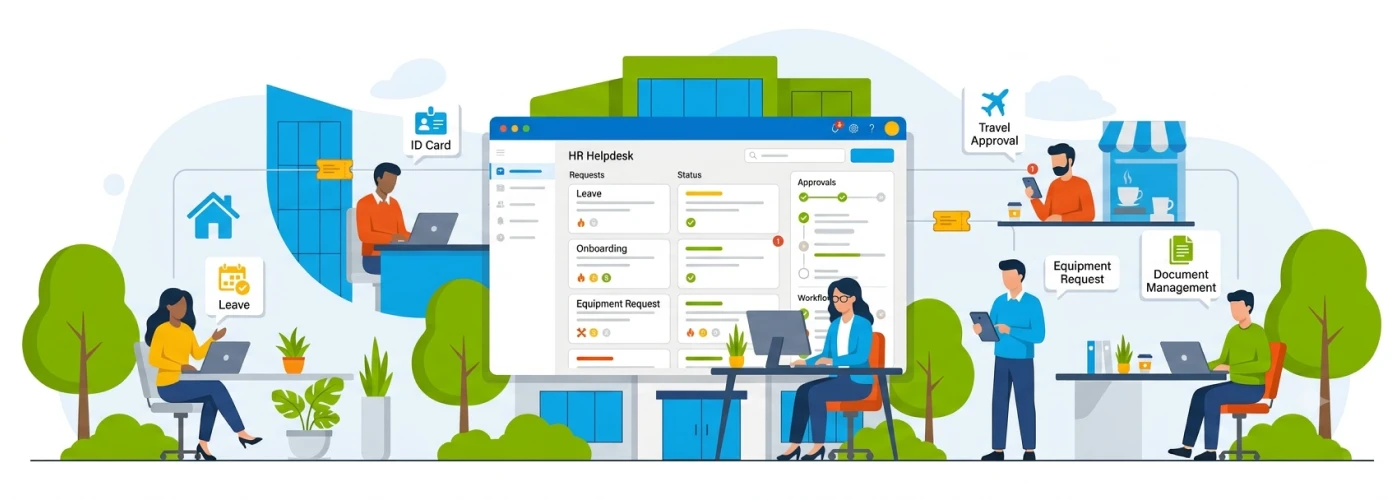
How CV Helpdesk Can Help:
- Capture HR requests through a consistent submission form with mandatory fields.
- Assign requests by category — payroll, onboarding, compliance, or general queries.
- Keep communication within the ticket thread, creating a full audit trail.
- Set priority levels to ensure time-sensitive HR matters are addressed first.
- Enable role-based access so employees only see their own tickets.
- Generate reports to identify recurring HR issues and improve process efficiency.
HR & Admin Request Management for a Distributed Workforce
Industry
HR, Administration & Operations
Challenges
HR and admin teams in hybrid or distributed organizations receive requests across email, chat, and verbal communication — making it nearly impossible to track status, enforce SLAs, or maintain records.
Proposed Solutions
CV Helpdesk gives HR and admin teams a structured intake system within SharePoint. Every request — from policy queries to document approvals — is logged, categorized, assigned, and tracked in one place.
Why Choose CV Helpdesk
Codevision Technologies delivers a reliable helpdesk solution that streamlines ticketing and accelerates issue resolution for your teams.

Microsoft Expertise
Expertise Certified Microsoft specialists building helpdesk solutions and ticketing system natively integrated with Microsoft 365 and SharePoint.

Faster Issue Resolution
Streamline ticket routing, prioritization, and tracking to resolve employee and customer issues faster.
Proven Implementation
Successfully deployed across IT and support teams with seamless rollout and zero disruption to operations.

Product Innovation
Building Marketplace-certified solutions that extend Microsoft platform capabilities for service management.

100
Centralized Ticket Tracking

90
Customer/Employee Satisfaction
85
Faster Ticket Resolution Time
70
Reduction in Repeat Support Requests

Product Gallery

Resources & Documentations
Everything you need to install, configure, and use the product.


Frequently Asked Questions
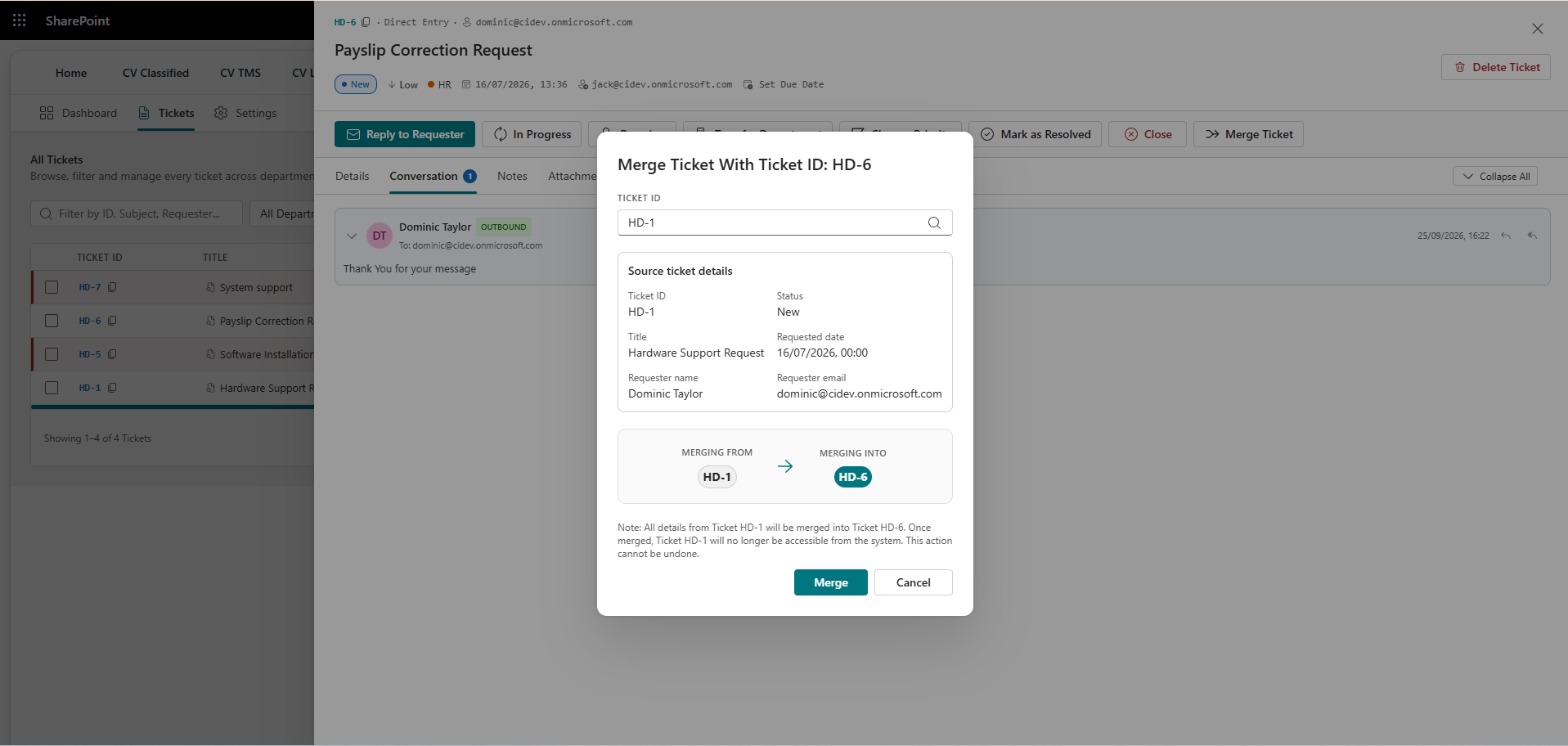
CV Helpdesk is a SharePoint-based ticket management solution built on SPFx that lets employees submit, track, and resolve internal support requests directly within Microsoft 365.
No. CV Helpdesk runs entirely within your Microsoft 365 tenant. No third-party helpdesk software, no separate logins, no data leaving your environment.
Yes, CV Helpdesk offers a free version with full core functionality for up to 30 ticket entries. Once you reach the 10-ticket limit, a premium upgrade prompt will guide you to activate a paid subscription to unlock unlimited ticketing and advanced features.
Employees can raise tickets directly through SharePoint or via a direct or shared email inbox. Both channels feed into the same centralized ticket queue.
Yes. CV Helpdesk supports department-wise agent assignment with configurable approval workflows so every ticket reaches the right person automatically.
Each ticket can be classified as Low, Medium, High, or Critical, allowing support teams to triage and respond to urgent requests first.
Yes. Automated email and in-app notifications update the requester at every stage — from submission and assignment through to resolution through a Microsoft Power Automate solution separately.
Yes. Agents can add internal notes visible only to the support team, without exposing those communications to the employee who raised the ticket.
Related Products
CV Classified
Enable secure internal buying and selling with a SharePoint-powered marketplace for your organization.
Read More
CV Timesheet Management System
Streamline work with smart Timesheet Management System on SharePoint.
Read More
CV Intranet
Connect, engage, and centralize your workplace with SharePoint for smarter, seamless collaboration.
Read More