


SharePoint End of Life 2026: What CIOs Must Do Now


- What’s Happening: A Critical Turning Point for SharePoint
- From Technical Debt to Business Risk: What’s Really at Stake
- Security Exposure Becomes Immediate and Continuous
- Compliance Gaps Create Audit and Regulatory Risk
- Operational Disruption from Broken Customizations
- Why Delaying Action Is the Highest-Risk Strategy
- A Structured Action Plan for CIOs
- Final Perspective: Turning Risk into Strategic Opportunity
What’s Happening: A Critical Turning Point for SharePoint
For many enterprises, SharePoint sits at the center of collaboration, document management, and workflow automation. However, 2026 marks a decisive shift in Microsoft’s roadmap—one that fundamentally changes how organizations must approach their SharePoint environments.
Two key deadlines define this transition:
- April 2, 2026: Retirement of SharePoint Add-Ins, Azure ACS authentication, and legacy workflows
- July 14, 2026: End of support for SharePoint Server 2016 and 2019
After these dates, organizations will operate without the following:
- Security updates or vulnerability patches
- Bug fixes or performance improvements
- Vendor support or escalation pathways
This is not a gradual decline—it is a hard stop for several core capabilities. Any custom applications or integrations built on legacy frameworks will simply cease to function, creating immediate operational disruption if not addressed in advance.
From Technical Debt to Business Risk: What’s Really at Stake
While the end-of-support milestone may appear as a technical event, its implications extend deeply into business operations, governance, and risk management.
Security Exposure Becomes Immediate and Continuous
Once support ends, legacy SharePoint environments become increasingly vulnerable to cyber threats. Without regular security patches:
- Known vulnerabilities remain unaddressed and exploitable
- Legacy authentication models lack modern identity protections
- Incident response becomes more complex due to limited visibility
Modern SharePoint environments, in contrast, leverage advanced controls such as conditional access policies and integrated identity governance—capabilities that classic environments cannot fully support.
Compliance Gaps Create Audit and Regulatory Risk
Regulatory compliance increasingly depends on traceability and auditability of digital activities. Classic SharePoint environments introduce critical blind spots:
- Limited logging of user actions and permission changes
- Custom scripts operating outside auditable frameworks
- Inability to provide a complete audit trail during assessments
For industries governed by frameworks such as ISO 27001, SOC 2, or sector-specific regulations, these gaps are not minor—they can result in audit failures, penalties, or delayed certifications.
Operational Disruption from Broken Customizations
Perhaps the most immediate risk lies in the retirement of legacy extensibility models. On April 2, 2026:
- SharePoint Add-Ins will stop functioning entirely
- Azure ACS-based authentication will no longer work
- Legacy workflows will fail without fallback
This means that:
- Business-critical processes such as approvals, routing, or document automation may halt overnight
- Internal applications and integrations built over years may become unusable
- IT teams will be forced into reactive fixes under time pressure
Organizations that fail to proactively identify these dependencies risk sudden and widespread operational disruption.
Why Delaying Action Is the Highest-Risk Strategy
A common misconception among enterprises is that they can “wait until closer to the deadline.” In reality, this approach significantly amplifies risk and cost.
Migration timelines for complex environments typically range between 6 to 18 months, depending on the following:
- Volume of data and number of sites
- Extent of customizations and integrations
- Regulatory and compliance requirements
Delaying action introduces several challenges:
- Limited availability of skilled resources as demand spikes
- Increased likelihood of rushed, high-cost migrations
- Higher probability of data loss or downtime
In effect, the later the organization starts, the less control it retains over outcomes.
A Structured Action Plan for CIOs
To navigate the 2026 transition effectively, organizations must adopt a proactive and structured approach. The focus should be on understanding the current environment, reducing immediate risks, and preparing for long-term modernization.
1. Inventory and Assess the Current Environment
The first step is gaining full visibility into your SharePoint landscape:
- Identify all SharePoint versions in use
- Document sites, libraries, and data volumes
- Map custom add-ins, workflows, and integrations
Anything connected to SharePoint must be considered in scope.
2. Secure and Isolate High-Risk Systems
Internet-facing SharePoint servers present the highest risk profile:
- Remove direct public exposure wherever possible
- Implement web application firewalls (WAFs)
- Strengthen access controls and identity policies
This step reduces immediate exposure while migration planning is underway.
3. Classify Business Impact and Prioritize
Not all assets carry equal importance. Categorizing them ensures efficient allocation of effort:
- Critical: Systems where failure halts operations
- Important: Systems impacting daily productivity
- Long-tail: Low-use or archival content
Prioritization allows organizations to focus resources on what matters most.
4. Identify and Remediate Legacy Customizations
Given the early retirement of add-ins and workflows, this is one of the most urgent actions:
- Identify all solutions using legacy frameworks
- Decide whether to rebuild, replace, or retire them
- Transition to modern development models such as SPFx
This step directly mitigates the risk of sudden system failure.
5. Define the Future-State Architecture
Organizations must choose their long-term platform strategy:
- SharePoint Online: Preferred for scalability, security, and continuous updates
- Subscription Edition (On-Premises): Suitable for specific regulatory or operational constraints
The decision should align with broader digital transformation and cloud strategies.
6. Plan, Budget, and Execute in Phases
A phased migration approach reduces risk and improves control:
- Start with pilot migrations for low-risk workloads
- Validate tools, processes, and performance
- Gradually migrate business-critical systems
Budget considerations should include:
- Migration tooling and infrastructure
- Customization redevelopment
- User training and change management
Final Perspective: Turning Risk into Strategic Opportunity
The SharePoint End of Life in 2026 is more than a deadline—it is a catalyst for transformation.
Organizations that act early gain the ability to:
- Strengthen their security posture
- Improve governance and compliance
- Enable modern collaboration and automation
- Reduce long-term operational costs
- Those that delay, however, risk:
Increased security exposure
- Compliance failures
- Disrupted business operations
- Escalating migration costs
For CIOs, the objective is clear: treat this transition not as an IT task, but as a strategic initiative that defines the next phase of the digital workplace.

Recent Posts
What Is a Microsoft Frontier Firm? 7 Characteristics of AI-First Organizations
Digital Transformation vs. Frontier Transformation: What’s the Real Difference?
How Microsoft Power Platform Powers Frontier Transformation for Modern Enterprises
Why Companies Lose Thousands on Unused Office Assets Every Year
Let's Talk
Social Links


Related Articles
Microsoft Frontier
7 min readWhat Is a Microsoft Frontier Firm? 7 Characteristics of AI-First Organizations
AI adoption is no longer just about using tools—it is about building an AI-first operating model. Learn what a Microsoft Frontier Firm is and the 7 defining characteristics that separate industry leaders from the rest.

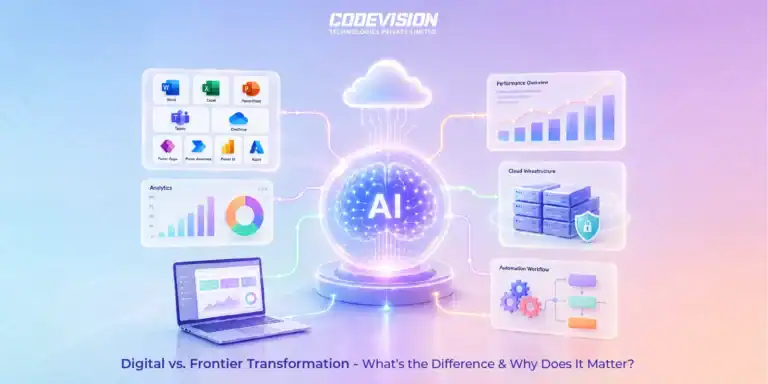
Microsoft Frontier
7 min readDigital Transformation vs. Frontier Transformation: What’s the Real Difference?
Digital transformation digitized business processes. Frontier Transformation goes further by combining AI, automation, intelligent agents, and connected systems to create smarter, AI-powered enterprises.
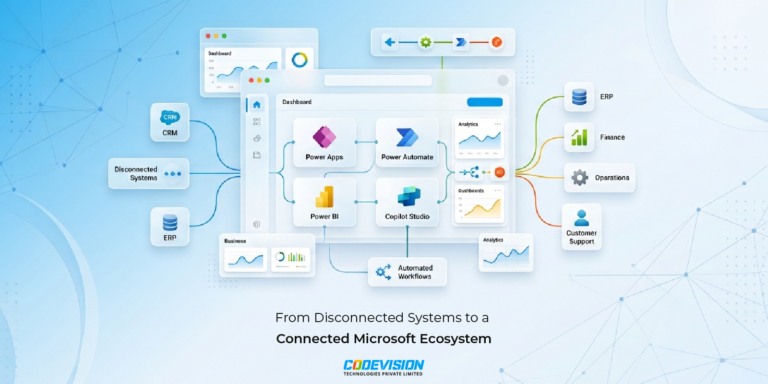
Power Platform
9 min readHow Microsoft Power Platform Powers Frontier Transformation for Modern Enterprises
Move beyond automation with Microsoft Power Platform. Connect data, processes, and applications to streamline operations and accelerate business growth.